Installation
158
Mitel 470 as of R4.1
syd-0585/1.2 – R4.1 – 08.2016
mains available after a first start. This means that the communication server remains
accessible via Ethernet interface in the same way as before the first start.
If no IP addressing is entered on the EIM card (e.g. after initial delivery), the communi-
cation server is started with DHCP after a first start. The communication server tries to
log on with the DHCP server and to enter its host name on the DNS server. If logon is
successful the communication server is accessible via the host name.
If the communication server cannot find a DHCP server within 90 seconds, it deacti-
vates the DHCP mode and is then accessible via the standard IP address (see
Tab. 76
) with a direct connection.
Note:
DHCP is deactivated only temporarily and is reactivated after a subsequent restart.
Cable types
The Ethernet switch on the communications server features Auto MDI/MDIX. With the
automatic detection straight or crossover LAN cables can be used for all connection
types.
Configuration
The Ethernet interfaces routed to the front panel can be configured individually in the
IP addressing ( =9g) view. In addition to Auto modes, manual settings are also possi-
ble for Speed and MDI type.
Status LED
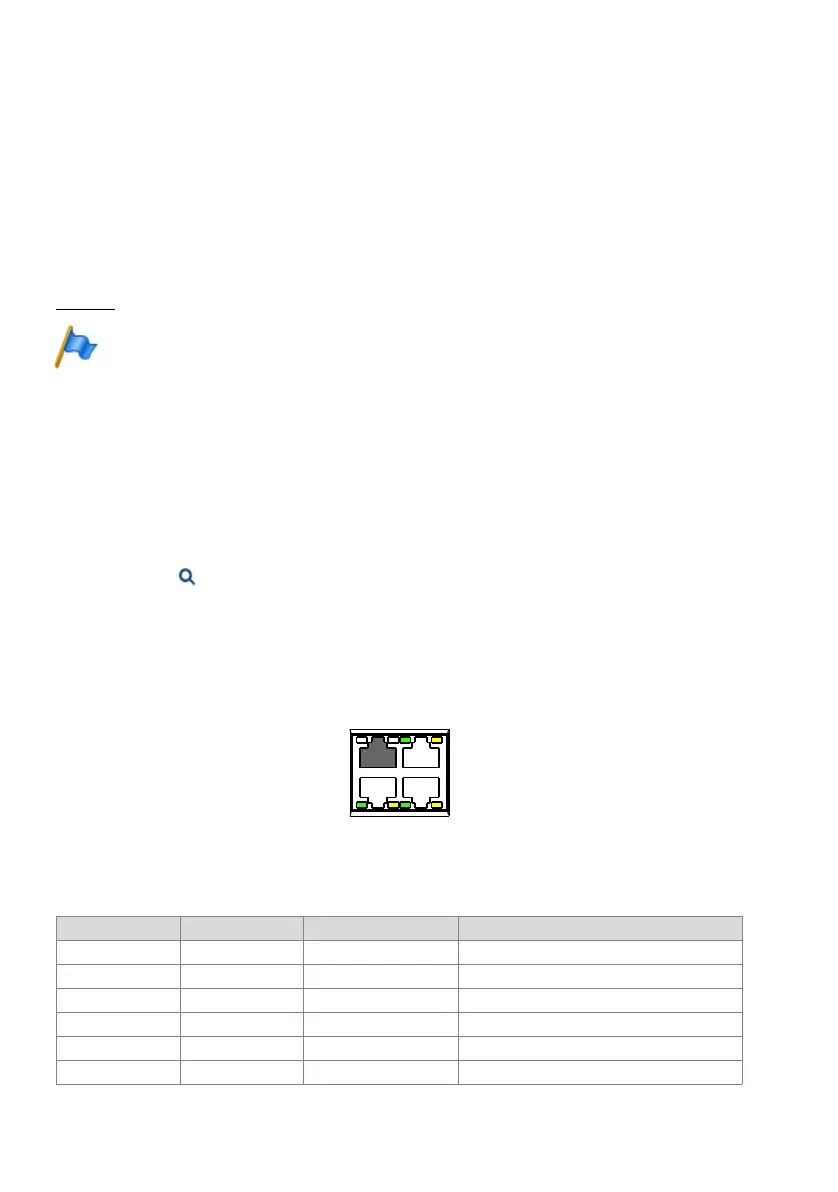
The status of the Ethernet interfaces is indicated by the green and yellow LEDs directly
on the interface in question.
Fig. 71 Status LED on the Ethernet interfaces
Tab. 77 Status LED on the Ethernet interfaces
Green LED Yellow LED Speed State
On On 10 Mbit/s Port has a connection with the network
flashing flashing 10 Mbit/s Port is receiving or sending data
On Off 100 Mbit/s Port has a connection with the network
flashing Off 100 Mbit/s Port is receiving or sending data
Off On 1 Gbit/s Port has a connection with the network
Off flashing 1 Gbit/s Port is receiving or sending data
8"/
-"/
-"/-"/



 To Next Page