Expansion Stages and System Capacity
44
Mitel 470 as of R4.1
syd-0585/1.2 – R4.1 – 08.2016
An IP media module can be fitted as an option to increase the number of VoIP chan-
nels (see also "IP media module", page 57).
Three individually configurable Gbit Ethernet interfaces are available on the front panel
of the call manager card. The status of the interfaces is visible directly on the interfaces
themselves thanks to the LEDs (see also "Ethernet interfaces", page 156
).
Analogue voice and data terminals are connected via FXS interfaces. The call man-
ager card comprises four of these configurable multifunctional interfaces (see also
"FXS terminal interfaces", page 140
).
The most striking display element on the call manager card is the backlit 1.8” colour
display with the four navigation keys as control elements. It is used to display event
messages or to execute maintenance functions. If the colour display is not available
(e.g. during call manager system setup) the call manager status is indicated using the
multi-coloured status LED on the On/Off button (see also "Call-Manager display and
control panel", page 216).
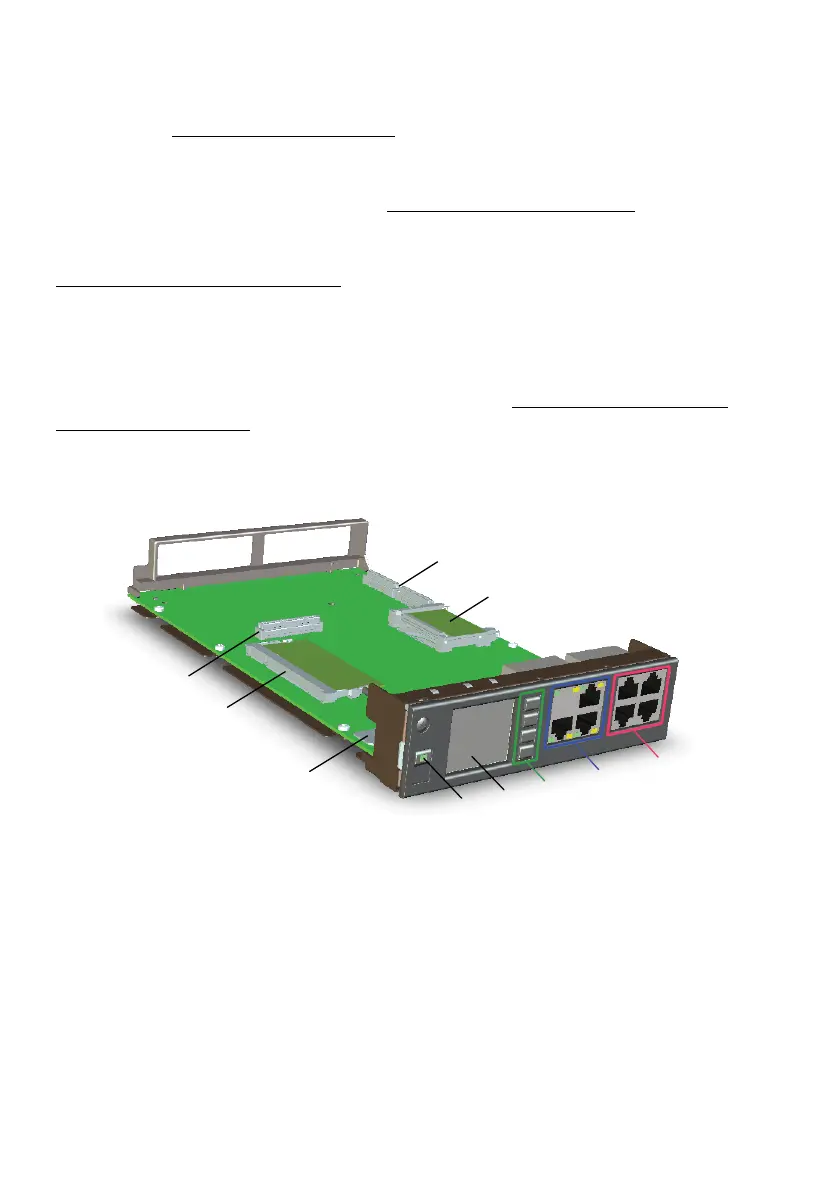
The figure below shows the positions of the interfaces and of the display and control el-
ements on the call manager card.
[3]
[2]
[4]
[5]
[9]
[8]
[7]
[6]
[10]
[1]



 To Next Page