EQUIPMENT - 5
CAY M A N 2 0 0 7
105
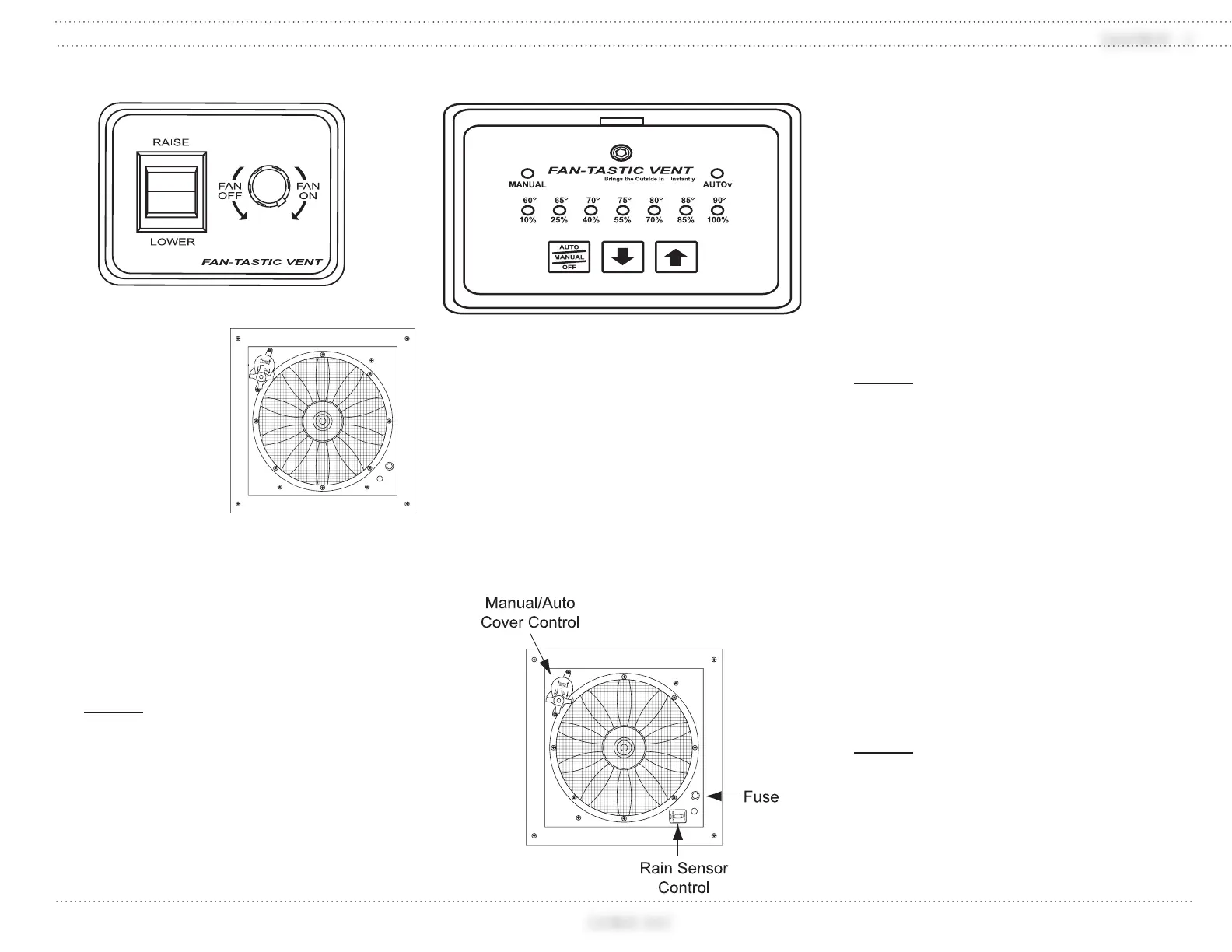
Exhaust Fan
Fan Operation:
Turn on the
battery cut-off
switch.
Ensure the vent
cover knob is
pressed IN to
the Automatic
position.
Use the wall
switch to raise
the vent cover.
The vent cover must be open at least 2"
before the fan will run.
Turn power knob clockwise to turn fan
on. The power knob also adjusts fan
speed.
NOTE:
To override the automatic setting, pull
the vent cover knob out to the manual
position and close vent. The fan blade
will stop spinning when the vent cover is
closed.
Automatic Fan (Optional)
Fan Operation:
Turn on the battery cut-off switch.
Ensure the vent cover knob is pressed IN
to the Automatic position.
Press the Auto/Manual/Off button on
the wall switch once. The vent cover will
open automatically.
Use the up or down arrows to set the
thermostat temperature. The fan speed
will adjust automatically according
to the disparity between ambient and
selected temperatures.
Press the Auto/Manual/Off button once
more to manually control fan speed. Fan
speed is displayed on the wall control in
10% increments. The thermostat is no
longer operational in this mode.
Press the Auto/Manual/Off button until
all wall control lights are off. The fan
blade will stop spinning and the vent
dome will automatically close.
To use the fan as a vent only: Leave the
wall control switch off. Pull the vent
cover knob down to the manual position
and turn the knob to open the vent.
NOTE:
To override the automatic setting, pull
the vent cover knob out to the manual
position and close vent. The fan blade
will stop spinning when the vent cover is
closed.
Rain Sensor Operation:
Ensure the rain sensor switch located on
the fan is set to Normal.
The dome will automatically close and
the fan will shut off if the rain sensor
gets wet.
The dome will reopen and the fan will
start after the sensor dries.
Turn the fan off at the wall control to
avoid automatic restart.
NOTE:
Setting the rain sensor switch to “Rain
Override” while the fan is running will
prevent the fan from automatically
turning off and closing during rainy
weather.
031205d
030832k
031205c
030832L




 To Next Page