EQUIPMENT - 5
CAY M A N 2 0 0 7
112
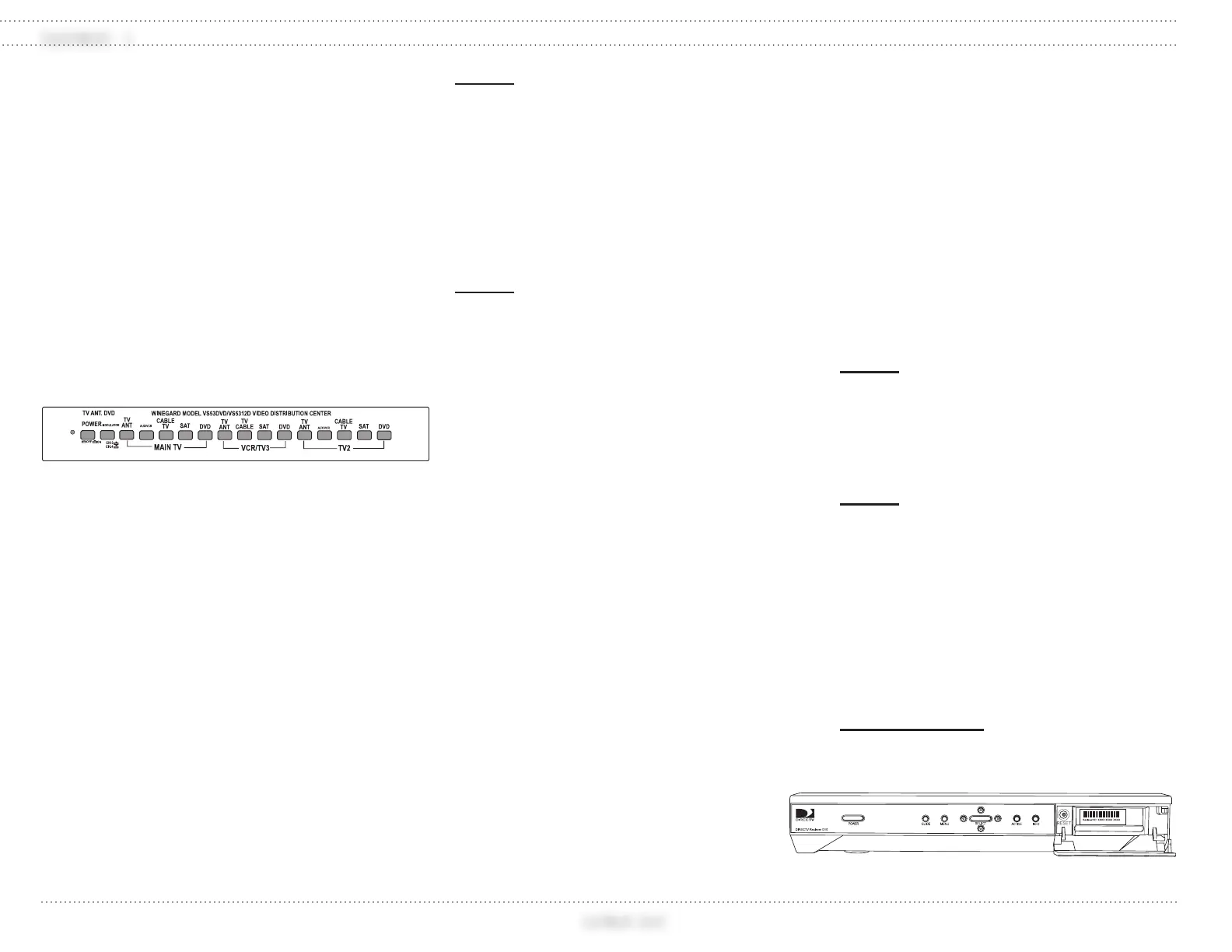
Video Selector Box
The motorhome is equipped with a video
selector box that connects the various
components to the front and rear televisions.
Features Include:
Five Inputs: Satellite Receiver (N/A),
TV Antenna, AUX/VCR, Cable TV and
Auxiliary.
Three Outputs: MAIN TV (Front TV),
TV2 (Bedroom TV), VCR/TV3.
Built-in 12 Volt TV antenna ampli er.
Independent viewing of signals at
different televisions.
Operating the Components
To Operate Any Component:
All components require 120 Volt AC
from shore power, the generator or
inverter (optional) to operate.
Ensure the battery cut-off switch is on
and the house batteries are charged.
The ignition key must be off.
To Watch TV Using the Antenna:
Press the TV ANT button located above
the section marked MAIN TV (TV2 for
bedroom) on the switch box.
Turn TV on and select channel.
Fringe area reception can be improved
by pressing the “Power” button on the
switch box to activate the antenna boost.
NOTE:
Turn antenna boost off when not
viewing from the antenna.
To Watch TV Using the Shore Cable Signal:
Press the CABLE TV button above the
section marked MAIN TV (TV2 for
bedroom) on the video control box.
Turn the TV on and select channel.
NOTE:
To view Cable TV signals, hook a 75-
Ohm cable from the supplied service
to the Cable TV input in the Water
Service Compartment. Cable TV
inputs are available at many of today’s
campgrounds.
To Play a DVD:
Turn the main Radio power switch
on (rocker switch located on center
console).
Turn on the dash Radio/DVD player.
Turn on the TV and select channel 3.
Press the DVD button above the section
marked Main TV (TV2 for bedroom) on
the video control box.
Insert DVD into Radio/DVD player.
Adjust volume using TV or radio
remote.
To Watch Satellite Programming
(Optional):
Turn on the TV and select channel 3.
Press the SAT (Satellite) button above
the section marked MAIN TV (TV2 for
bedroom) on the video control box.
Turn on the satellite receiver (requires
subscription).
Turn on the satellite dish at the satellite
controls in the front overhead cabinet.
Select channel with the satellite remote.
SATELLITE (OPTIONAL)
The self-contained stationary, automatic
satellite TV system automatically acquires and
tracks DirecTV
®
, DISH Network
™
and Bell
ExpressVu satellite signals throughout the
continental United States when the motorhome
is in a stationary position.
NOTE:
The satellite is a self-acquiring
satellite TV antenna for use when the
motorhome is stationary. The system is
not designed to track the TV satellite
when the motorhome is in motion.
NOTE:
For specific satellite coverage areas and
providers see the OEM manual.
The Internal Receiver Descrambler (IRD)
receives satellite signals from the antenna for
decoding, processing, and channel selection, and
then sends those signals to the TV for viewing.
The IRD also provides the interface for the user
to activate authorization for reception.
INFORMATION:
Refer to the IRD User’s Manual for
complete operating instructions.
031196b
Satellite Receiver
030861g




 To Next Page