EQUIPMENT - 5
CAY M A N 2 0 0 7
113
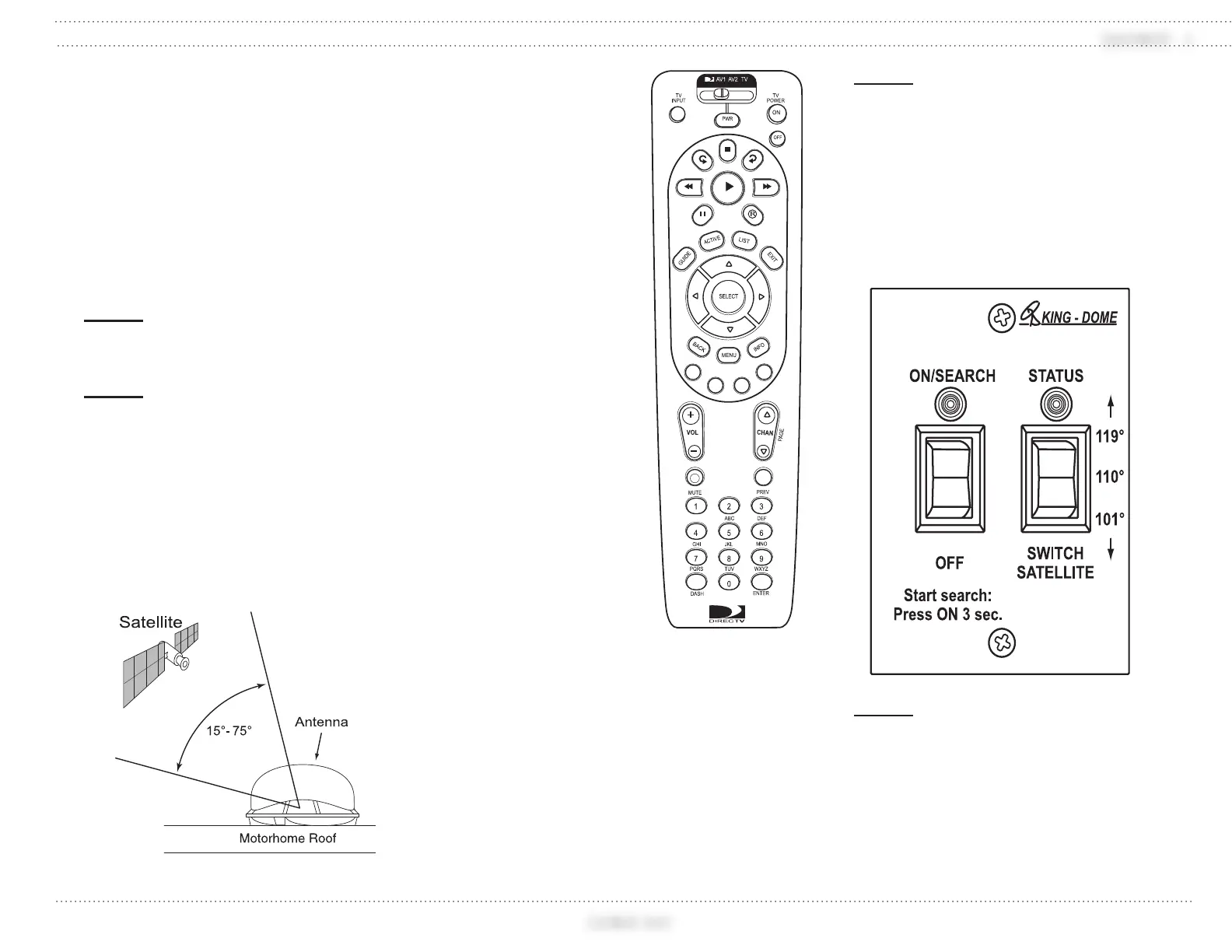
The satellite system requires a clear view of
the southern sky to receive signal. Ideal antenna
site has an unobstructed view of 15º to 75º in the
Southern horizon.
If the satellite antenna receives intermittent
signals or cannot locate the satellite, check
around outside of motorhome for blockage such
as trees, building, etc. The satellite antenna must
be located in the selected satellite’s coverage
area in order to receive a signal.
NOTE:
The satellite receiver must be turned on
for the system to function.
NOTE:
As part of the startup process, the
System will default to channel 200, a
program directory. This is the system’s
means of verifying that it has identified
and is tracking the correct satellite.
Once channel 200 appears, wait at least
another 30 seconds before changing the
channel to ensure that the system has
completed the startup routine.
For Dish 500
subscribers:
After being locked
onto a satellite, Dish 500
subscribers can switch
back and forth between
the 110 and 119 satellites.
To switch satellites:
Press and hold the
three- position switch
for one second. Up will
switch to 119, while
down will switch to 110.
System Start-up:
Upon power-up, the
system performs a set
of start-up routines.
Antenna then searches
for a TV satellite.
After locating a
satellite, the IRD
data connection
determines whether
the satellite signal can
be decoded. If so, the
antenna locks onto
and tracks the satellite.
NOTE:
Once the startup procedure is complete
and the antenna is locked onto the
correct satellite, the power switch may
be turned off to avoid unnecessary
discharge of house battery power.
Because the antenna LNB receives its
power from the IRD, the antenna will
continue to receive the satellite TV
signals and relay them to the IRD.
NOTE:
If the antenna is unable to locate the
desired satellite, refer to the OEM
Manual for possible causes and
corrective actions.
031027b
031197
Remote
031199


 To Next Page
 Loading...
