APPLIANCES - 4
CAY M A N 2 0 0 7
79
For the refrigerator to operate:
The house
batteries must be
charged.
The primary LP-
Gas valve must
be on or an AC
source must be
available.
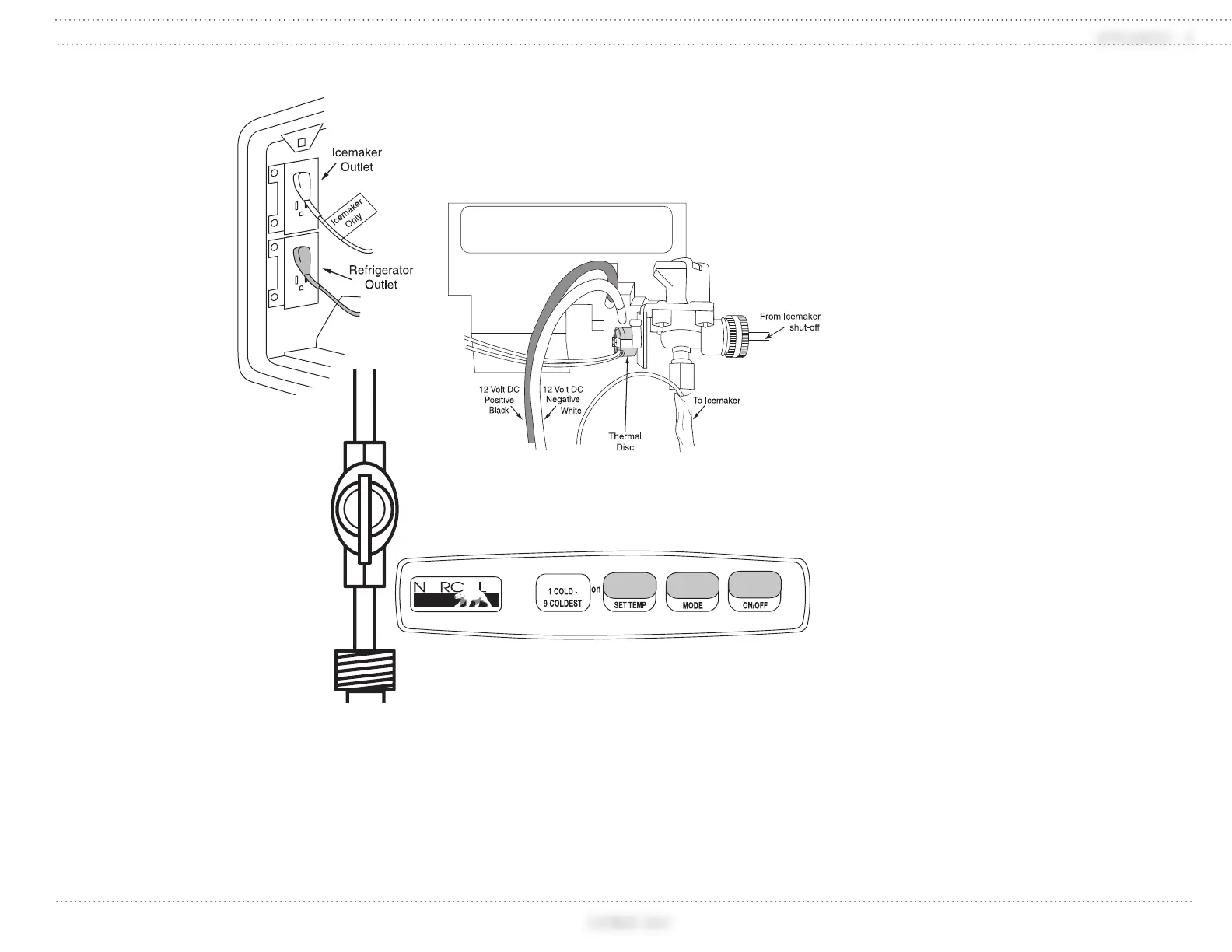
Figure A: The
refrigerator 120
Volt AC cord(s)
must be plugged
in (located
outside behind
refrigerator).
Figure B: The
water valve must be
open if the refrigerator is
equipped with an icemaker.
Figure C: If controls do not light up,
check the house batteries charge status or
see if the 12 Volt DC wires are plugged
into the refrigerator’s circuit board
(located outside behind refrigerator
access door).
Control Panel
ON/OFF Button - Turns the refrigerator
ON or OFF.
- Push the ON/OFF button to start the
refrigerator in Auto mode.
- Push and hold the ON/OFF button for
two seconds to shut it off.
LED Display - This screen is used
for mode, temperature and fault code
display.
MODE Button - Controls the operation
mode of the refrigerator.
- Press the MODE button to select
between Automatic AU, AC or LP
operation.
SET TEMP Button - Adjusts the
temperature.
- To adjust, push and hold the SET TEMP
button.
- Number “9” is the coldest setting.
Manual Mode:
When one of the two manual modes is
selected:
1. AC = The refrigerator is operating on
AC electric.
2. LP = The refrigerator is operating on
LP-Gas.
Automatic Mode (AU):
This feature selects AC over LP-Gas
operation. If AC discontinues, the refrigerator
switches to LP-Gas operation. If the refrigerator
fails to light, the alarm sounds and a code
displays.
Press the MODE button until AU
displays.
Press and hold the SET TEMP button
until the desired temperature displays.
Release button.
In AUTO mode, AU/AC or AU/LP will
alternate three times when a mode has
changed.
Figure A
030967c
Located in
the interior
access below
refrigerator
or in exterior
access.
Figure B
030975d
Figure B
030974d
030864d




 To Next Page