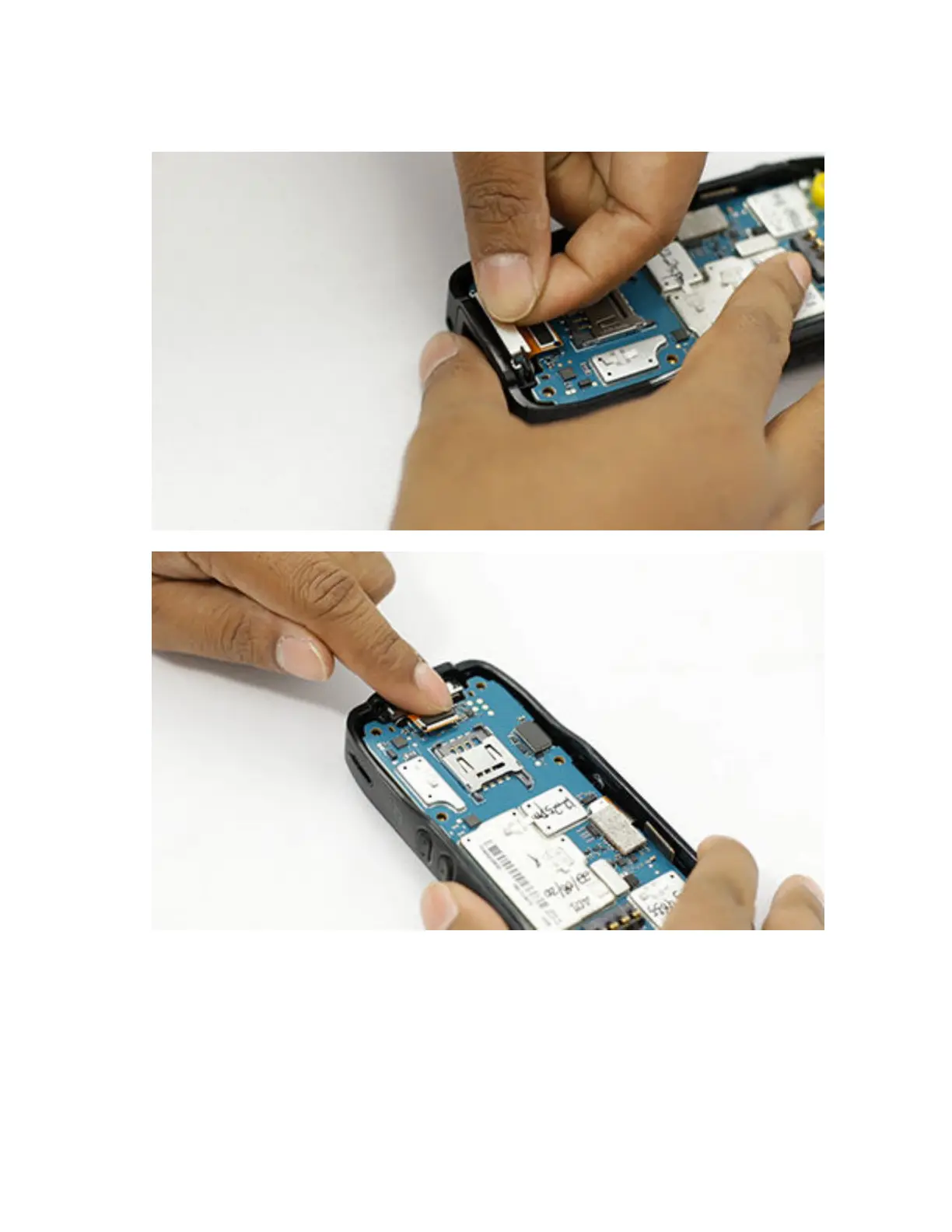
2 Push and hold the bottom connector firmly against the housing and slide the retainer into its
proper position on the housing.
To view the video for installing bottom connector, click Installing the bottom connector
7.5.10
Installing the Model Label
Prerequisites: Recommended tools:
• Plastic tweezers
MN006362A01-AL
Chapter 7 : Radio Disassembly and Reassembly
142





 To Next Page