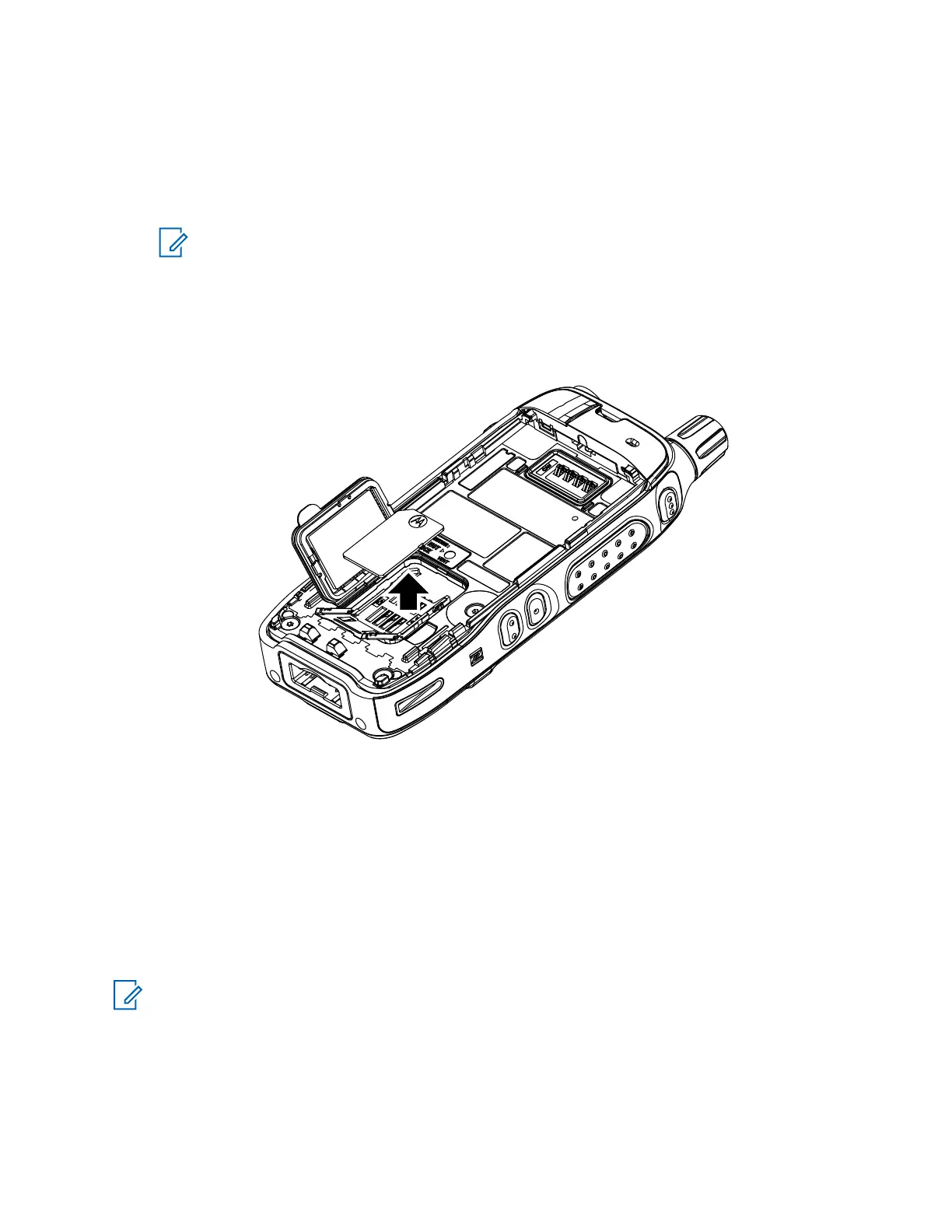
Uninstalling the SIM Card
Procedure:
1 Remove the battery.
2 Flip open the plastic door from the finger scoop area.
NOTE: Avoid pressing on the plastic door.
3 Flip open the SIM card holder.
4 Remove the SIM card from the SIM card holder.
5 Close the SIM card holder and slide it to the lock position.
6 Close the plastic door.
7 Install the battery.
7.4
Disassembling the Radio
Only Motorola Solutions Service Centers or Authorized Motorola Solutions Service Dealers can
disassemble the radio for repair or maintenance.
NOTE: Only the repair team is authorized to perform board swap.
MN006362A01-AL
Chapter 7 : Radio Disassembly and Reassembly
82





 To Next Page