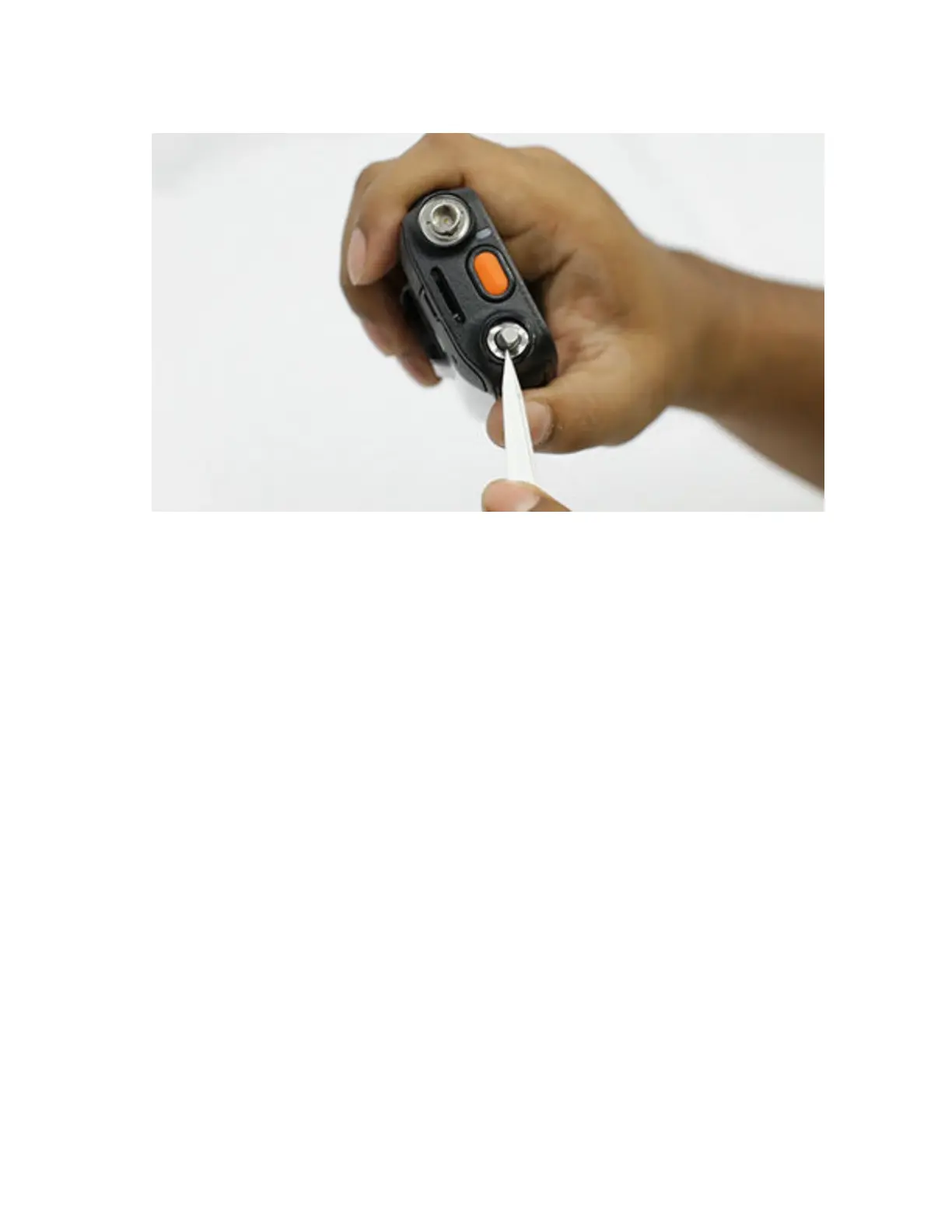
2 Use the tweezers to lift up the washer from the encoder.
To view the video for removing encoder washer, click Removing the encoder washer
7.4.6
Removing the Back Kit Assembly
Prerequisites: Recommended tools:
• T-6 Screw Bit
• Torx Driver
Procedure:
1 Peel off the tamper label on the back chassis as shown.
MN006362A01-AL
Chapter 7 : Radio Disassembly and Reassembly
88





 To Next Page