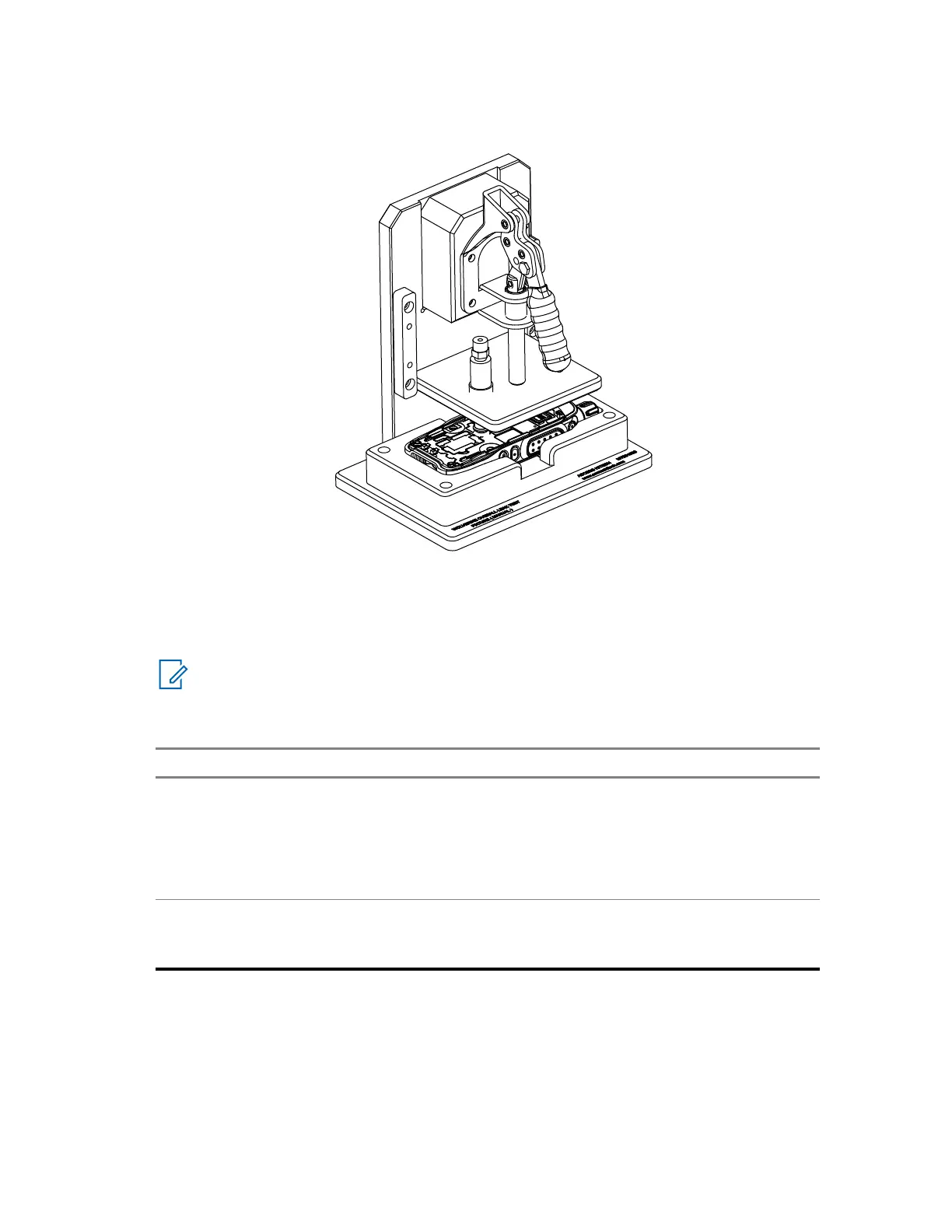
Figure 14: Leak Test Fixture
5 Slowly lower the fixture toggle clamp, ensuring ventilation port is fully covered by the fixture seal.
6 Start the vacuum leak test. Observe the gauge for 20 seconds with the vacuum leak tester
running.
NOTE: Maximum allowable pressure drop after 20 seconds is 0.10 inHg.
7 Perform one of the following actions depending on the result of the previous test:
Options Actions
Pass the test The radio is properly sealed. Perform the
following actions:
1 Replace a new GORE membrane and
ventilation label.
2 Assemble the keypad.
Fail the test Continue with Performing Leak Area Trou-
bleshooting on page 164 with the leak test
spacer still attached.
8.2
Performing Leak Area Troubleshooting
If the radio fails the vacuum leak test, the leak area must be identified and serviced or replaced.
Prerequisites: Label the original components or kits with a marker or sticker to avoid confusion.
MN006362A01-AL
Chapter 8 : Radio Leak Test
164





 To Next Page