7.5.24
Attaching the Battery
NOTE:
The radio detects non-Motorola Solutions batteries and prompts you on battery authentication.
The Invalid Battery message is prompted upon power-up, with a tone.
Procedure:
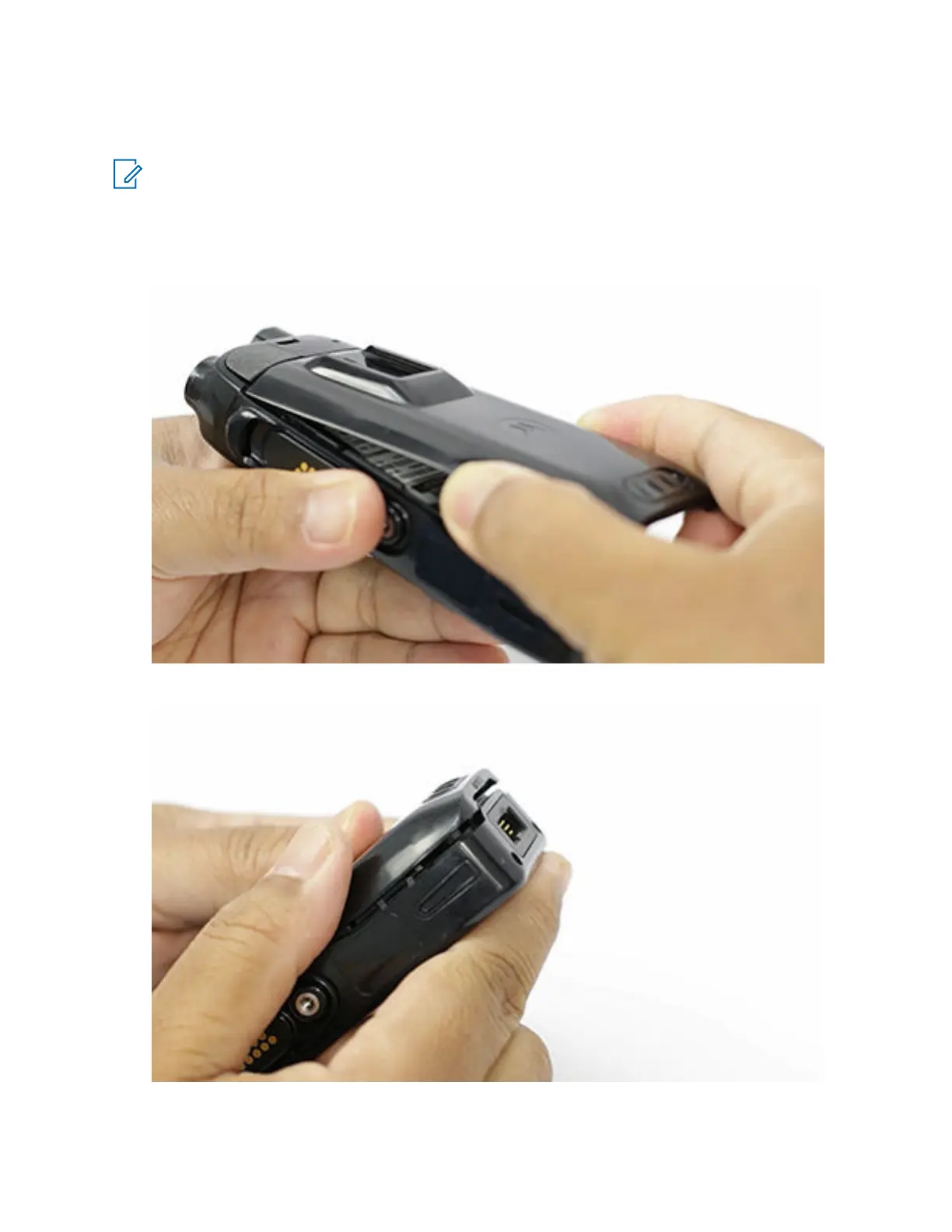
1 Place the battery.
2 Press down the bottom portion of the battery until it clicks in place.
To view the video for installing battery, click Installing the battery
MN006362A01-AL
Chapter 7 : Radio Disassembly and Reassembly
160





 To Next Page