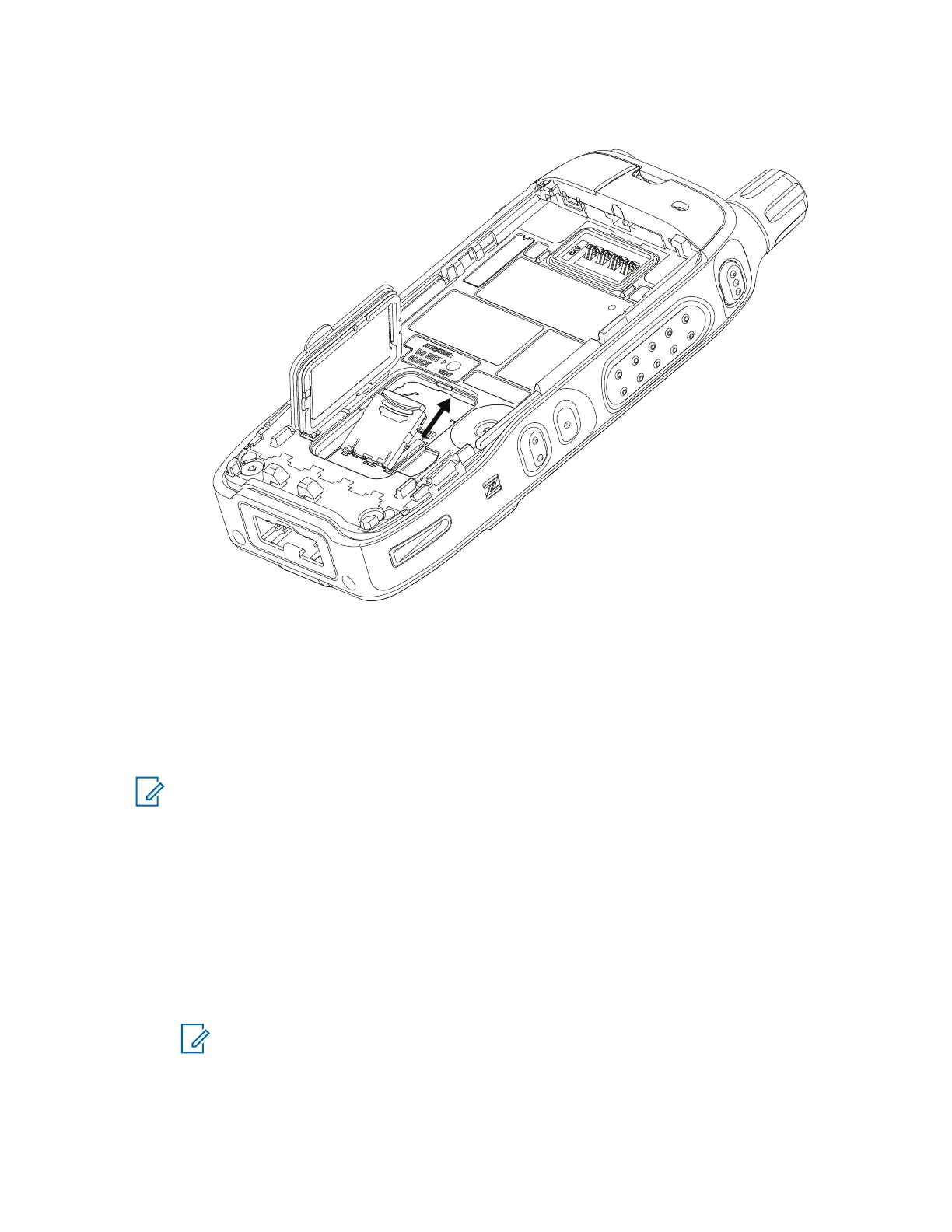
5 Close the microSD card holder and slide it to the lock position.
6 Close the plastic door.
7 Install the battery.
7.3
Installing or Uninstalling the SIM Card
NOTE: Applicable only for SIM Card model.
The SIM card slot has a delicate construction. You must avoid installing or uninstalling the SIM
card unnecessarily as this action can damage the mechanism of the reader. For copying files
from your radio, you can use the USB Mass Storage Mode.
Installing the SIM Card
Prerequisites: Your radio is equipped with a SIM card slot.
Procedure:
1 Remove the battery.
2 Flip open the plastic door from the finger scoop area.
NOTE: Avoid pressing on the plastic door.
MN006362A01-AL
Chapter 7 : Radio Disassembly and Reassembly
79





 To Next Page