44
Routine Operation
Chillgard 5000
US
To acknowledge the predictive warning and return to the dashboard, select "Acknowledge".
A corresponding notification also shows on the "Diagnostics" screen. For information about diagnos-
tics, refer to Section 8, "Diagnostics".
7.5 Cautions, Warnings, and Alarms
Cautions, warnings, and alarms can be triggered by non-latching or latching events. Non-latching
events do not require user interaction for resolution. Latching events require user interaction for reso-
lution.
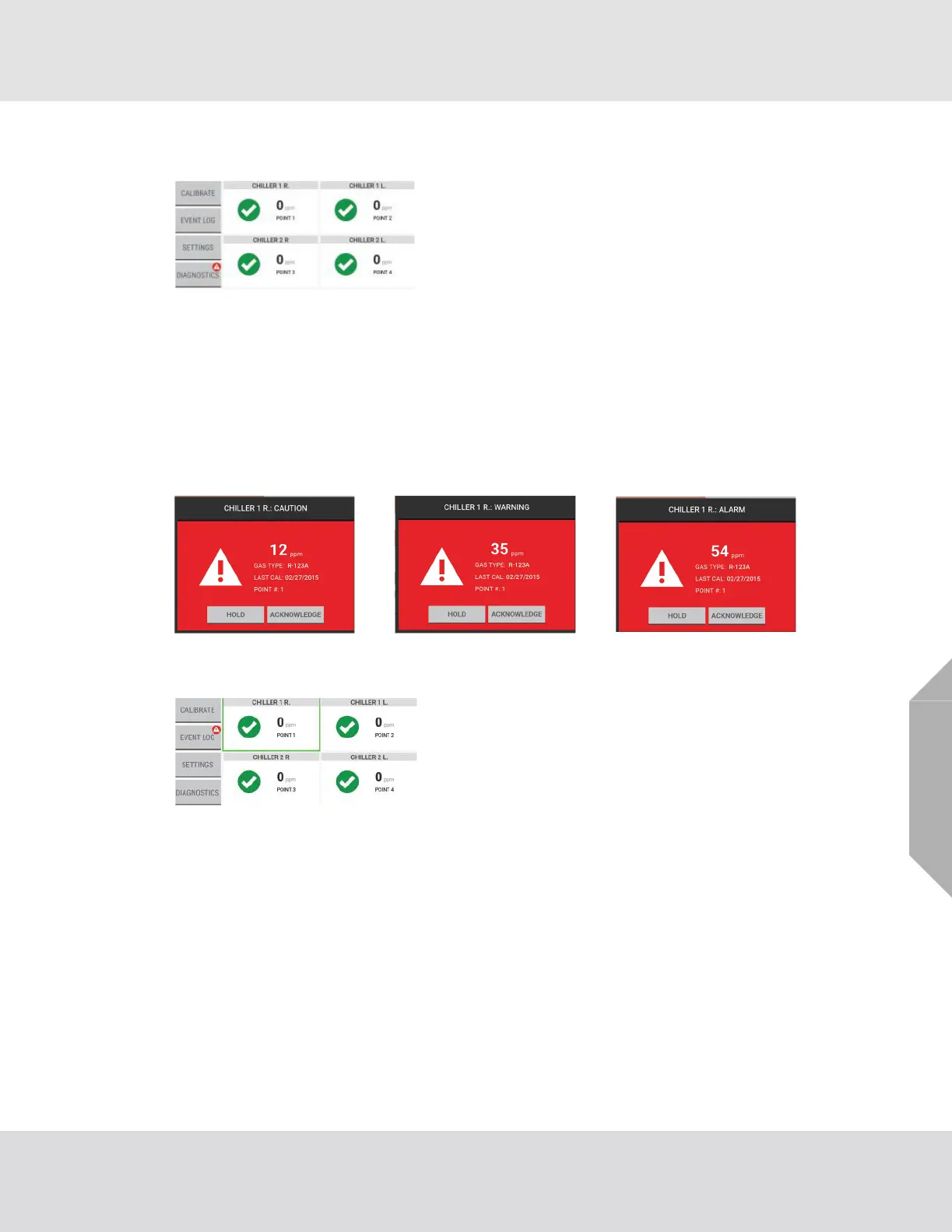
When an event occurs, a pop-up shows on the dashboard.
7.5.1 Non-Latching Events
For information about the Event Log, refer to Section 7.7, "Event Log".
A corresponding notification of the event shows on the "Diagnostics" screen. For information about
diagnostics, refer to Section 8, "Diagnostics".
Acknowledging the predictive warning triggers a notification
that shows on the "Diagnostics" button on the dashboard.
Non-latching events do not require user interaction for reso-
lution. For a non-latching event, if the gas reading goes
below the caution, warning, or alarm threshold before
"Acknowledge" is selected, the pop-up disappears from the
dashboard, the background of the point tile on the dash-
board changes from red to white, the event is catalogued in
the Event Log, and a notification shows on the "Event Log"
button on the dashboard.



 To Next Page