45
Routine Operation
Chillgard 5000
US
7.5.2 Latching Events
A corresponding notification of the event shows on the "Diagnostics" screen. For information about
diagnostics, refer to Section 8, "Diagnostics".
Latching events require user interaction for resolution. For
a latching event, "Acknowledge" must be selected on the
pop-up to return to the dashboard. If a horn is enabled for
the point, selecting "Acknowledge" silences the horn, but
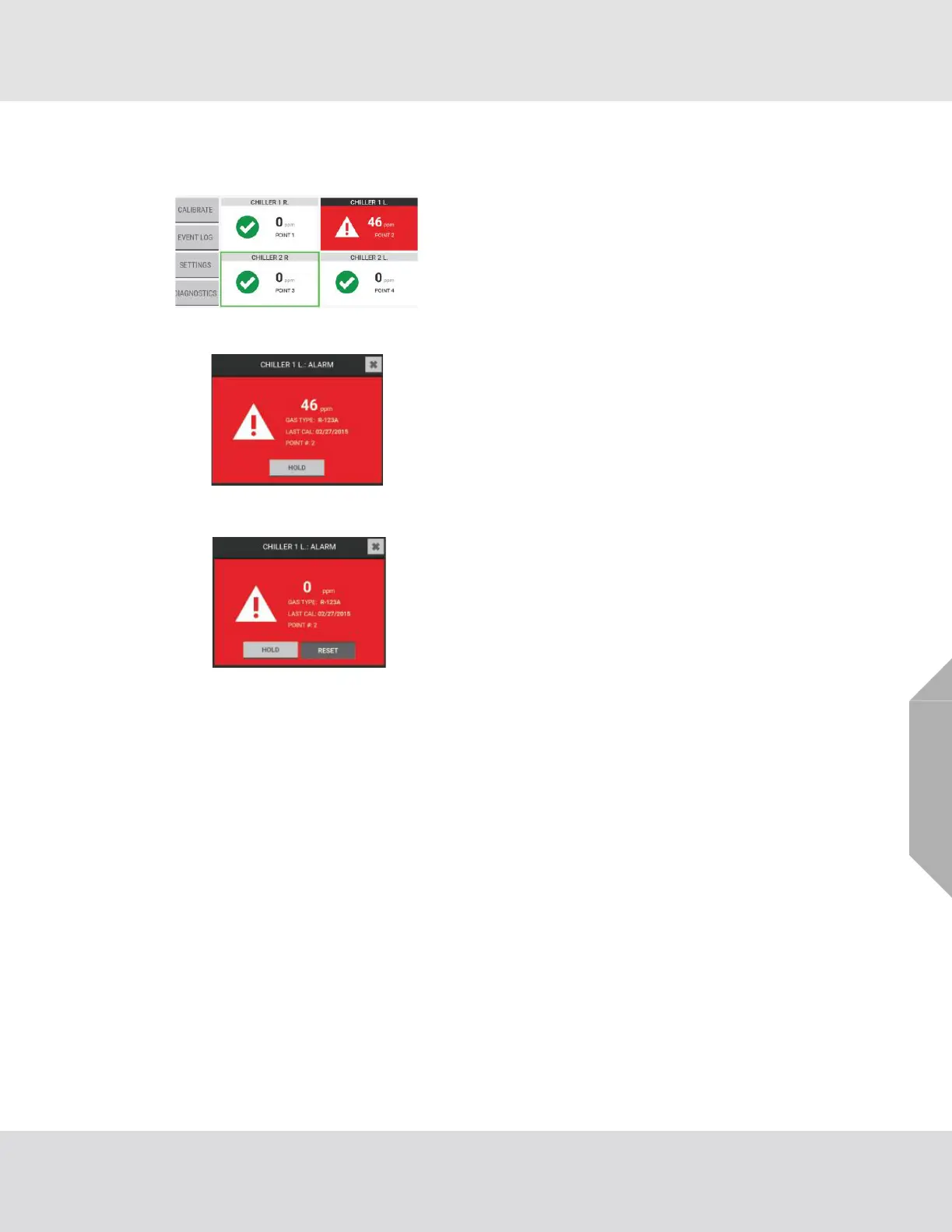
the event is not yet resolved. The point tile shows in red on
the dashboard to indicate the unresolved event.
Select the point tile with the event to see a detail pop-up.
While the gas reading is above the event threshold, the
"Reset" button on the detail pop-up is hidden, and the event
cannot be resolved.
When the gas reading goes below the event threshold, the
"Reset" button is active.
Select "Reset" to resolve the event and return to the dash-
board. The point tile on the dashboard shows in its normal
state, and the event is considered resolved.



 To Next Page