54
Routine Operation
Chillgard 5000
US
7.8.3 Point Configuration
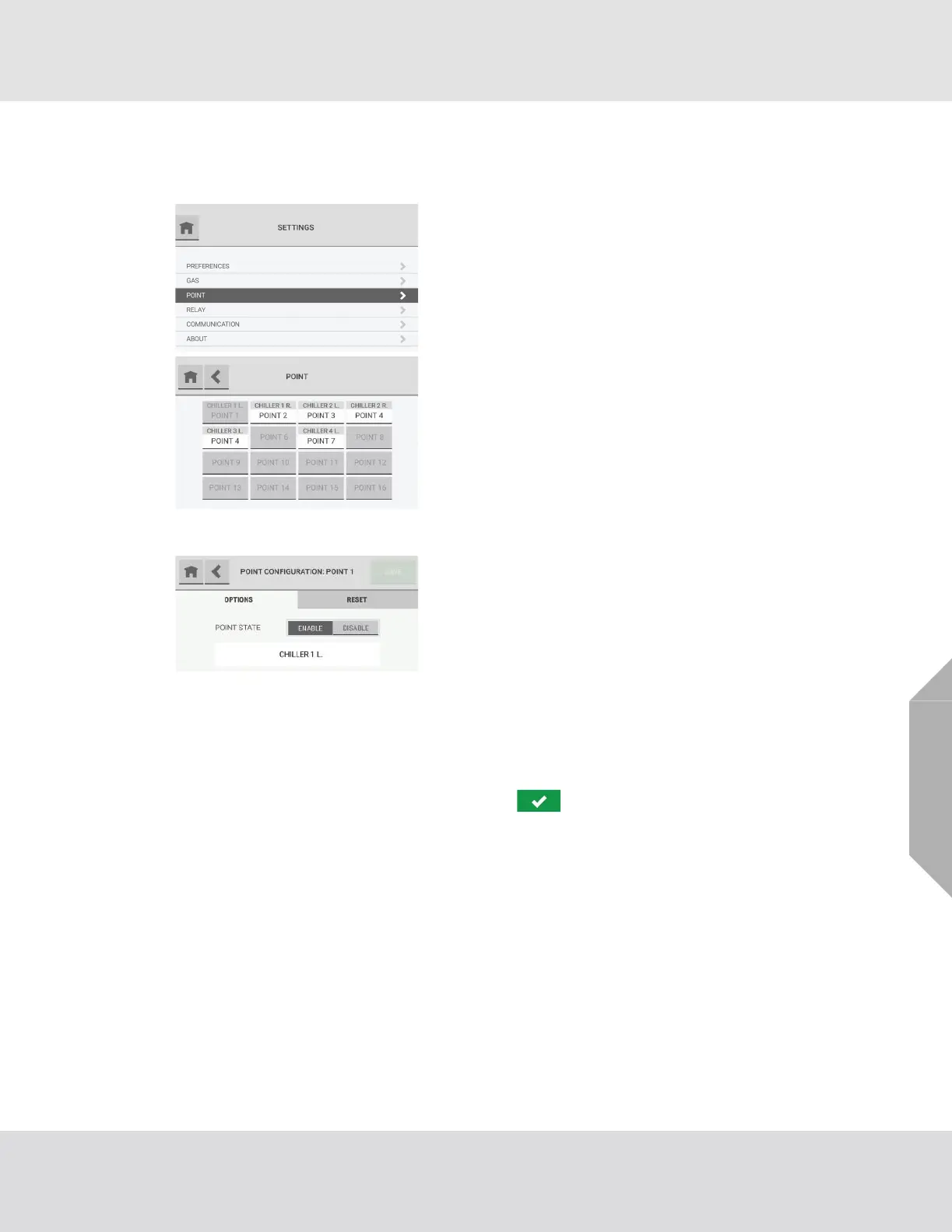
Use the "Point" option to change the point configuration settings.
(4) To change the point state, select "Enable" or "Disable". If "Disable" is selected, the "Create Point
Name" field is inactive.
(5) To change the point name, select the name field, and use the alphanumeric keypad pop-up to
assign a name with up to 18 characters. Select to accept the value. The entire
18 characters will only show on the "Point Detail" screen. Only 10 characters will show on the
"Point Configuration" screen.
(6) Select "Save".
(1) On the "Settings" screen, select "Point".
(2) On the "Point" screen, select the applicable point.
(3) On the "Point Configuration: Point #" screen, do one
of the following:
a) To change the point configuration settings, select
the "Options" tab, and go to Step (4).
b) To reset the point name and disable the point, go to
Step (1) in the "Reset" Tab section below.
NOTE: When a change is made to the configuration, the
"Save" button becomes active.



 To Next Page