53
Routine Operation
Chillgard 5000
US
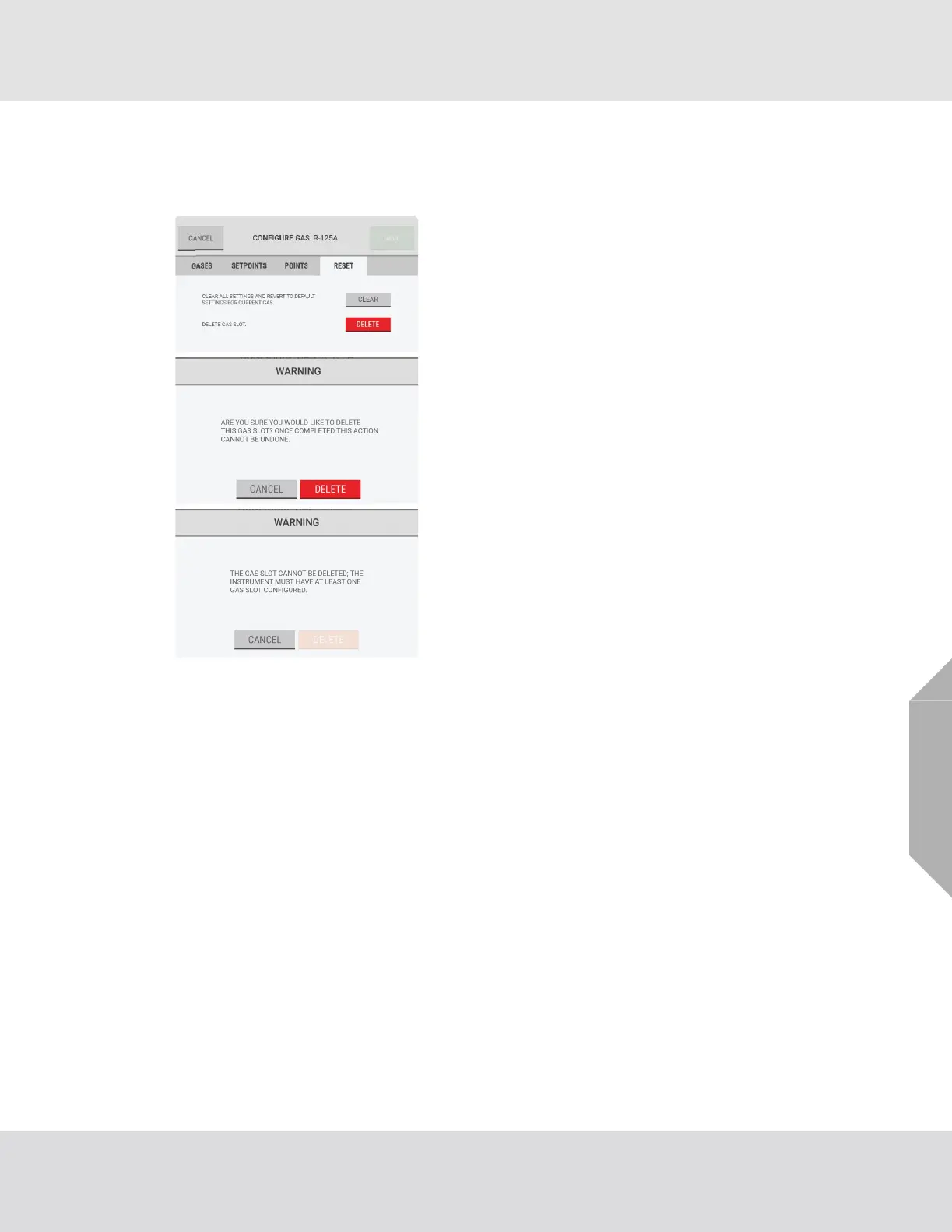
"Reset" Tab
Use the "Reset" tab to clear or delete a gas slot.
When the configuration changes have been saved, the "Settings" screen shows.
(1) On the "Configure Gas" screen, select the "Reset" tab.
(2) Do one of the following:
a) To return to the default settings for the currently
selected gas, select "Clear".
b) To remove the gas slot completely, select "Delete".
(3) On the warning pop-up, do one of the following:
a) To cancel the Delete function, select "Cancel".
b) To continue with the Delete function, select
“Delete”.
NOTE: If only one gas slot is configured, it cannot be
deleted. At least one gas slot must be configured for the
system to function. If an attempt is made to delete the only
configured gas slot, a warning pop-up indicates that the
action cannot be completed.
Select "Cancel" to return to the "Configure Gas" screen.



 To Next Page