142 Transporting
[7]
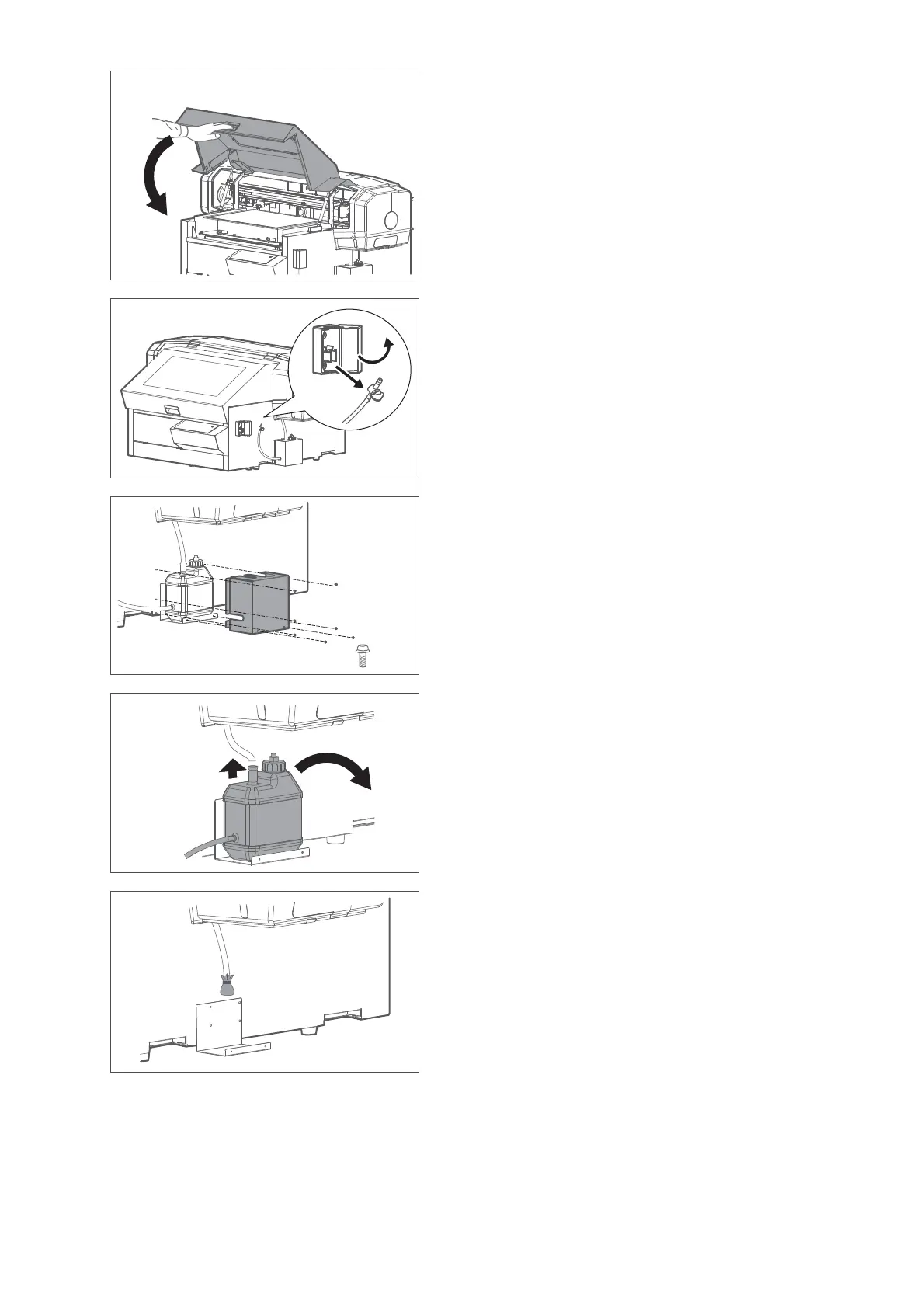
Hold the position shown on the left and gently close the cover.
[8]
Open the cover of the drain tube valve clamp, then unhook the drain
tube valve to take it out from the clamp.
[9]
Remove seven screws (M3 × 6) on the waste ink tank cover to remove
the cover from the printer.
[10]
Remove the waste ink tank.
• Remove the drain tube from the tank.
• Remove the waste ink tank from the tank holder.
[11]
To prevent waste fluid from dripping, cover the tip of the tube with a
plastic bag and secure with tape.














 To Next Page