Transporting 141
2. Repacking
[1]
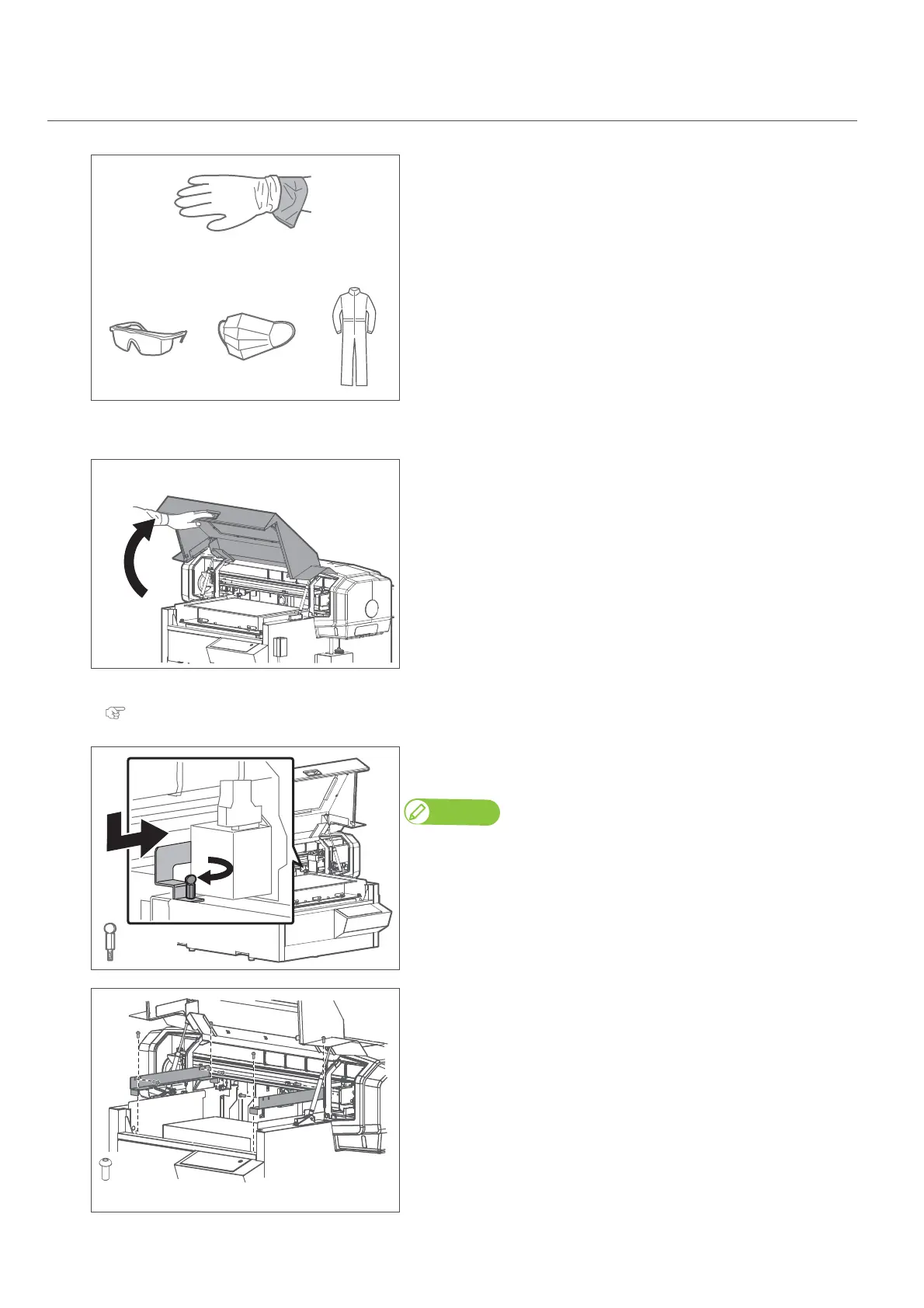
• Wear the polyethylene gloves (white) over the plastic gloves (pink).
• Wear personal protective equipment such as goggles, protective mask or
clothing.
[2]
Remove all cables from the printer.
[3]
Hold the handle on the front cover to gently open it.
[4]
Remove the table from the printer.
"Removing the standard table from the printer" P. 55
[5]
Attach the head fixing plate with screws.
• Slide the head fixing plate leftward to attach it.
Attach the head fixing plate carefully, so that it does not scratch any of the
surrounding parts.If they are scratched, the print quality could drop.
[6]
Use the hexagon wrench to install the two table fixing plates with the
eight scerews.
++














 To Next Page