40 Nozzle check and cleaning
[5]
Look at the print.
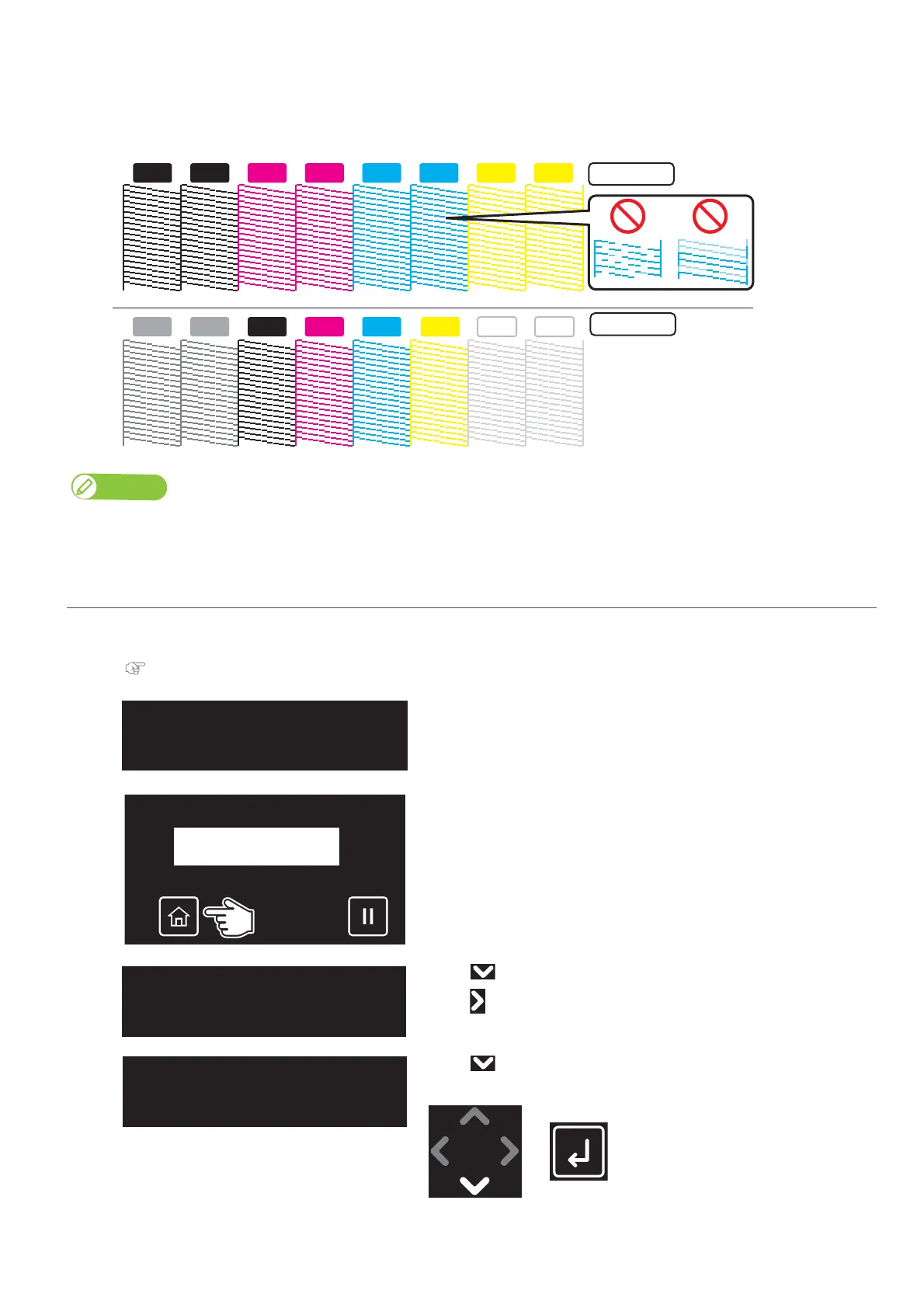
• If you find missing or thin lines on the print, go to "Perform cleaning" P. 41.
• If all lines are clearly printed,
go to "Starting printing" P. 42.
• The figure below are examples of the Nozzle Check patterns.
Note
The printer information (date and time of printing, printer’s serial number, firmware version) is printed on the nozzle check pattern.
For the Nozzle Check B pattern printing
[1]
Load a roll media for Nozzle check.
"Loading media" P. 31
[2]
Check that the message on the left is displayed.
[3]
Tap [Home].
[4]
• Use to choose the menu shown left.
•Tap .
[5]
• Use to choose the menu shown left.
•Tap [Enter].
KKM
M
M C
C
C
YY
VA VA
K
WH WHY
4 Color
6 Color
TestPrint2
NozzleCheckB














 To Next Page