Starting printing 43
[6]
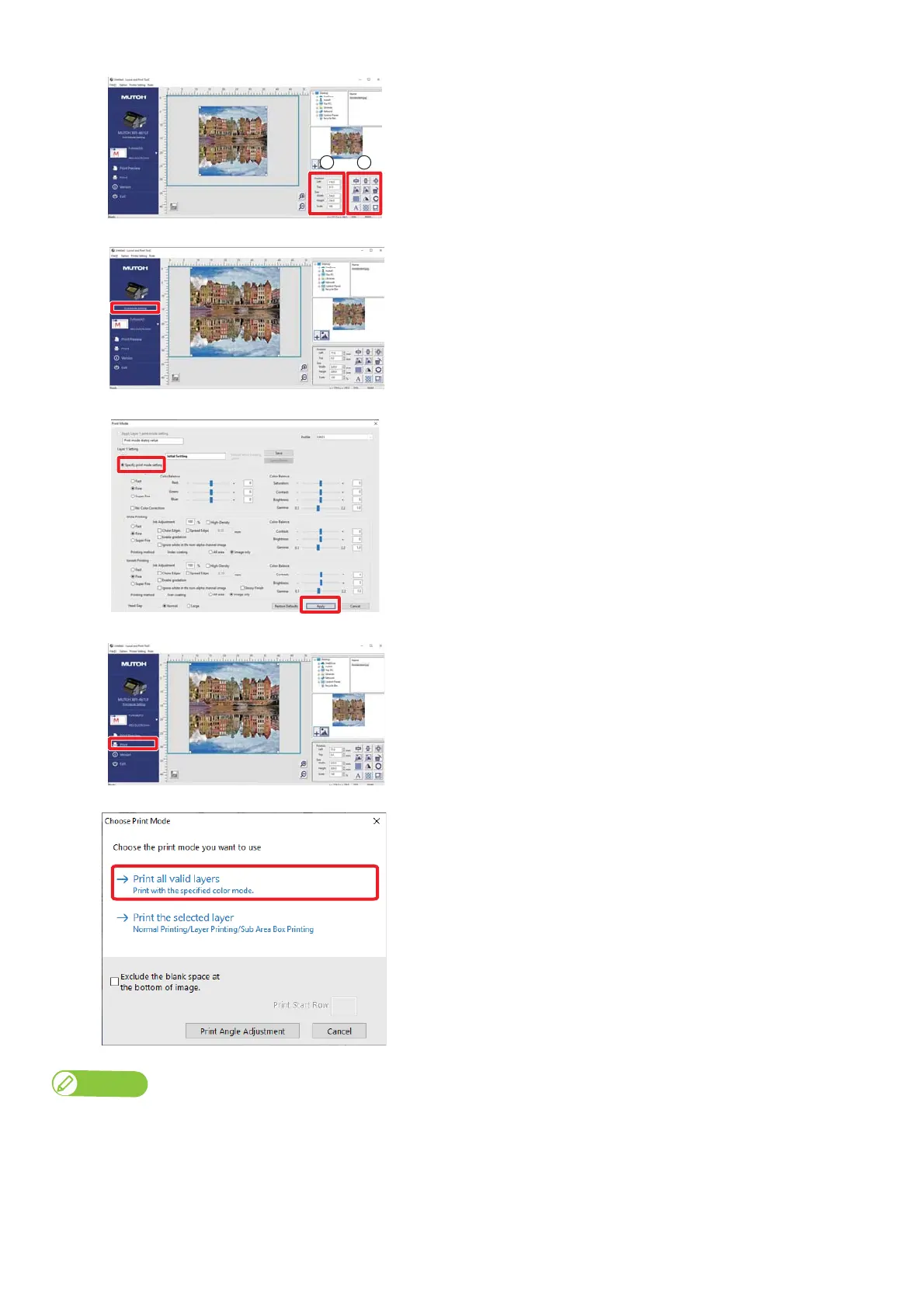
Align the image by using the following methods:
• Click the edit buttons (A on the left illustration).
• Enter values directly (B on the left illustration).
[7]
Click [Print Mode Setting].
[8]
• Select [Specify print mode setting].
• After specifying all the settings, click [Apply].
[9]
Click [Send to Layer Editor].
• The “Choose Print Mode” dialog will appear.
[10]
Select the Print Mode.
• Printing is executed.
For more details of layer printing, see the Layout and Print Tool 2 Operation Manual.














 To Next Page