38 Introduction/Features
Replacing the Battery
The remote entry transmitter uses one coin-type three-volt lith-
ium battery CR2032 or equivalent.
To replace the battery:
1. Twist a thin coin be-
tween the two halves of
the remote entry trans-
mitter near the key ring.
CAUTION:
DO NOT
take the rubber cover and
circuit board off the front
housing of the remote
entry transmitter.
REASON: Removing
the circuit board could cause the transmitter to fail.
2. Do not wipe off any grease on the battery terminals on the
back surface of the circuit board.
3. Remove the old battery.
NOTE:
Please refer to local regulations when disposing of
transmitter batteries.
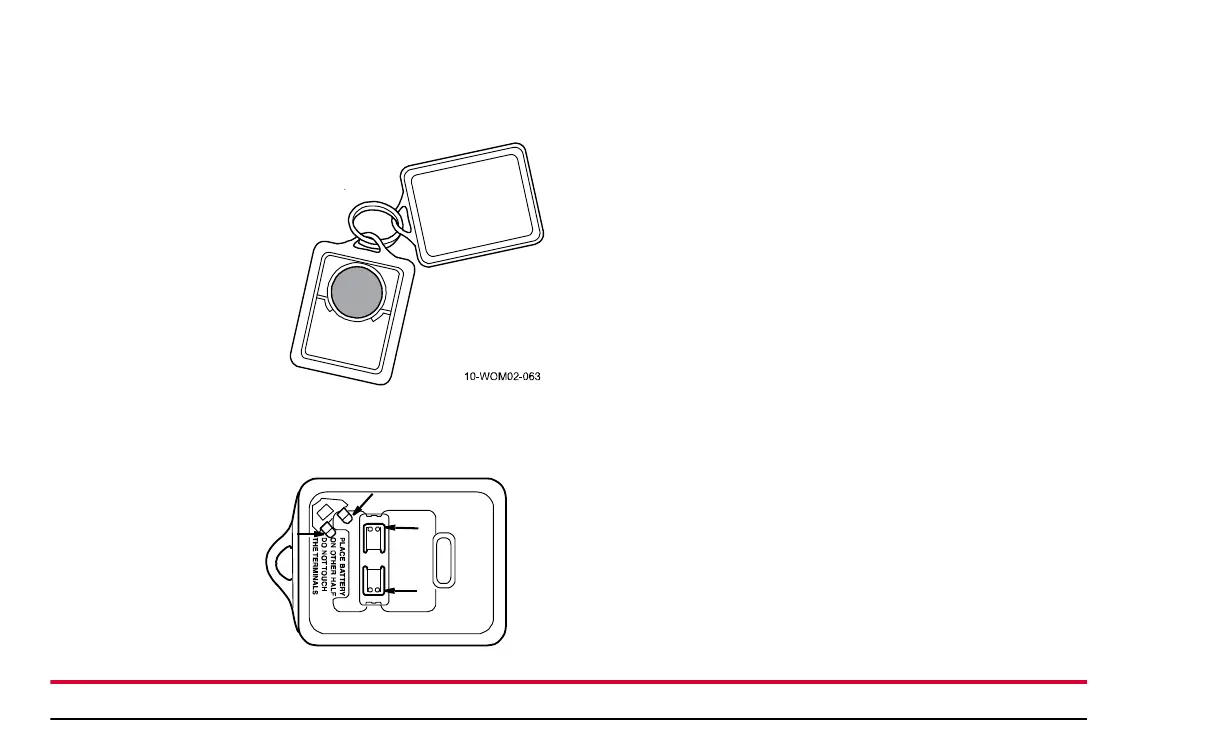
4. Insert the new battery. Refer to the diagram inside the
remote entry transmitter for the correct orientation of the
battery. Press the battery down to ensure that the battery is
fully seated in the battery housing cavity.
5. Snap the two halves of the transmitter back together.
NOTE:
Replacing the battery will not deprogram your
remote transmitter. The remote transmitter should operate
normally after battery replacement.
Replacing or Adding Remote Entry
Transmitters
If you would like to have your remote entry transmitter repro-
grammed because you lost one, or would like to buy additional
remote entry transmitters, you can either reprogram them
yourself, or take all remote entry transmitters to your autho-
rized service center for reprogramming.
Arrows indicate
terminal locations



 To Next Page