Vehicle Controls 63
SPEED CONTROL
With speed control set, you can maintain a set speed without
keeping your foot on the accelerator pedal.
Do not use the speed control in heavy traffic, traffic that
varies in speed, or on roads that are winding, hilly, slippery or
unpaved.
REASON: When using speed control in the conditions
listed above you may not be able to react quickly enough to
changing traffic and/or road conditions. This could result in
loss of vehicle control and serious bodily injury or death.
Setting Speed Control
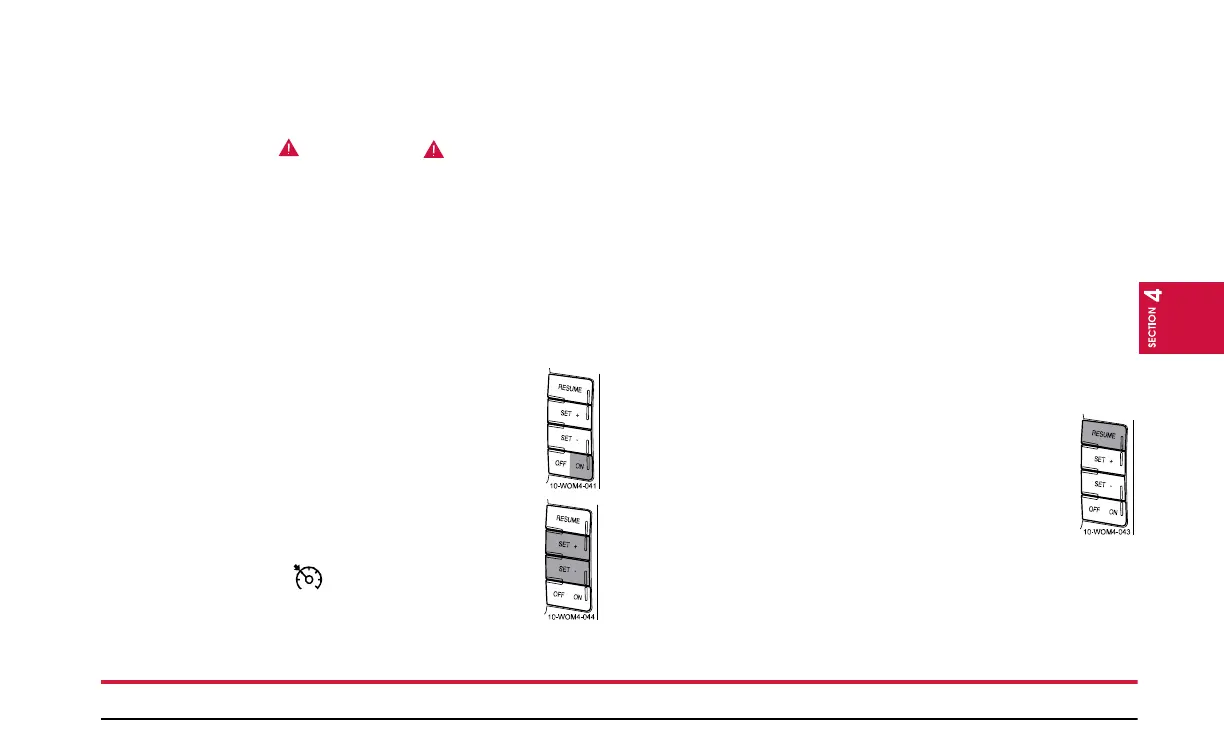
The controls for using your speed control are located
on the steering wheel for your convenience.
1. Press the ON control and release it.
2. Accelerate to the desired speed.
3. Press the SET + or SET - control and release it.
4. Take your foot off the accelerator pedal.
5. The indicator light on the instrument cluster
will turn on.
NOTE:
• Vehicle speed may vary momentarily when driving up and
down a steep hill.
• If the vehicle speed increases above the set speed on a
downhill, you may want to apply the brakes to reduce the
speed.
• If the vehicle speed decreases more than 10 mph (16 km/h)
below your set speed on an uphill, your speed control will
disengage.
Disengaging Speed Control
To disengage the speed control, depress the brake pedal.
Disengaging the speed control will not erase previous set
speed.
Resuming a Set Speed
Press the RESUME control and release it. This will
automatically return the vehicle to the previously set
speed.


 To Next Page