70 Vehicle Controls
WEATHER CONTROL SETTINGS
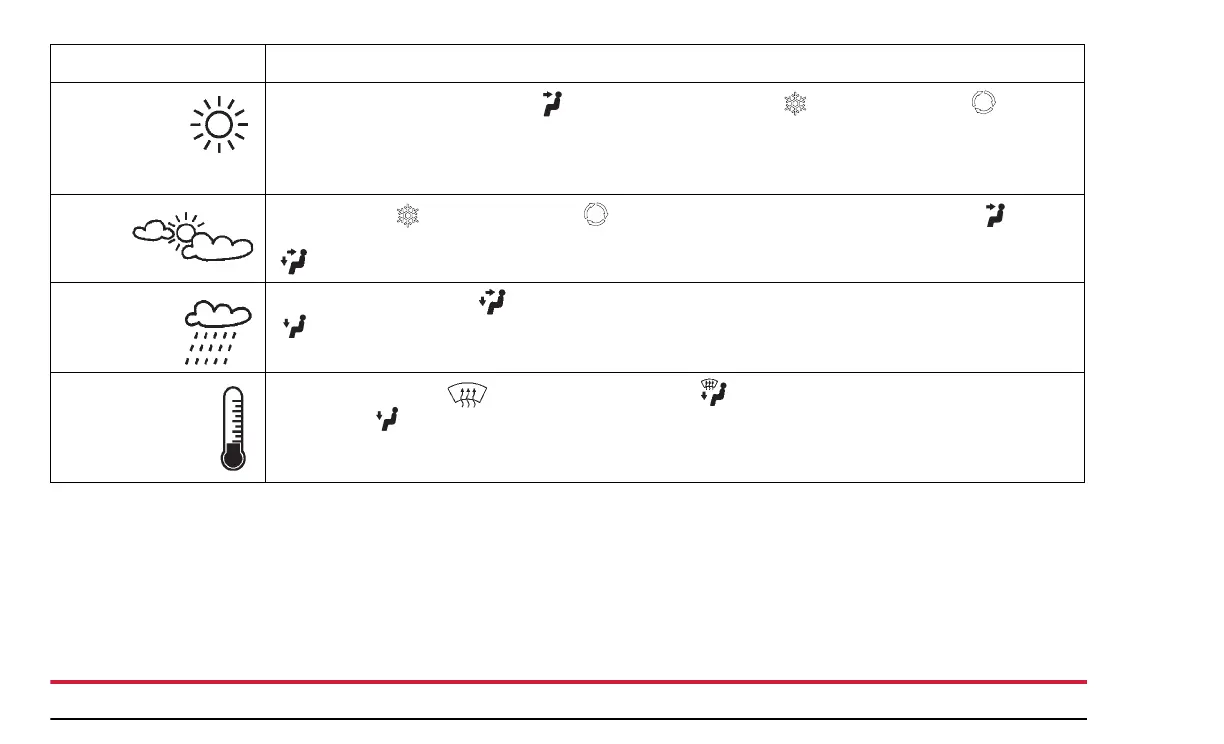
Hot weather
and vehicle
interior is
very hot
Start the vehicle, select “Dash” mode then press the A/C and Recirculation buttons.
Set the Fan Speed to the highest setting. Roll the windows down to flush out hot air. Roll the win-
dows up after hot air is expelled. Set the fan speed to High for maximum cooling, then adjust the
fan and temperature as desired once the vehicle has cooled down.
Warm
weather
Press the A/C and Recirculation buttons in sunny weather, select the “Dash” setting
then set the fan and temperature as desired. For cloudy or dark conditions, select the “Dash/Floor”
position.
Cool or cold,
humid
conditions
Select the “Dash/Floor” setting in sunny weather. In cloudy or dark conditions, Select “Floor”
then adjust the fan and temperature as desired.
Cold, dry
conditions
Select the “Defrost” and the “Defrost/Floor” positions in cold, sunny weather. Choose
the “Floor” position in cloudy or dark conditions. Recirculating interior air is not recommended
in these conditions.


 To Next Page