11
Quick Start
Connecting to power supply system
Before the first use, the batteries of the SignalShark have to be charged.
The AC connection is not recommended for general use, as the measurement
characteristics can be significantly affected by the presence of the power supply cable in
the electromagnetic field when the SignalShark is operated with the AC adapter / charger
To charge the batteries:
1
Put the batteries into the battery compartment.
2
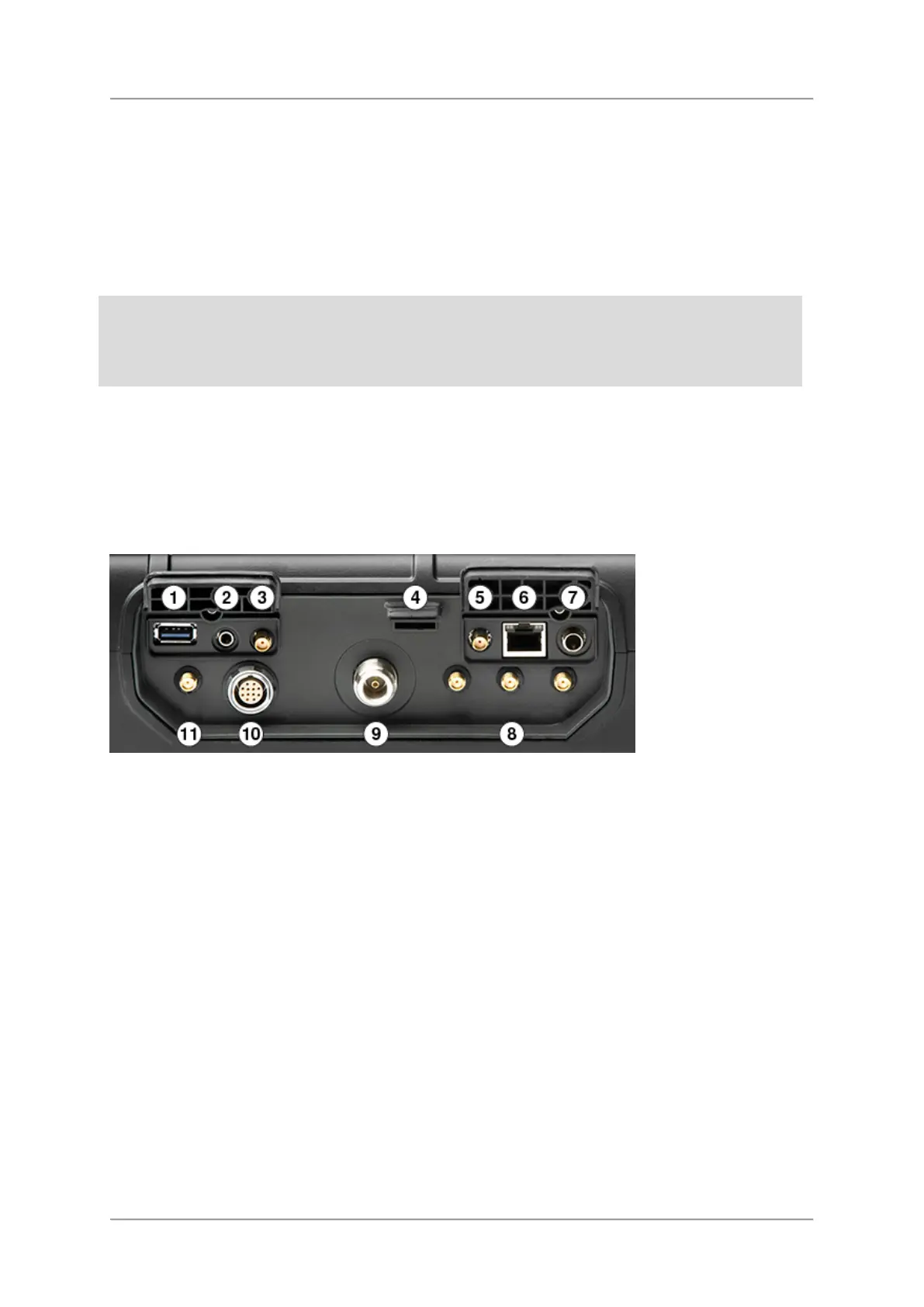
Connect the AC adapter / charger to socket No. 7 on the top side panel (see picture
below).
When the charge cycle is completed the charge LED on the keypad lights up green, the
battery symbol on the screen shows a full battery and the AC adapter / charger
switches to trickle charge mode.
See also:
Operation from battery
Changing the batteries
Connecting antenna
Directional Narda antennas are connected to the device via the Narda antenna handle.
Connecting the handle to the device
The antenna handle has a built-in cable with two connectors:
•
Control connector: for power supply and for transmitting the compass data and control
signals
•
N-connector: for transmitting the RF signal



 To Next Page