Quick Start
13
Screen Details
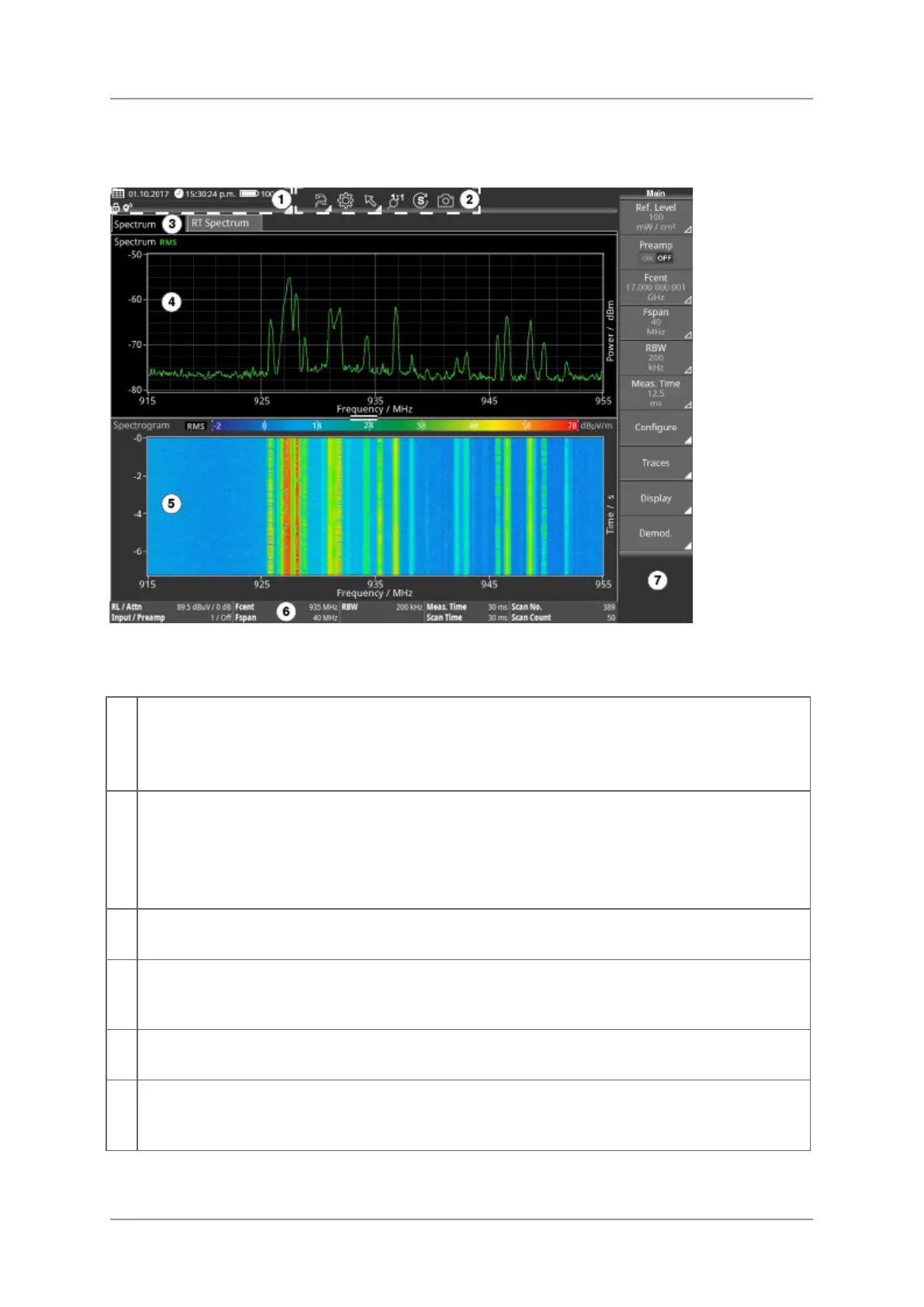
Basic measurement screen with night color scheme and two views (RT Spectrum,
Spectrogram).
This area shows system information like date, time and battery status. Tapping the
dropdown icon opens the full system information menu.
⇒ For showing detailed system information, see Displaying detailed system information.
The toolbar gives access to the settings menu and to general functions like forward /
backward or zoom in / out.
⇒ For further information about the toolbar, see Toolbar.
⇒ For changing the general settings, see Changing general settings.
Task bar
Allows to switch between active tasks.
Graphical and numerical display of measurement values. The Task area can contain up
to six views which can be arranged to your own preferences.
Measurement info bar
Indicates settings and process analysis; displays error messages.
The layout of the button bar is context sensitive and depends on the current view,
operation and selected function.



 To Next Page