SignalShark User Manual
40
Strg + Enter = double press
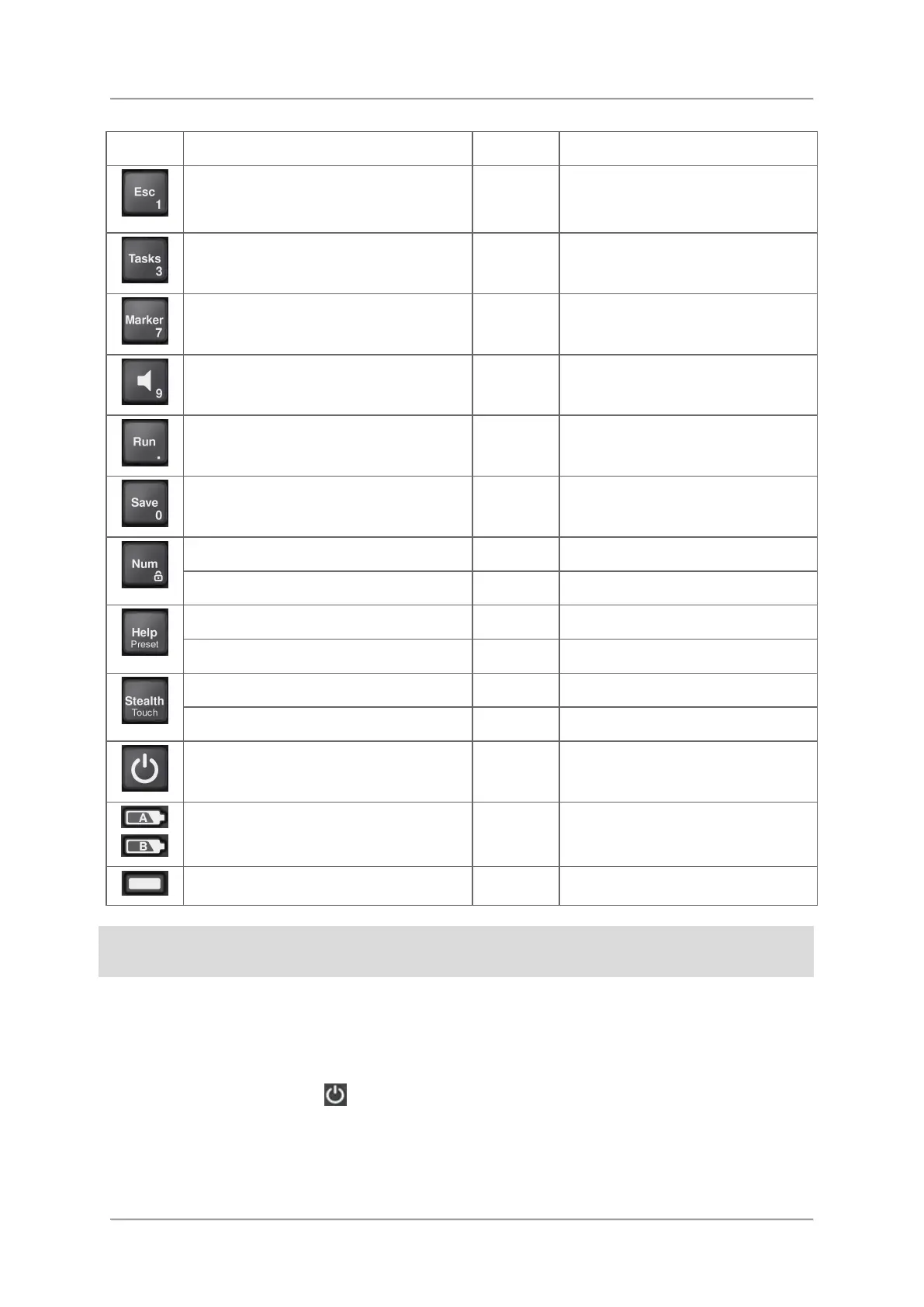
Cancel the current operating step
(changes in values are rejected),
move back to a higher menu level
1 Esc
Open the Tasks menu
3 Shift + F11
Open the Marker menu
7 Shift + F7
Change the volume
9 (not yet implemented)
Toggle stop / hold a measurement
. (decimal
point)
Shift + F12
Save measurement
0 Strg + s
Short press: enter / leave num mode
Long press: toggle key lock
Short press: open the online help
Long press: set to preset values
Short press: toggle Stealth mode
Long press: toggle touch lock
Long press: switch on/off
Charge status of the two batteries A
and B
Operating status LED
For actions using the keypad, the term press is used instead of tap. Tap is used when
working on the touchscreen.
Switching the device on and off
To switch on:
⇒ Press and hold down the
key for a few seconds.
The device switches on.
The device performs a self test during the boot up process. The results are displayed on the
screen. The device starts with the last used settings.



 To Next Page