75
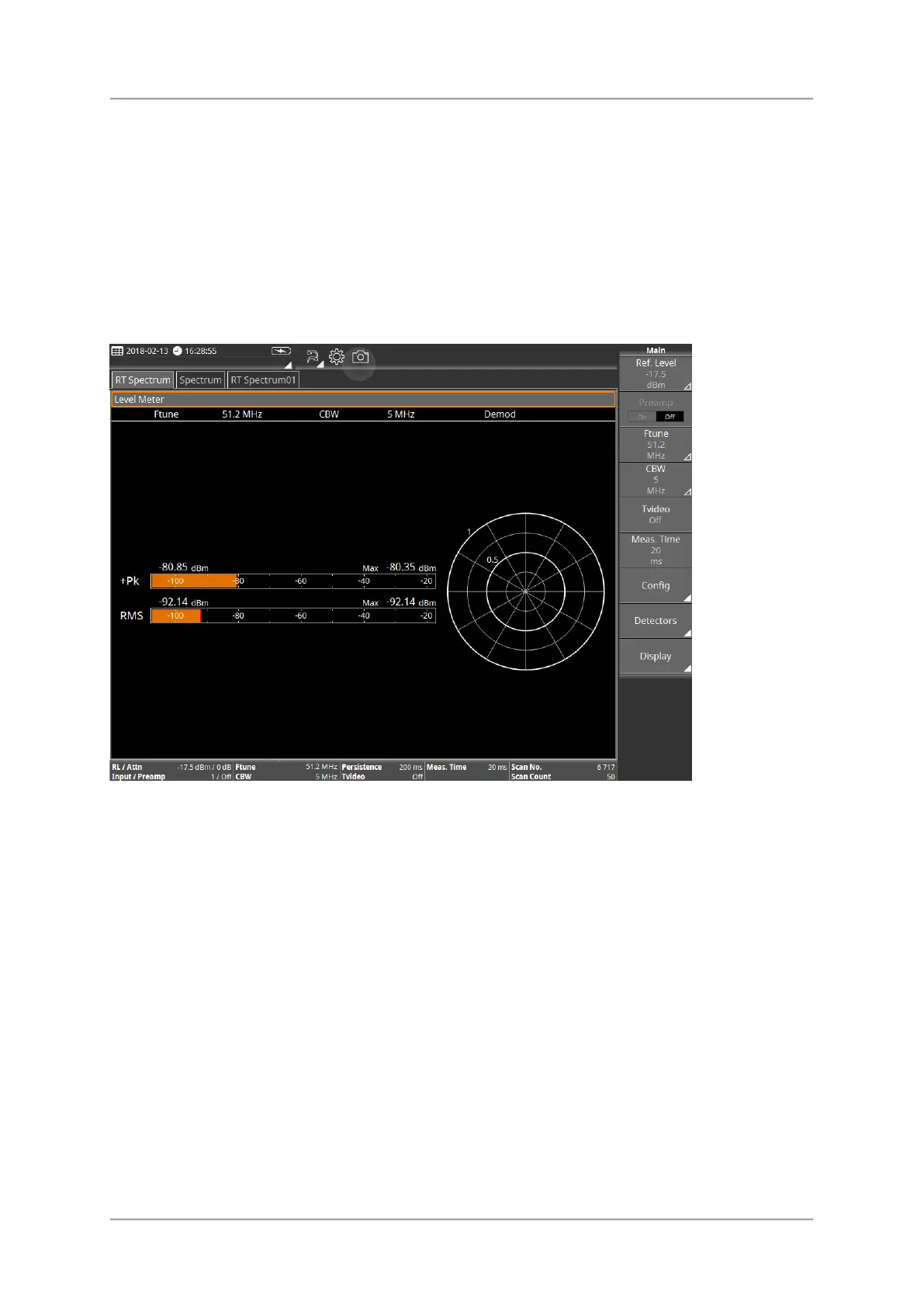
Level Meter View
The Level Meter view allows you to make selective measurements at a defined frequency
(Fcent) e.g. for monitoring the field strength of a communications channel. The channel
bandwidth (CBW) for this can be set in the range 25 Hz to 40 MHz (zero span mode). Steep
filters enable precise separation of adjacent channels. The Peak detector values (for brief
pulsed signals) and RMS detector values (for variable signals) are displayed simultaneously.
One advantage of Level Meter view is that the measurement is in real time and there are no
time gaps.
Available buttons
For information about the different types of buttons and how to select them see Button bar.
⇒ Tap a button to change setting or to open the submenu.
Ref. Level / Attenuator
Ftune
CBW / EBW
Tvideo
Meas. Time
Config
Detectors
Display and Tone



 To Next Page