SignalShark User Manual
120
To use the Narda Recovery Stick
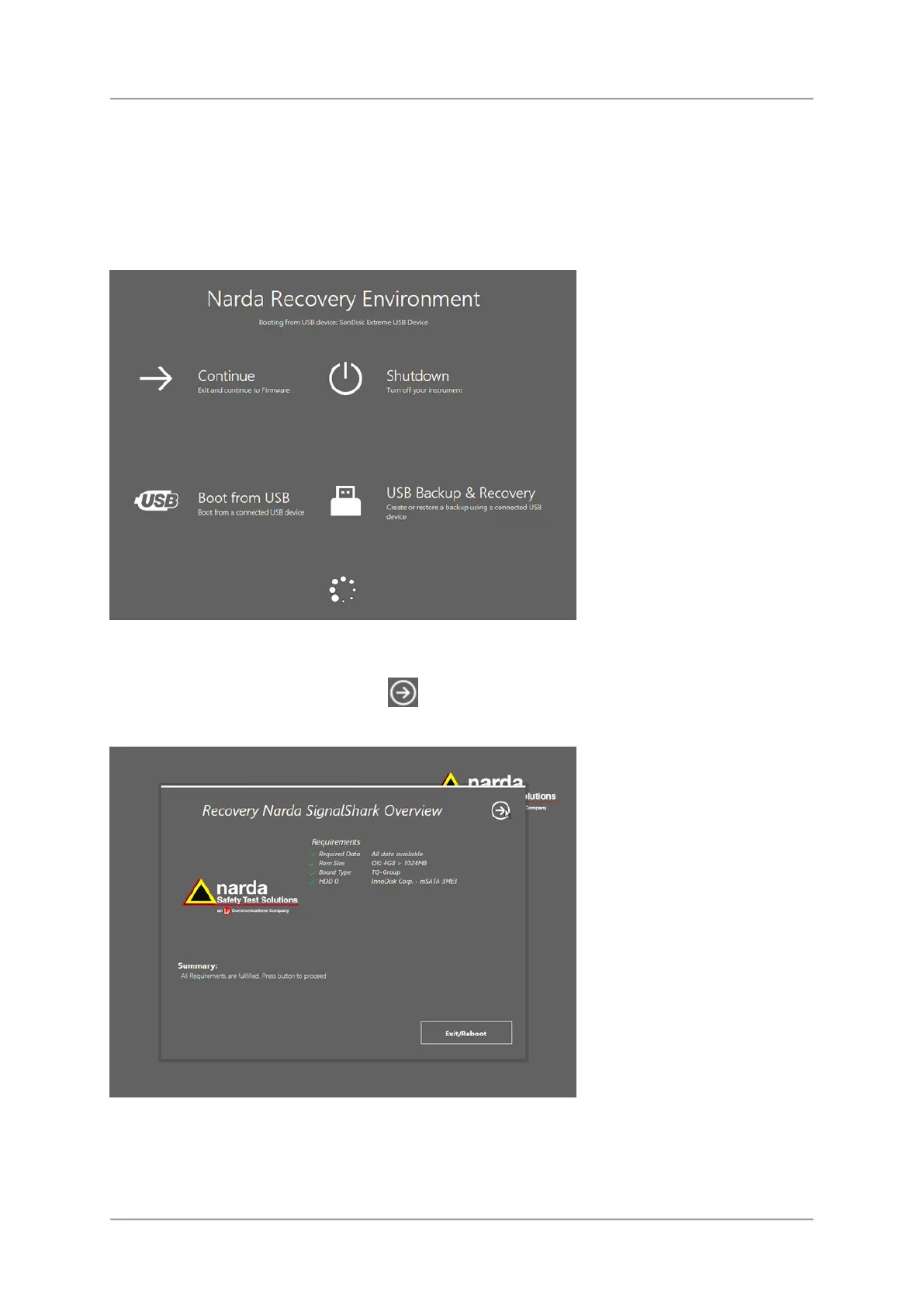
If the operating system fails to start, the system will automatically boot into the Narda
Recovery Environment. If so, please follow the steps below to restore the device system from
USB stick:
1.
Insert the Narda Recovery Stick into the upper USB-Port (USB 3.0).
2.
Tap on the Boot from USB icon (taping on the text will have no effect).
3.
Wait until the recovery menu has started up completely
4.
If your device fulfills all requirements you can do the following:
–
To proceed restore: Press the icon.
–
To exit restore and reboot: Tap Exit/Reboot button.



 To Next Page