76Neural Capture
Capture Audio Settings
Make sure the microphone position and the target device’s settings
are set to your liking. Reduce levels if any of the meters are clipping.
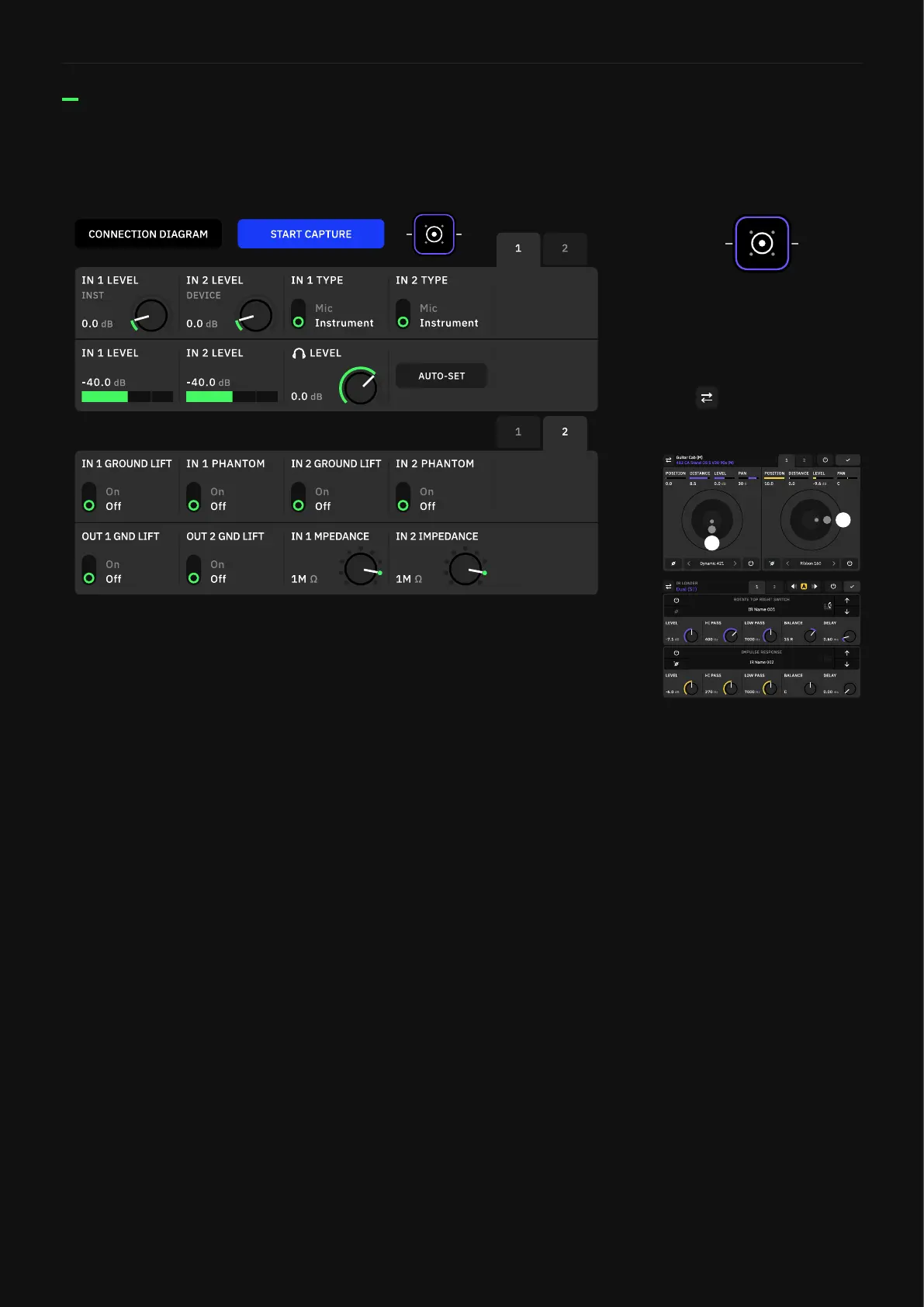
• IN 1 LEVEL Knob: Sets the input gain of the instrument signal.
• IN 2 LEVEL Knob: Sets the input gain of the target device signal.
• IN 1/2 TYPE Switches: Toggles between “Mic” and “Instrument”
inputs. Use “Instrument” if the device being captured is
connected to Quad Cortex with a TS cable. Use “Mic” if the device
being captured is connected to Quad Cortex with an XLR cable.
• IN 1/2 LEVEL Meters: Input signal meters.
• HEADPHONE LEVEL Knob: Sets the output level of the
headphones.
• AUTO-SET Button: Sets the IN 2 level automatically. Play your
instrument until the IN 1 knob stops moving.
• GROUND LIFT Switches: Enable them in order to mitigate noise
caused by ground loops, faulty audio cables, or other sources.
• PHANTOM Switches: Engages Phantom Power (48v).
• IMPEDANCE Knobs: Determine the combo inputs’ impedance
value (1MΩ by default). Disabled when the TYPE switches are
set to “Mic”.
PAGE 1:
PAGE 2:
Tap the cab block to access the
Cabsim, allowing you to audition
the target device with a cabinet
or IR.
Tap to choose a Cab or IR
Loader block.
The Cab and IR loader blocks
will behave as they would on
The Grid, and can be bypassed
in case you want to audition your
target device without them.



 To Next Page