4.9 Setting the Contact Check
4-41 ZM2376
4.9 Setting the Contact Check
ZM2376 provides the contact check function which can check the contact condition with DUT. To
avoid a wrong measurement due to contact failure, set the contact check to “enabled”.
ZM2376 also provides the low capacitance check function to detect an abnormal low capacitance
caused by a contact failure, independently of the contact check function described above.
The contact check and low capacitance check provided by ZM2376 do not give an additional error to
measured values. An additional time to the measurement can be ignored.
_SHIFT_ + [ CONTACT ]
Press the _SHIFT_ + [CONTACT] keys to display the contact check setting menu.
Low capacitance limit
Low capacitance check ON/OFF
ON/OFF
Contact check:OFF Low C:OFF < 123.456pF Current setting
0)OFF 1)ON 2)Low C Options
OFF Disables the contact check (initial value).
ON Enables the contact check.
Low C Display the low capacitance check setting menu.
If a setting is made or the EXIT operation is performed, the measurement screen comes back.
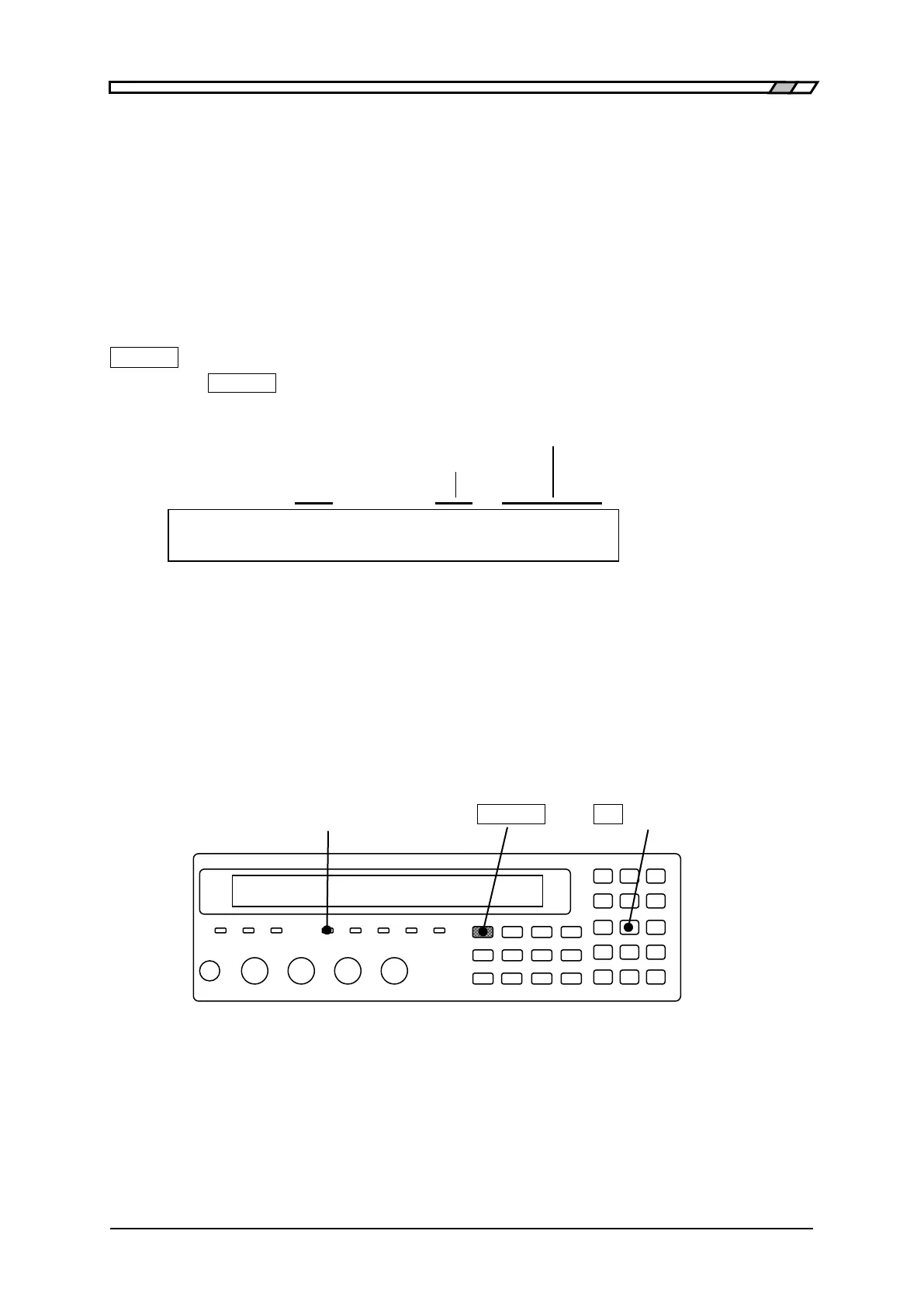
CONTACT CHECK lamp
When the contact check or low capacitance check is enabled, CONTACT CHECK lamp lights up.
CONTACT CHECK lamp _SHIFT_ _2_ | [CONTACT]
When the measured value is NC, refer to the following document for corrective actions:
NC section in “5.1.4 Measured Value Display in Case of Error”



 To Next Page