4.14 Initializing of All Settings
4-57 ZM2376
Fully initialization: Initializes of all settings
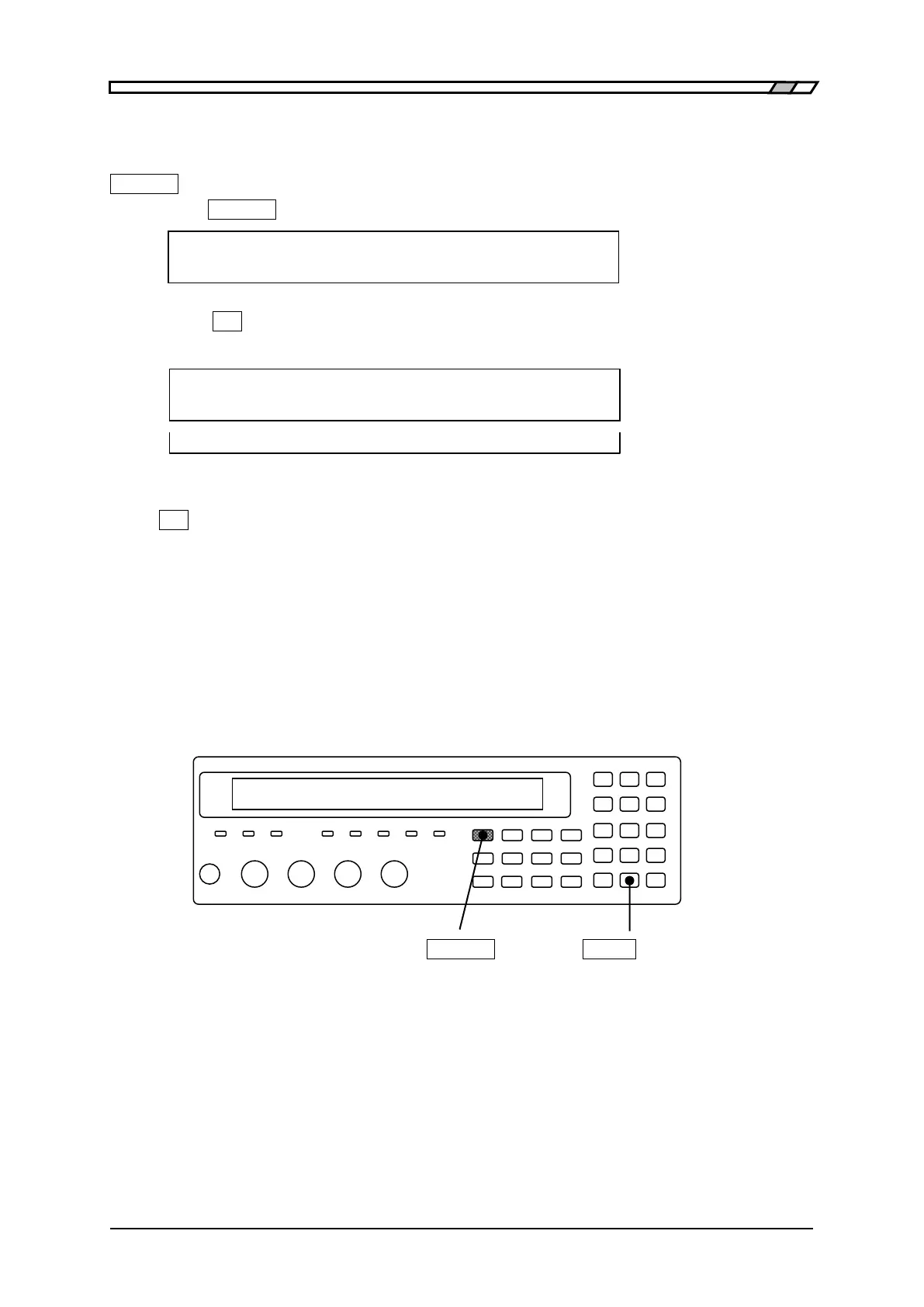
Fully initialization is conducted in system setting menu.
_SHIFT_
+ [ SYSTEM ]
Press the _SHIFT_
+ [SYSTEM] keys to display the system setting menu.
SYSTEM setting
2)INITIALIZE ALL 3)SETTLING < > Options (second page)
Press the _2_ key to select the INITIALIZE ALL, and the following fully initialization setting
menu is displayed.
INITIALIZE ALL
1)Execute Options
Done Completion message
Perform the EXIT operation to return to one-previous menu.
If _1_ key is pressed, following settings will return to factory default settings.
1) Current setting and correction value
2) Contents of setting/correction value memory
3) Contents of multi-measurement list
4) Setting of interface (GPIB, RS-232, USB, and LAN)
5) Trigger polarity of handler interface
After execution, the completion message appears for a short time and measurement screen comes
back.
_SHIFT_
_EXP_
| [SYSTEM]
In the remote control, it is possible to initialize only 1), 2), and 3) described above.
• • • the separate manual “ZM2376 Instruction Manual (Remote Control)” :SYSTem:RST
command



 To Next Page