- A ・ -
Q0340グラフィック用ロゴ
060411デザイン部伊藤
VBA14001-R.3694.A
AF50/1.4D
★
★
★
AF28/2.8D
Shutter tester (The illustration shows "EF-8000".
)
USB cable: UC-E4
AC adapter: EH-5
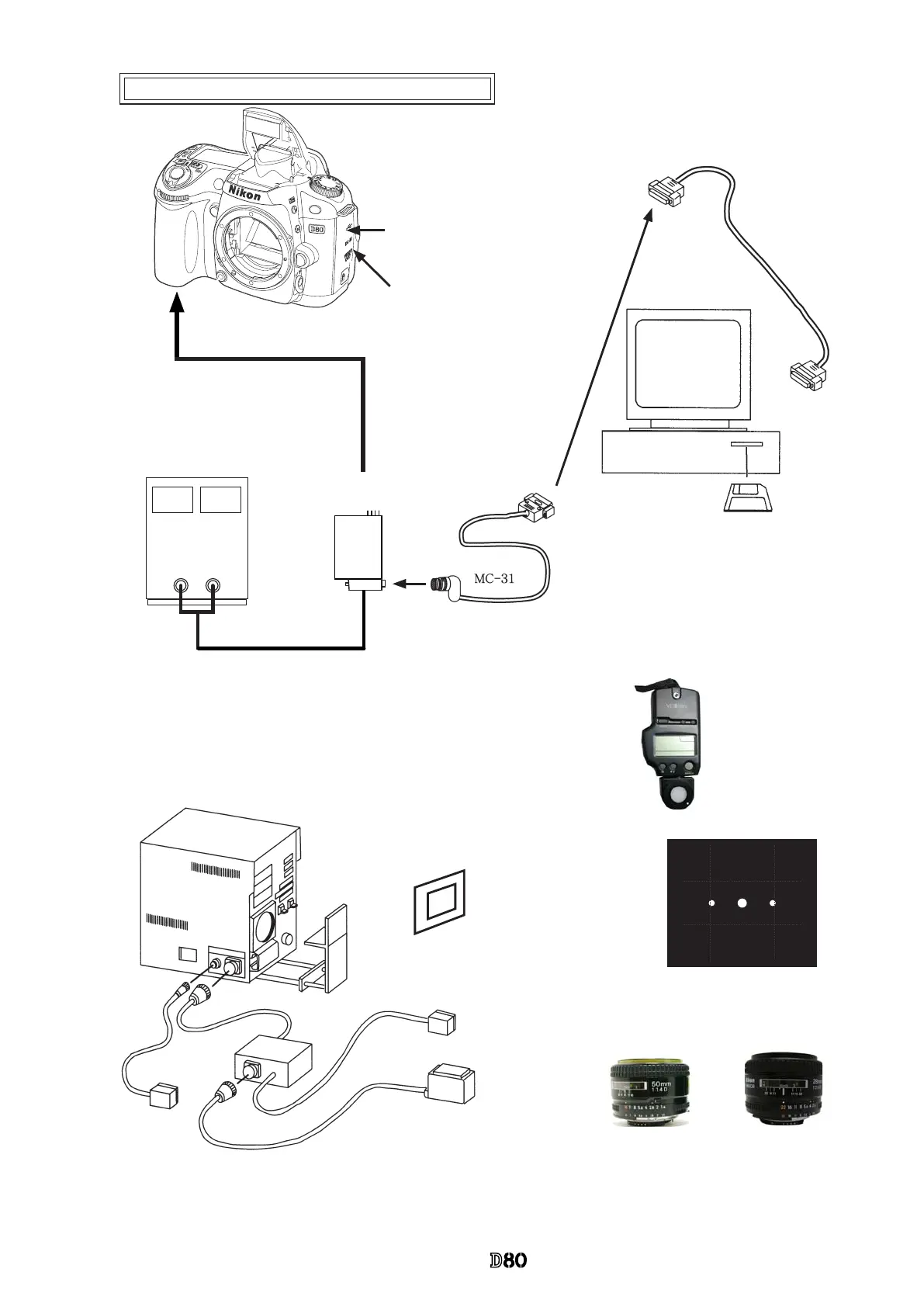
Accuracy inspection and adjustment (Camera body)
★
: New tool
Stabilized power supply
Set value = 7.4V 0.3Ω 5.0A
or AC adapter EH-5
Battery tool
J61213
J18412
D80 inspection and adjustment software
To RS232C terminal
Commercially available straight cable
Use [9pin-25pin] conversion connector for a
computer with 9-pin RS-232C terminal.
RJ is not available, so use a commercial item.
Flash meter
Not prepared as RJ
AE-CCD positioning tool (J15428)
Set up in front of color viewer (J63070)
J61199
Light receiving adapter (in common with D100)
Measuring adapter (APS) for shutter
speed
Traditional adapter for camera
When
M
1/4000 is adjusted, use the measuring adapter (APS) for shutter speed and the light receiving adapter (J61199).
Caution: When the inspection and adjustment are made with the shutter tester, turn the tester ON to light a lamp, and carry
out the aging for 3-5 minutes.
*
Note:
When inspecting/adjusting the shutter speed and when adjusting “battery
check” voltage, be sure to use the battery tool (J61213).
When communications are made by RS232C, supply power from the bat-
tery tool.
SW-ON sets to communication mode.



 To Next Page
 Loading...










