Chapter 17 Differences in Operation Depending on DS Camera Head Models
248
Other
Information
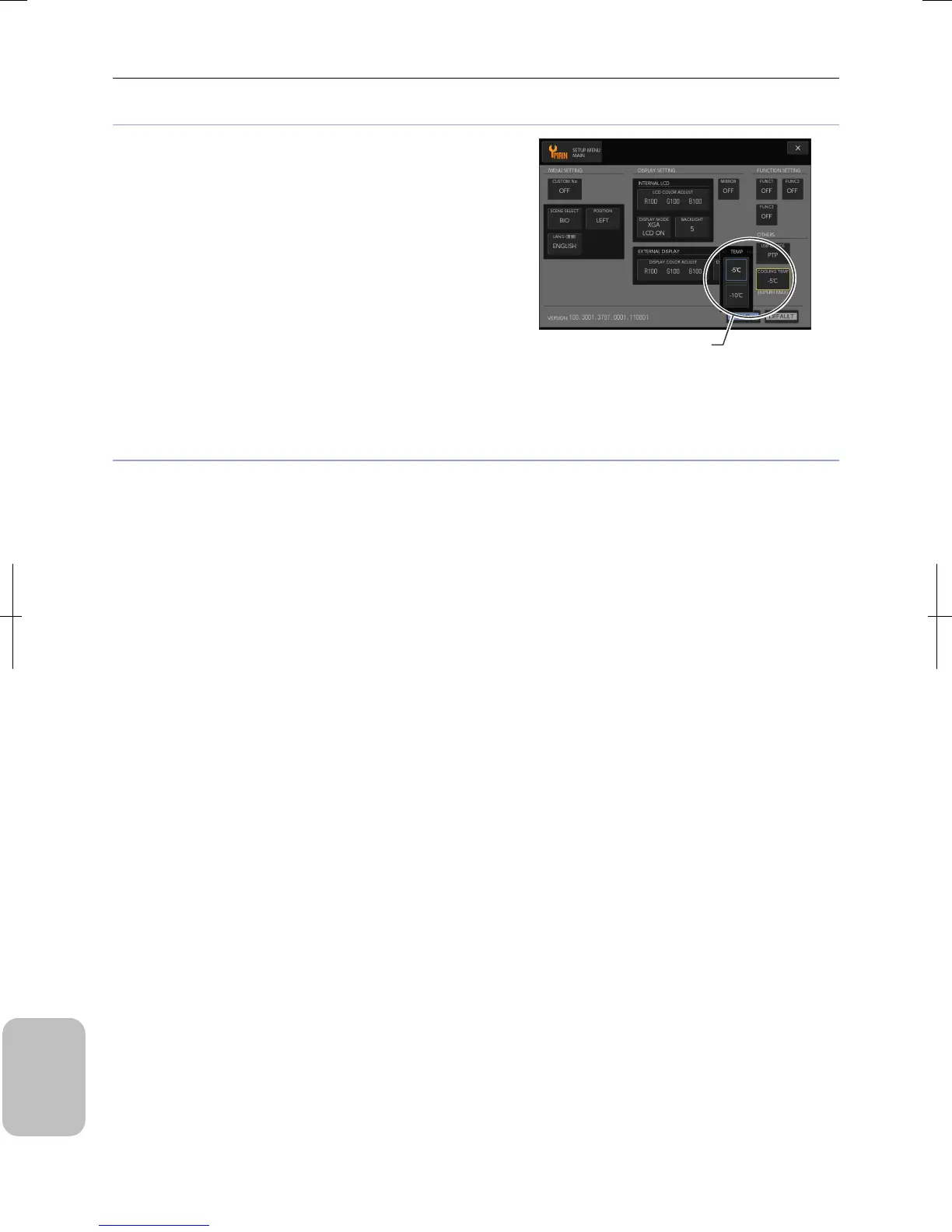
Setting cooling temperature of image pickup device
DS-Ri1 has an image pickup device cooling function for cooling
up to an ambient temperature of -10°C. While DS-Ri1 is in use,
cooling temperature setting items are displayed in the [OTHERS]
area of the [SETUP MENU: MAIN] screen.
Pressing the [COOLING TEMP] button displays the submenu.
Select a cooling temperature [-5°C] or [-10°C]. Then press the
[SAVE] button in the [SETUP MENU: MAIN] screen to save the
setting.
Setting Recording Mode (DS-Ri1)
Pixel shift function
When DS-Ri1 is used, the pixel shift function is available using the PC application NIS-Elements.
High-definition shooting using the pixel shift function is made available by connecting the DS-L3 to a PC with a USB cable
and using the NIS-Elements. For details of this function, see the NIS-Elements instruction guide.
Note: When capturing a high-definition image using the pixel shift function, slight operation sound is generated from the
moving part in the DS camera head, but this is not a problem.
Select a cooling
temperature.











 To Next Page