1-2
CHAPTER 1 INTRODUCTION
1.1 INTRODUCTION (Cont.)
The contents of this manual is contained in five chapters with three appendices.
Chapter 1 Introduction - Contains information regarding service facilities, tools, test equipment, calibration masses
and specifications.
Chapter 2 Diagnosis - Contains a diagnostic guide for troubleshooting problems and error code tables.
Chapter 3 Repair Procedures - Contains disassembly/assembly and replacement procedures.
Chapter 4 Testing - Contains an operational test, a segment display test and performance tests.
Chapter 5 Drawings and Parts Lists - Contains exploded view drawings with associated parts lists.
Appendix A Explorer EP Loader-Contains information on loading software to place the Explorer balance in a
manufacturing mode to download temperature and personality data.
Appendix B Explorer Pro EP Loader-Contains information on loading software to place the Explorer Pro balance
in a manufacturing mode to download temperature and personality data.
Appendix C Production Mode Calibration-Contains calibration information in a production mode.
Before servicing the balance, you should be familiar with the Instruction Manual which is packed with every balance.
1.2 SERVICE FACILITIES
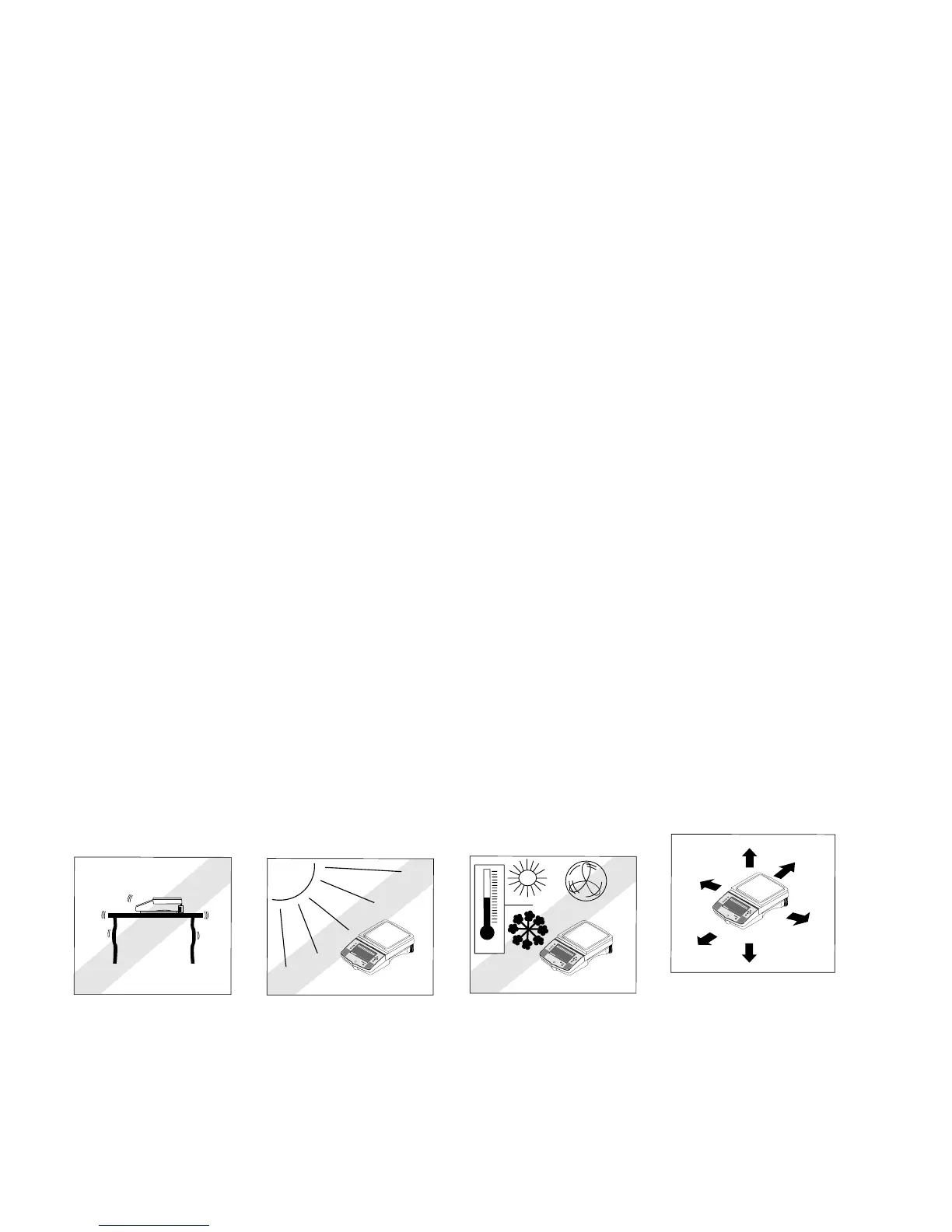
DO NOT SERVICE the balance:
• Next to open windows or doors causing drafts or rapid temperature changes.
• Near air conditioning or heat vents.
• Near vibrating, rotating or reciprocating equipment.
• Near magnetic fields or equipment that generates magnetic fields.
• On an unlevel work surface.
• Allow sufficient space around the instrument for ease of operation and keep away from
radiating heat sources.
0.00
WEIGHT
0%
100%
CONTRAST
GRAMS
STABLE
MOVE HIGHLIGHT
CONTRAST
MAIN MENU
Enter
Go Back
Heip
Print
OHAUS
®
>O/T<
0.00
WEIGHT
0%
100%
CONTRAST
GRAMS
STABLE
MOVE HIGHLIGHT
CONTRAST
MAIN MENU
Enter
G
o
Back
Hei
p
P
rin
t
OHAUS
®
0.00
WEIGHT
0%
100%
CONTRAST
GRAMS
STABLE
MOVE HIGHLIGHT
CONTRAST
MAIN MENU
Enter
Go Back
Heip
Print
OHAUS
®













 To Next Page