APPENDIX A - EXPLORER EP LOADER
A-6
A.8 Temperature Compensation (TC) Data Entry
1. Locate the TC Data Label on the balance. For the location see Figure A-1.
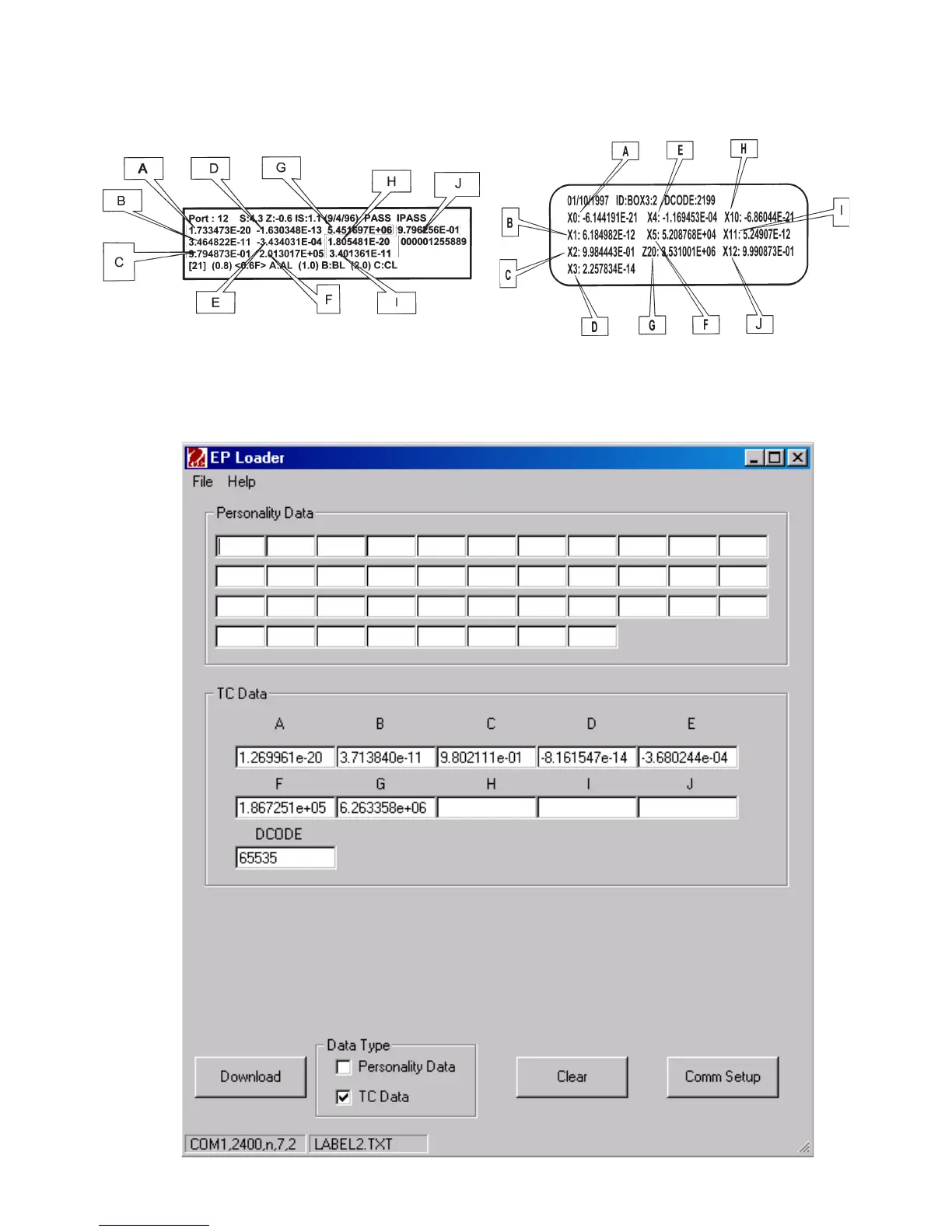
a. There are 2 major styles of label currently in use, please refer to Figure A-3.
2. Identify the values labeled in the diagram as “A” to “J”, If the balance does not have
internal calibration there will only be values “A” to :G”. Then input into the TC Data
location of the EP Loader accordingly. The Loader will look like the picture below.
Figure A-3. TC Data













 To Next Page