SOCT Copernicus PLUS - Service Manual
7. Unpacking and Installation
NOTICE!: Every transportation box is equipped with the shockwatches. If any shockwatch is broken
(red indicator) please contact Optopol Technology Sp. z o.o. and lodge the complaint to the carrier.
SOCT Copernicus+ set consists of following components:
1. SOCT device with one CL cables,
2. USB 2.0 communication cable,
3. Coaxial synchronization/video cable,
4. PC Computer with preinstalled software,
5. Power supply cables and computer accessories.
7.1 Unpacking SOCT Copernicus+
This section describes how to unpack the device shipped from a factory. The SOCT Copernicus+ is
shipped in a special box, which protects it from mechanical damages during transport. Figures below
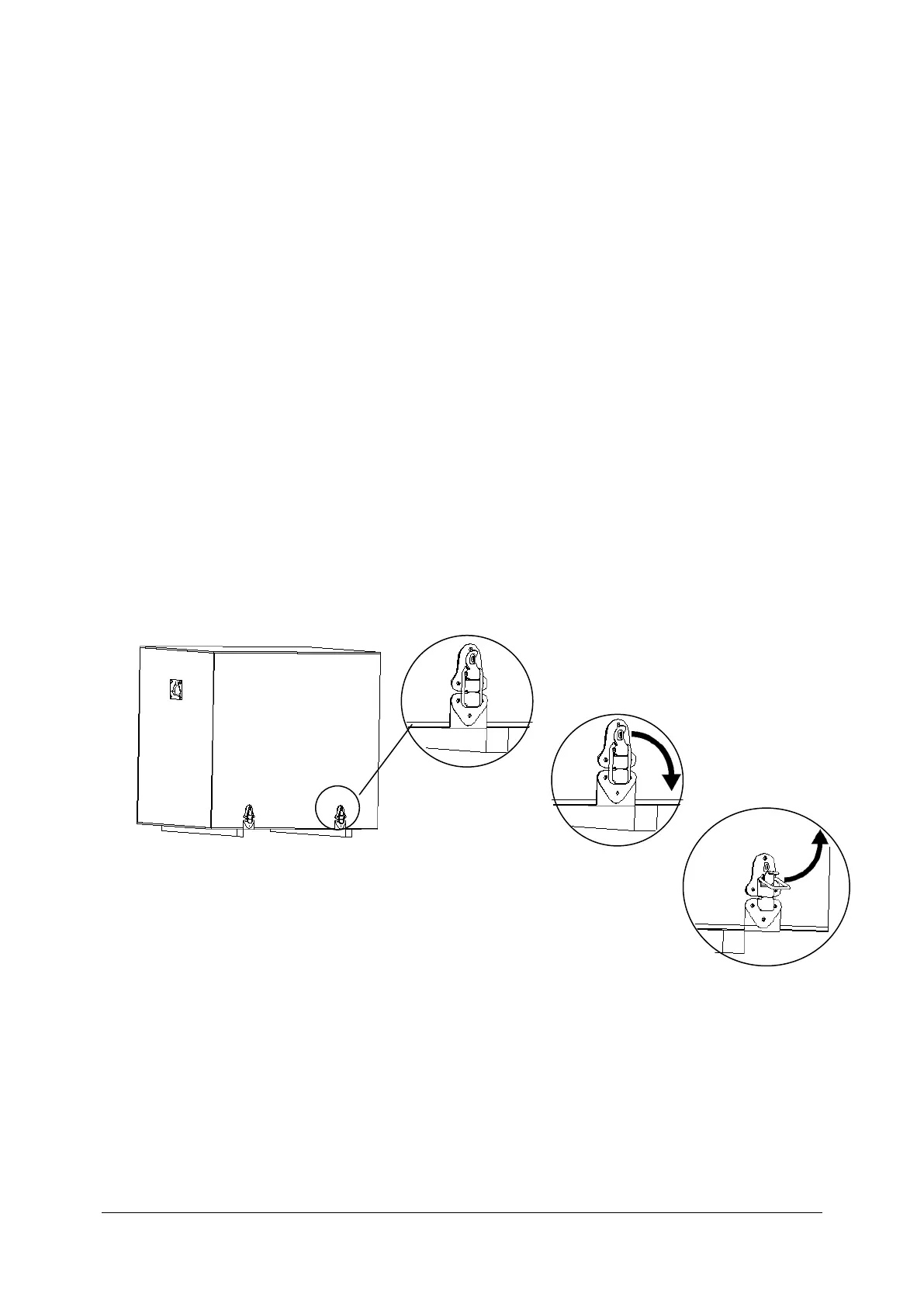
show how to unpack SOCT from this box. The box has got four latches shown in detail in pictures
below.
Closed latch
Step 1
Step 2
Latch is opened
Transport position of the SOCT Copernicus+ is to be set manually. Head maximum to the left, to the
back and lens down. Then protect handler will fit correctly.



 To Next Page