SOCT Copernicus PLUS - Service Manual
13.14 Spectrometer stability test
1. Turn on the computer and SOCT.
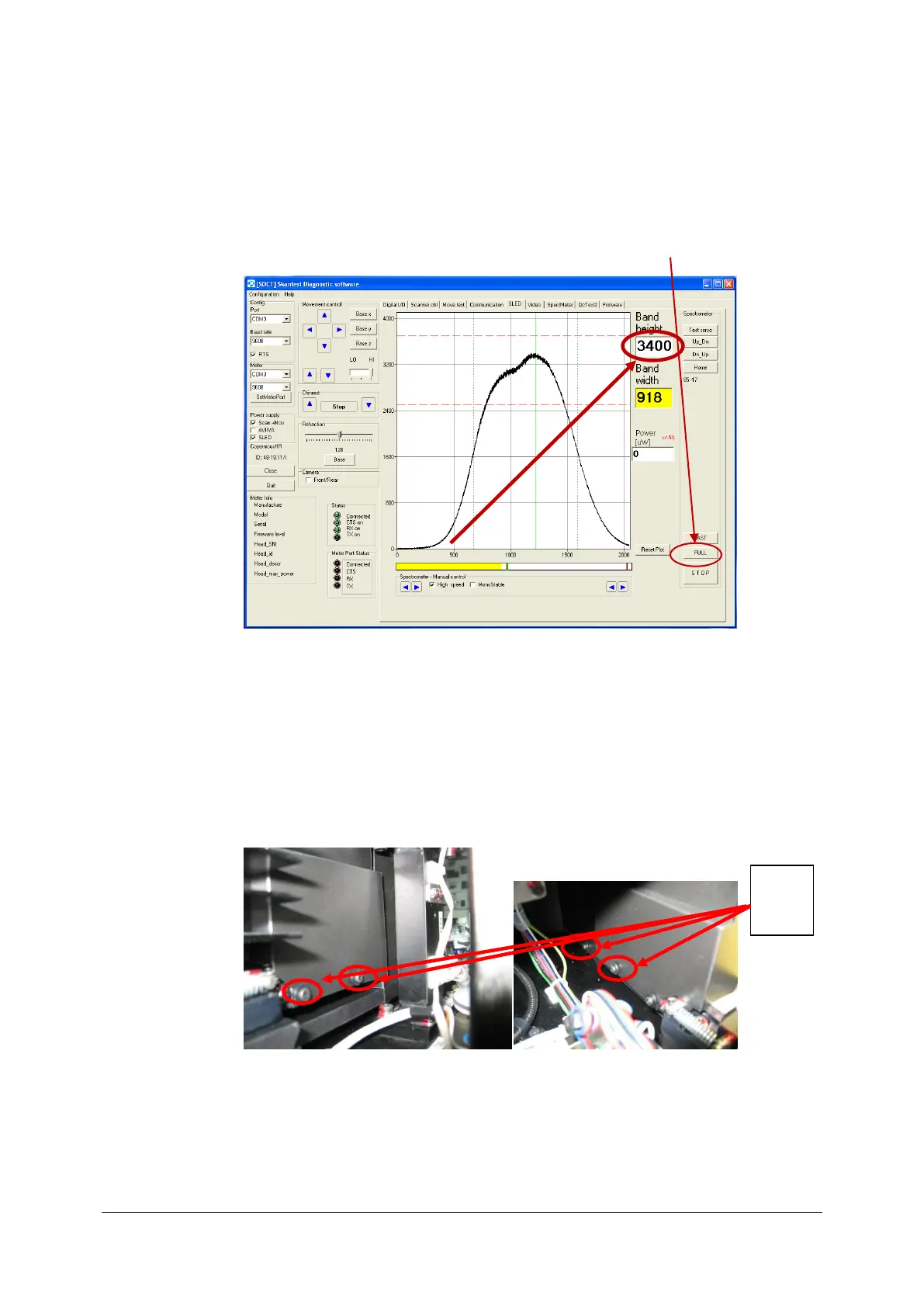
2. Run skantest program and mark scan+mov and SLED.
3. After 30 minutes perform FULL spectrometer adjusting by pressing [FULL] tab.
4. After calibration note the spectrum height and outgoing power on the objective line.
5. Perform test for 2 hours, checking every 15 minutes spectrum height and outgoing
power.
6. If in time of test spectrum drops more than 10% check if spectrometer isn’t tight
assembled with plastic covers.
7. If so, then loosen little bit screws holding plastic cover and remove mounting tape if
exists, so spectrometer covers can move loosely on it.
8. Check if CL cable isn’t twisted, squeezed or damaged.
9. If so then unscrew CL cable from camera, and straighten cable to level the tensions
and reassembly CL cable and perform Spectrometer stability test again.



 To Next Page