SOCT Copernicus PLUS - Service Manual
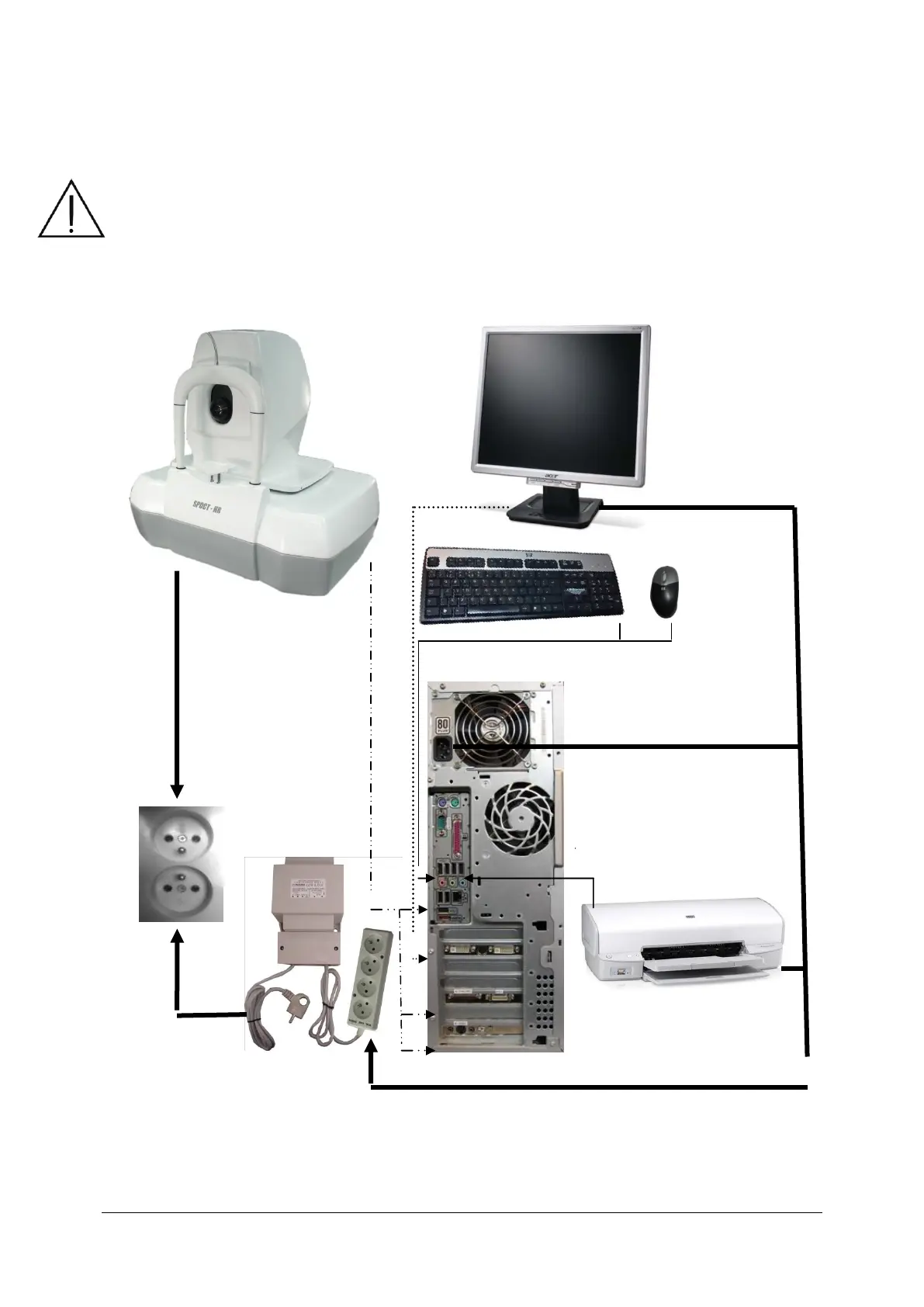
7.3 Device connection diagram
The SOCT is connected to the PC using USB 2.0 and Video/Synchro cables.
The SOCT must be directly plugged into the mains. Connect the PC, printer and monitor into the
multiple portable socket-outlets, which is directly connected to the Separating Transformer. The
transformer reduces power emission loss from the PC. The Separating Transformer is connected
directly to the mains
IMPORTANT: Always turn computer first and then turn device on.



 To Next Page