SOCT Copernicus PLUS - Service Manual
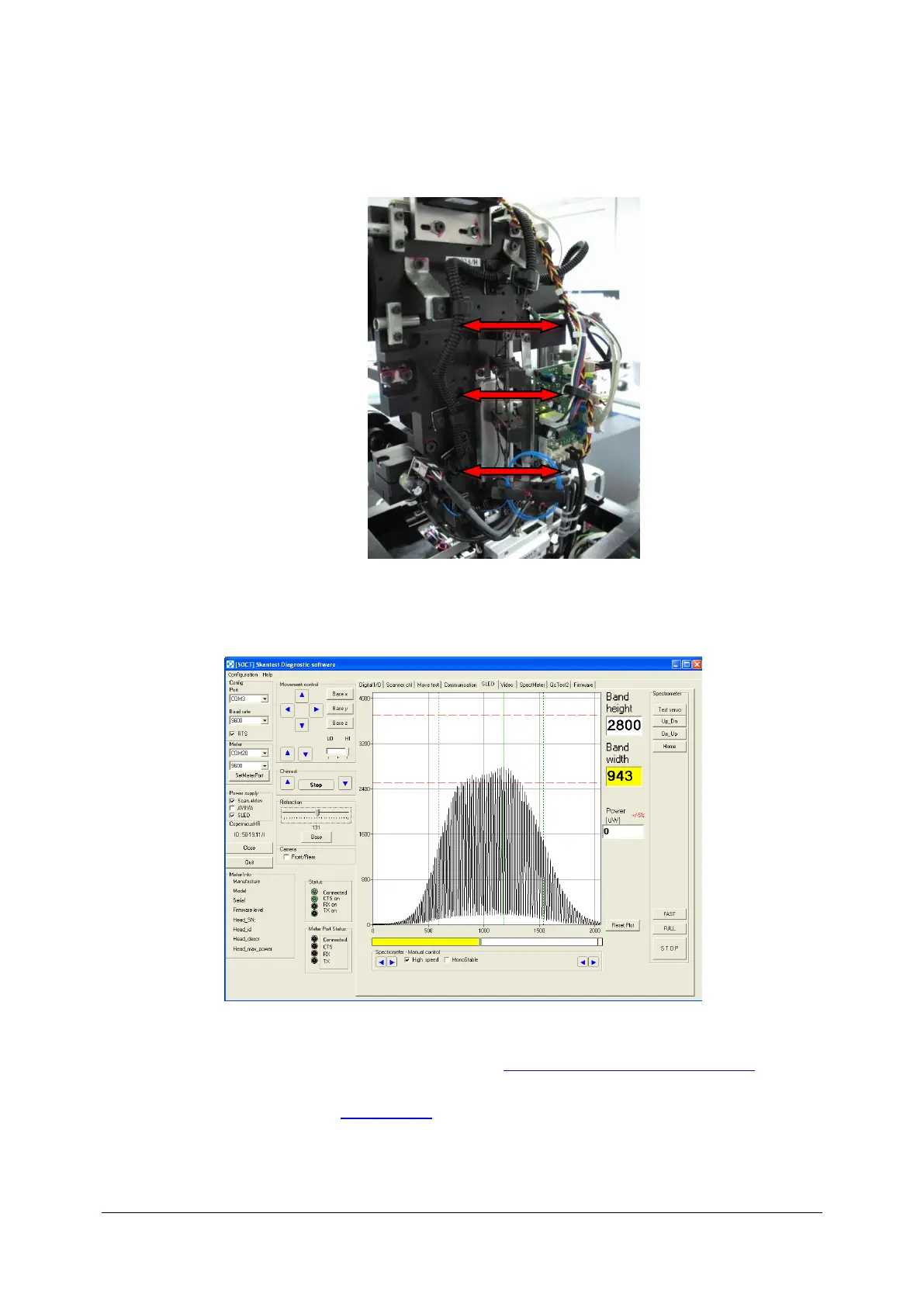
12. Perform adjustments of the optical fibre holders, to achieve spectrum like shown on
image.
13. Good interference spectrum:
14. Uninstall artificial eye from objective lane.
15. Set the band height to 3100-3400 level (see: Regulation of filter on reference line).
16. Turn tap off, turn off program skantest, turn program Copernicus on and do control scan.
17. Close the cover (see: Closing cover).



 To Next Page