SOCT Copernicus PLUS - Service Manual
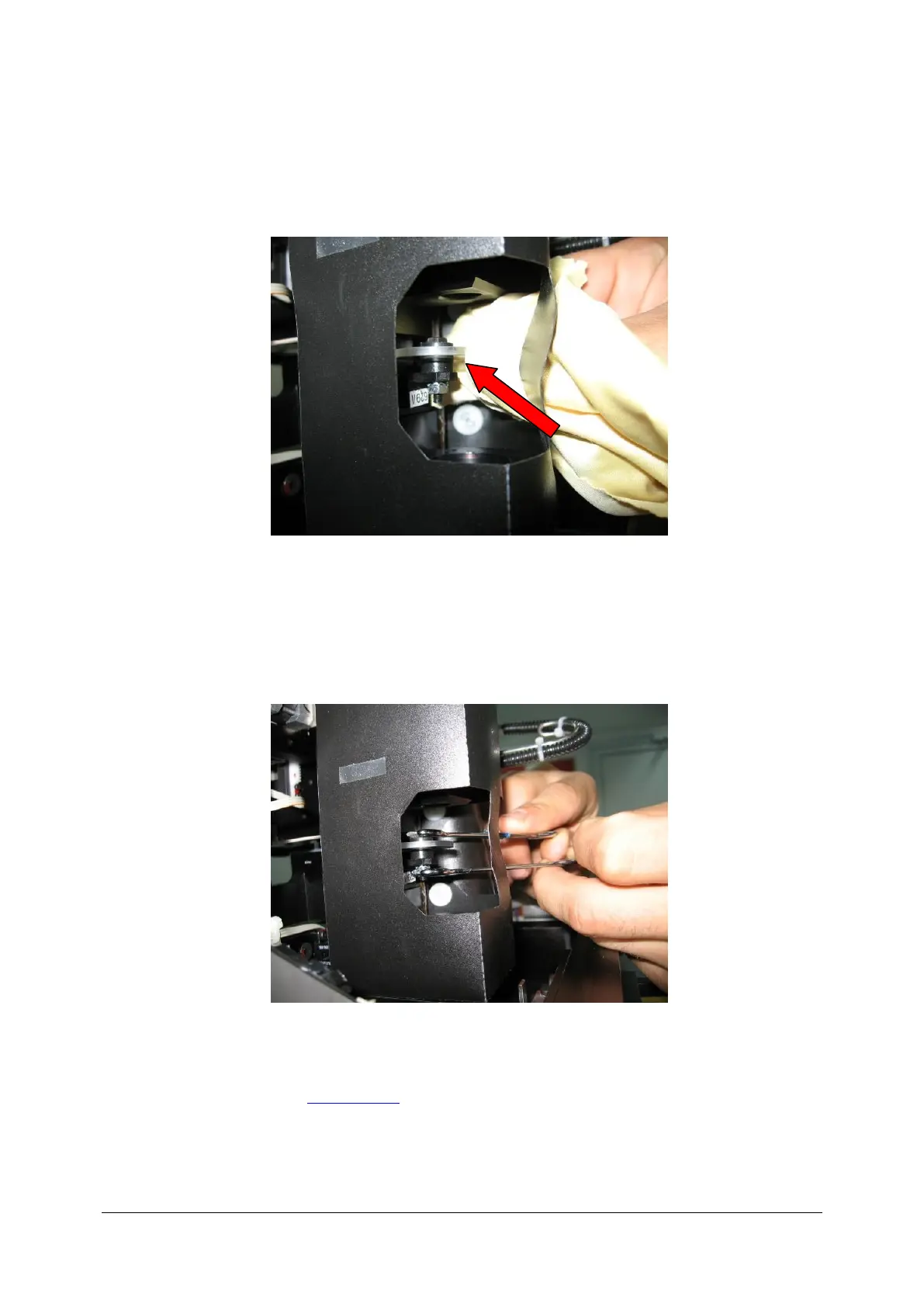
7. Take the special rag for cleaning optics. Carefully try rotating a filter just a little. (if you cannot
do it gently resistance is too big go to the next point). Observe the spectrum and set value on
3200-3500. Spectrum of graph appears only when reference line is clear.
8. When resistance is too big use two spanners (size 5.5) and very carefully rotate filter (Use
both spanners in one time). Range of every correction is about 1-2mm on spanner. After
every small movement check the graph. Set the band-height on 3200-3500 value.
9. Ensure that filter is clear. Close the plastic cover.
10. Close the cover (see: Closing cover).



 To Next Page