SOCT Copernicus PLUS - Service Manual
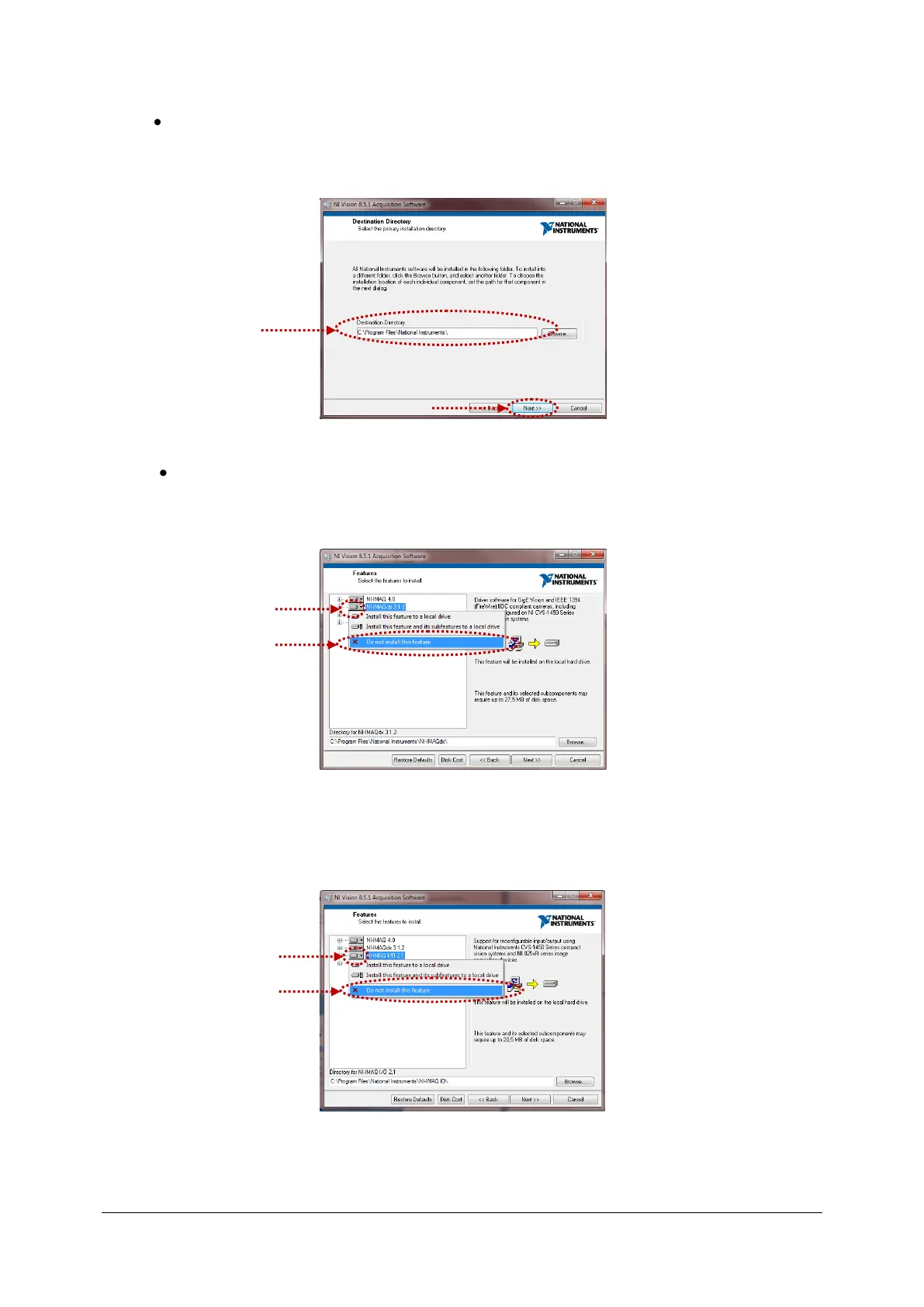
Select primary installation directory, it should be C:\Program files\National Instruments\ then
press Next>>.
Select features to be installed.
- Extend the icon NI-IMAQdx 3.1.2 and select “Do not install this feature”.
- Extend the icon NI-IMAQ I/O 2.1 and select “Do not install this feature”.



 To Next Page