SOCT Copernicus PLUS - Service Manual
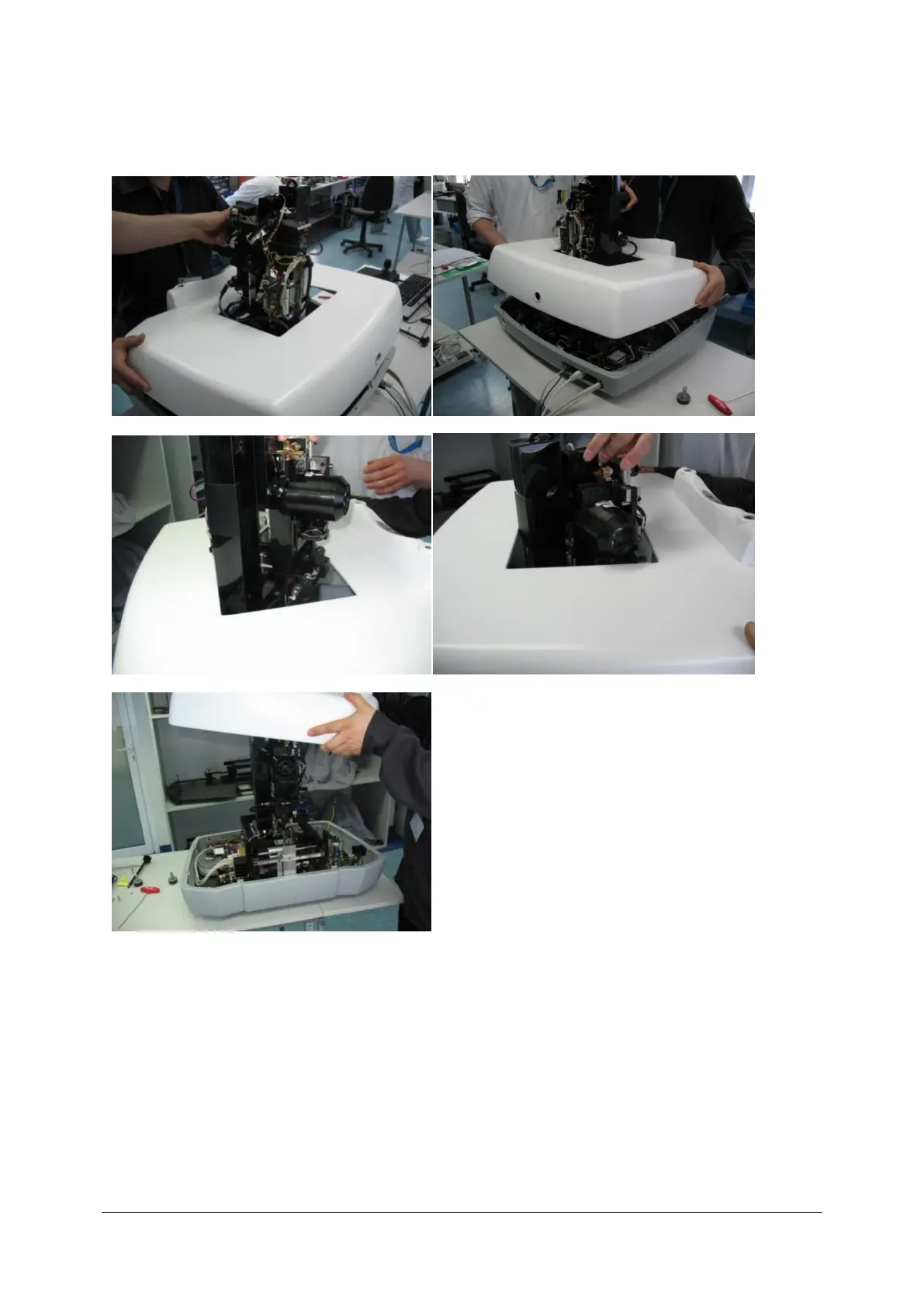
23. After unscrewing all 8 screws You can take off the cover:
a) b)
c) d)
e)
a) Set unit to the maximum back, and up position, and centre it in X axis. Also move chinrest to the
maximum down position,
b) Carefully lift the cover,
c) While approaching the scanners turn cover around in order not to damage scanners.
d) Manoeuvre cover, not to damage plugs, optical fibre and not to move polarisation!
e) Unit without cover.



 To Next Page