Chapter 1. Programming Site Data
4 DigitalFlow™ DF868 Multipurpose Ultrasonic Liquid Flowmeter Programming Manual (2-Channel)
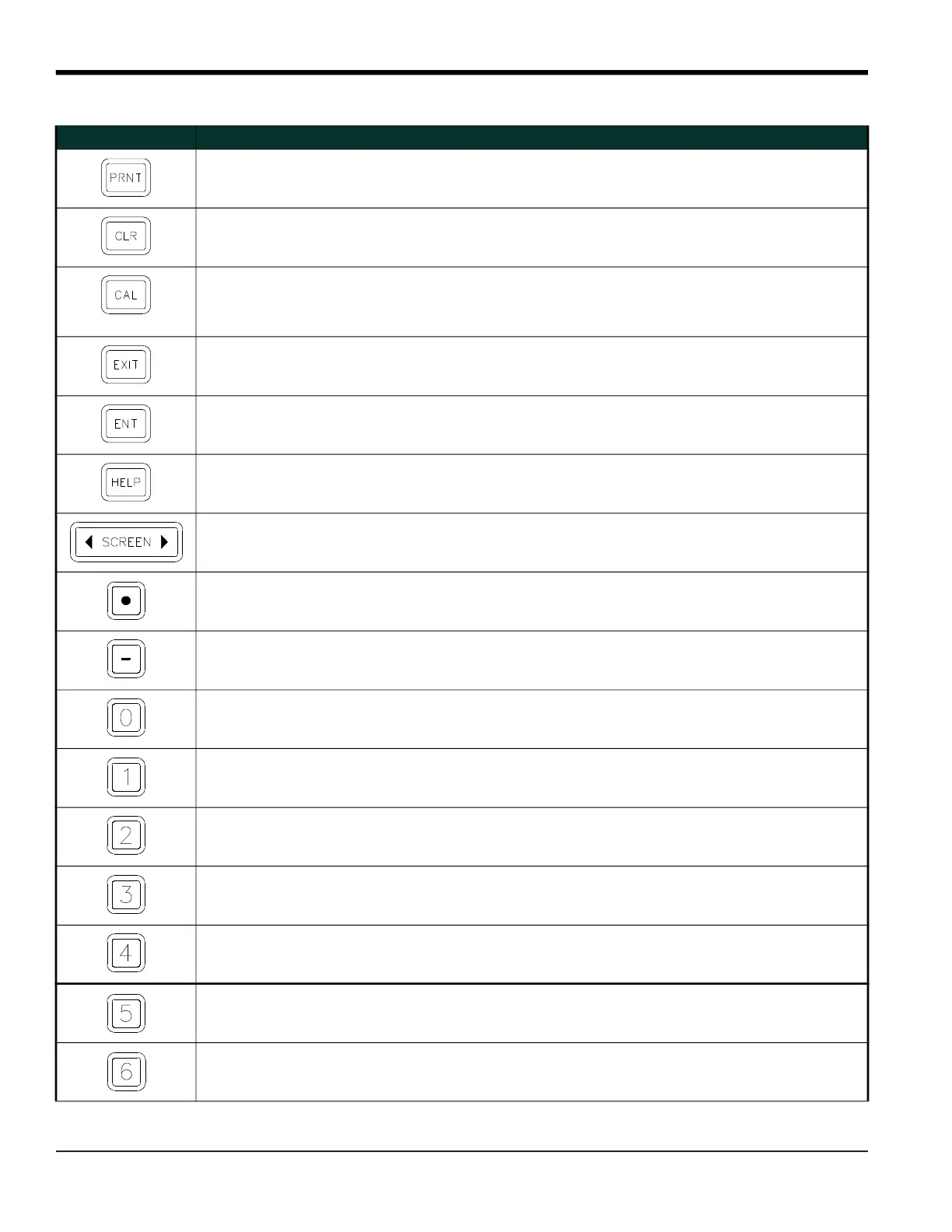
Print Key - use to print live measurements, log files and
signal arrays. See page 4-1 for details.
Use to enter the letter R.
Clear Key - use to reset totals and to delete site and log
files from the Model DF868 memory. See page 5-1 for
details.
Use to enter the letter H.
Calibration Key - use to calibrate the analog inputs and
outputs and to test the alarm relays and the
totalizer/frequency outputs. See Chapter 1,
Calibration, page 1-1 in the Service Manual, for details.
Use to enter the letter P.
Exit Key - use to move up one level in the user program or
to exit the user program.
Use to enter the letter J.
Enter Key - use to confirm the most recent input
information.
Use to enter the letter K.
Help Key - use to access the Model DF868’s
context-sensitive on-line help system. See the next
section for details.
Use to enter the letter I.
Screen Key - press the left side to select the left display
pane or press the right side to select the right display
pane.
Press the left side to enter the letter V
or press the right side to enter the
letter W.
Decimal Point Key - press to enter a decimal point
during numeric entry.
Use to enter the letter Z.
Minus Key - use to enter a minus sign or a dash. Use to enter a space character.
Zero Key - use to enter the number 0. Use to enter the letter Y.
One Key - use to enter the number 1. Use to enter the letter S.
Two Key - use to enter the number 2. Use to enter the letter T.
Three Key - use to enter the number 3. Use to enter the letter U.
Four Key - use to enter the number 4. Use to enter the letter L.
Five Key - use to enter the number 5. Use to enter the letter M.
Six Key - use to enter the number 6. Use to enter the letter N.
Table 1: Model DF868 Key Function
Key Unshifted Function Shifted Function











 To Next Page