Rewinding and
Fast
Forwarding
To rewind or fast forward the tape, press the REW
Button or FF Button when the tape has stopped moving.
Search/Jog Playback
Search playback (outside ring)
The unit is placed in the search mode by turning the
outside ring of the search dial.
A tape can
be
played back up to t t times the normal
speed.
In
the search mode, the FF Lamp (forward direction) or
REW Lamp (reverse direction) blinks.
• Set the search dial
to
its
centre click-stop position
for
still playback.
To release the search mode, press. the
PLAY, STOP,
STILL,
FF
or REW Button.
Jog playback (inside ring)
The unit is placed
in
the jog mode when the search dial
is set to the search/pause (centre click-stop) position.
When the inside
ring
is
now turned. the tape speed can
be varied
from
-1
x
to
+1
x the normal tape speed.
Still playback is established when the inside ring is no
longer turned.
Outer
Dial
for
search
playback
-------./
Inside
Dial
for
jog
playback
• A colour programme may appear
in
black and white
during search or jog playback: this is normal and not
indicative of malfunctioning.
• The playback pictures may appear distorted during
search or jog playback: this is normal and not indica-
tive
of
malfunctioning.
• No sound is heard during search or jog playback.
Normal sound
is
heard at a tape speed of 1/2x or
higher.
To Finish Playback
Press the STOP Button.
Still
Playback
and
Slow-Motion Playback
The unit is placed in the still picture mode when the
search
dial
is
set
to
its
centre
click-stop
position.
• When noise appears during still playback, proceed
with the stow tracking adjustment.
Slow Tracking Adjustment
TRACKtNG
+
DD
If noise should appear at the top or bottom of the
picture during still playback or slow-motion playback
(1/25 to 1/2x normal tape speed), press the Tracking
"+"
or "-"
Button
to
reduce
the
noise
in
the
slow-motion
playback mode.
• When still playback continues for more than 5
minutes, the unit
will be placed automatically in the
stop mode
in
order to protect the video heads.
• No sound
is
heard during still playback.
•
During
still
playback a colour programme may appear
in
black or white or the playback image may darken:
this
is
normal
and
not
indicative
of
malfunctioning.
Field-by-Field Playback
Press the
FF
or REW Button during still playback. When
the FF Button
is
pressed, the tape is fed by one field
in the forward direction; when the REW Button
is
pressed,
it
is
fed by one field
in
the reverse direction.
When the FF or REW Button is kept depressed, the tape
is
played back
in
the forward or reverse direction at
approximately 1I25th of the normal speed.
Unrecorded Blank Search
If a tape with unrecorded blanks lasting 5
or
more
seconds has been loaded, these blanks will be detected
automatically.
(1)
Load the tape.
(2)
Press the BLANK SEARCH Button.
The tape is searched automatically in the forward
direction and is stopped automatically when an un-
recorded blank lasting 5 or more seconds is
detected.
-
E-16-
OPERATING
INSTRUCTIONS
Audio Dubbing
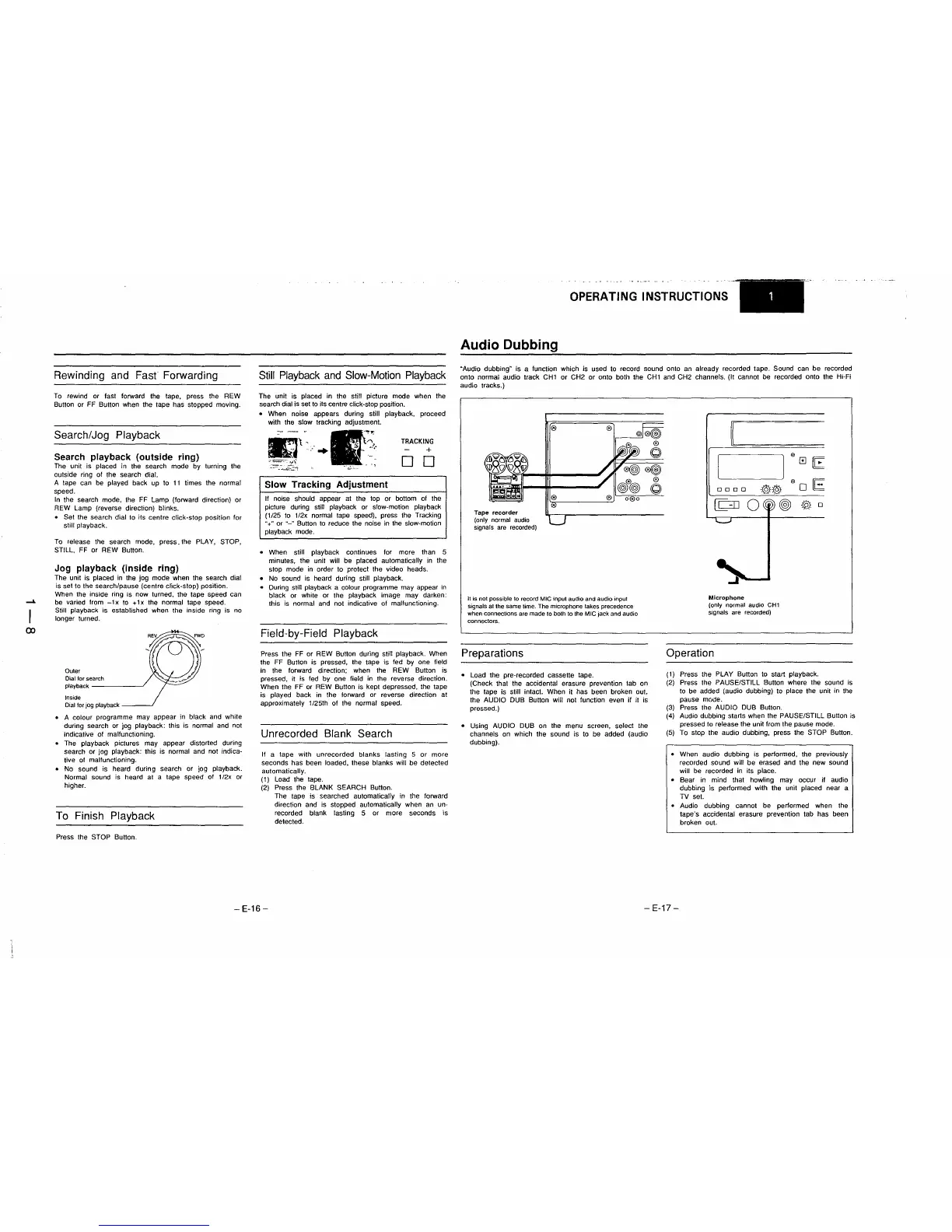
"Audio dubbing" is a function which is used to record sound onto an already recorded tape. Sound can be recorded
onto normal audio track
CHI
or
CH2
or
onto both the
CHI
and CH2 channels. (It cannot be recorded onto the Hi-Fi
audio tracks.)
Tape
recorder
(only normal audio
signals are recorded)
It
is
not
possible
to
record
MIC
input audio and audio
input
signals at the same time. The microphone takes precedence
when connections are made
to
both
to
the MIC jack and audio
connectors.
Preparations
• Load the pre-recorded cassette tape.
(Check that the accidental erasure prevention tab on
the tape
is
still intact. When it has been broken out,
the
AUDIO DUB Button will not function even if it
is
pressed.)
•
USing
AUDIO DUB on the menu screen, select the
channels on which the sound is to be added (audio
dubbing).
0000
Microphone
(only normal audio CH1
signals are recorded)
Operation
@
@
0
re::
0
E
@
0
(1)
Press the PLAY Button to start playback.
(2)
Press the PAUSE/STILL Button where the sound is
to be added (audio dubbing) to place the unit in the
pause mode.
(3)
Press the AUDIO DUB Button.
(4)
Audio dubbing starts when the PAUSE/STILL Button is
pressed
to
release the unit from the pause mode.
(5)
To stop the audio dubbing. press the STOP Button.
• When audio dubbing is performed, the previously
recorded sound will be erased and the new sound
will
be
recorded in its place.
• Bear
in
mind that howling may occur jf audio
dubbing is performed with the unit placed near a
TV set.
• Audio dubbing cannot be performed when the
tape's accidental erasure prevention tab has been
broken out.
-
E-17-











 To Next Page