3-4-3.
LUBRICATION PROCEDURES OF
THE
CAPSTAN
SHAFT
1.
Remove the Pressure Roller Unit.
2.
Remove the
Thrust
Screw.
3.
Apply
two
drops
of
the oil (VFK0131)
on
the
top
of
Capstan Shaft
as
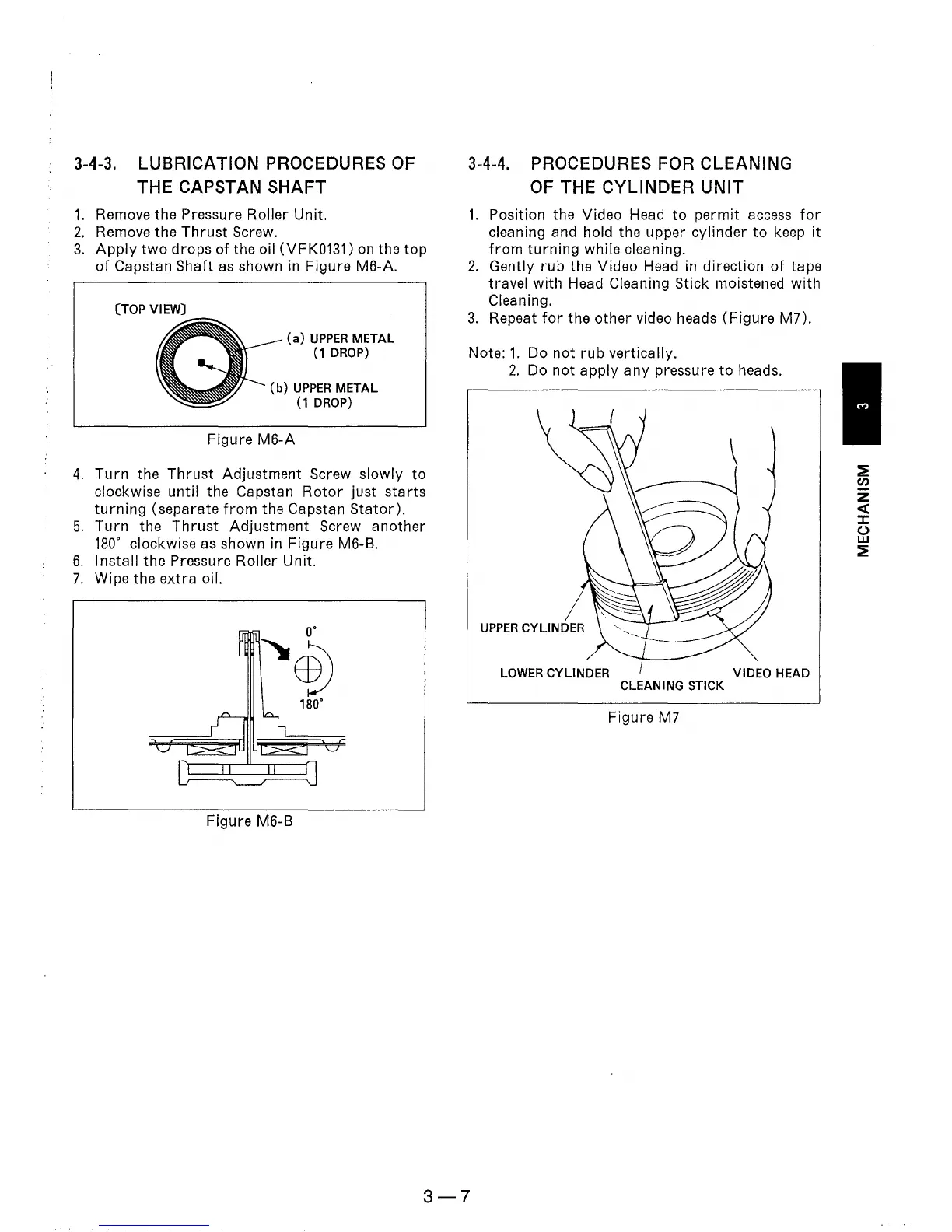
shown in Figure M6-A.
(TOP
VIEW)
(a)
UPPER
METAL
(1
DROP)
(b)
UPPER
METAL
(1
DROP)
Figure
M6-A
4.
Turn
the
Thrust
Adjustment Screw
slowly
to
clockwise until the Capstan
Rotor
just
starts
turning
(separate
from
the Capstan
Stator).
5.
Turn
the
Thrust
Adjustment
Screw another
180·
clockwise as shown in Figure M6-B.
6.
Install
the Pressure Roller Unit.
7.
Wipe the
extra
oil.
o·
~~
180·
Figure M6-B
3-4-4.
PROCEDURES FOR CLEANING
OF
THE
CYLINDER
UNIT
1.
Position the Video Head
to
permit access
for
cleaning and hold the upper cylinder
to
keep
it
from
turning
while cleaning.
2.
Gently
rub
the Video Head in direction
of
tape
travel
with
Head Cleaning Stick moistened
with
Cleaning.
3.
Repeat
for
the
other
video heads
(Figure
M7).
Note:
1.
Do
not
rub
vertically.
2.
Do
not
apply
any
pressure
to
heads.
LOWER
CYLINDER
VIDEO
HEAD
CLEANING
STICK
Figure M7
3-7
~
en
z
«
::c
()
w
~











 To Next Page