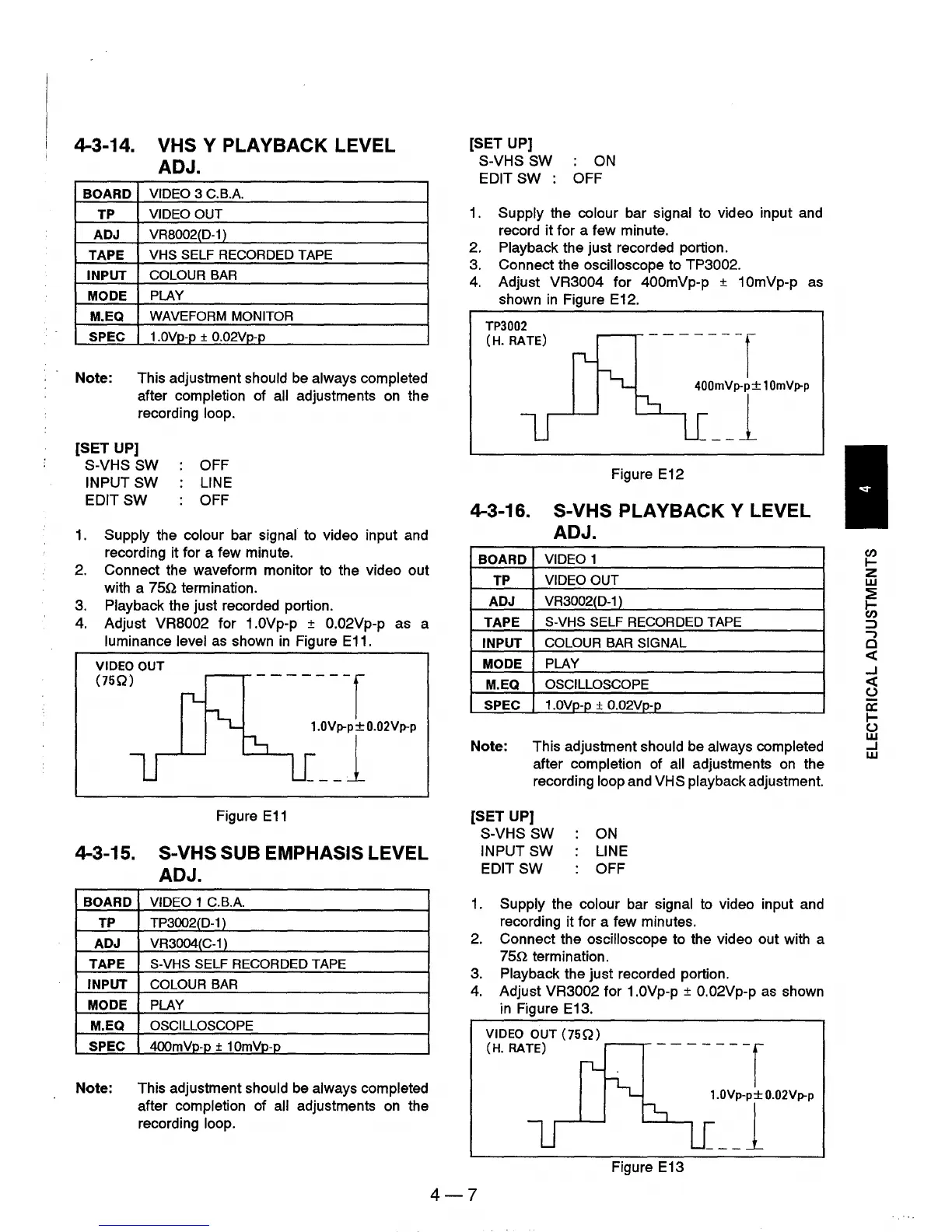
4-3-14. VHS Y PLAYBACK LEVEL
ADJ.
BOARD
VIDEO 3 C.B.A.
TP
VIDEO OUT
ADJ
VRB002(D-1 )
TAPE
VHS SELF RECORDED TAPE
INPUT
COLOUR BAR
MODE
PLAY
M.EQ
WAVEFORM MONITOR
SPEC
1.0Vp-p ± O.02Vp-p
Note: This adjustment should
be
always completed
after completion of all adjustments
on
the
recording loop.
[SET UP]
S-VHS SW OFF
INPUT SW
LINE
EDIT SW OFF
1.
Supply the colour bar signal to video input and
recording it for a few minute.
2.
Connect the waveform monitor to the video out
with a
750
termination.
3.
Playback the just recorded portion.
4.
Adjust VR8002 for 1.0Vp-p ± O.02Vp-p
luminance level
as
shown
in
Figure E11.
VIDEO OUT
(75Q)
-------r
as a
1.0Vp-p
±
O.02Vp-p
__
J
Figure
E11
4-3-15. S-VHS SUB EMPHASIS LEVEL
ADJ.
BOARD
VIDEO 1 C.B.A.
TP
TP3002(D-1)
ADJ
VR3004(C-1 )
TAPE
S-VHS SELF RECORDED TAPE
INPUT
COLOUR BAR
MODE
PLAY
M.EQ
OSCILLOSCOPE
SPEC
4OOmVp-p ± 10mVp-p
Note: This adjustment should
be
always completed
after completion of all adjustments
on
the
recording loop.
[SET UP]
S-VHS SW :
ON
EDIT SW : OFF
1.
Supply the colour bar signal to video input and
record
it
for a few minute.
2. Playback the just recorded portion.
3.
Connect the oscilloscope to TP3002.
4.
Adjust VR3004 for 400mVp-p ± 10mVp-p
as
shown
in
Figure E12.
TP3002
(H. RATE)
-------r
400mVp-p±
10mVp-p
__
J
Figure E12
4-3-16. S-VHS PLAYBACK Y LEVEL
ADJ.
BOARD
VIDEO 1
TP
VIDEO
OUT
ADJ
VR3002(D-1 )
TAPE
S-VHS SELF RECORDED TAPE
INPUT
COLOUR BAR SIGNAL
MODE
PLAY
M.EQ
OSCILLOSCOPE
SPEC
1.0Vp-p ±
O.02Vp~
Note: This adjustment should
be
always completed
after completion of all adjustments
on
the
recording loop and
VHS playback adjustment.
[SET UP]
S-VHS SW
INPUT SW
EDIT SW
ON
LINE
OFF
1.
Supply the colour bar signal
to
video input and
recording it for a few minutes.
2.
Connect the oscilloscope to the video out with a
750
termination.
3.
Playback the just recorded portion.
4.
Adjust VR3002 for 1.0Vp-p ± O.02Vp-p
as
shown
in Figure E13.
VIDEO OUT
(75Q)
(H. RATE)
~--,--
- - - - -
--r
~
:V~T'02V~P
Figure E13
4-7
en
I-
Z
w
~
I-
en
::J
-,
o
«
..J
«
o
ex:
I-
u
w
..J
w











 To Next Page