SGM700 Digitizer
Configuration Menu -Eth- -continue-
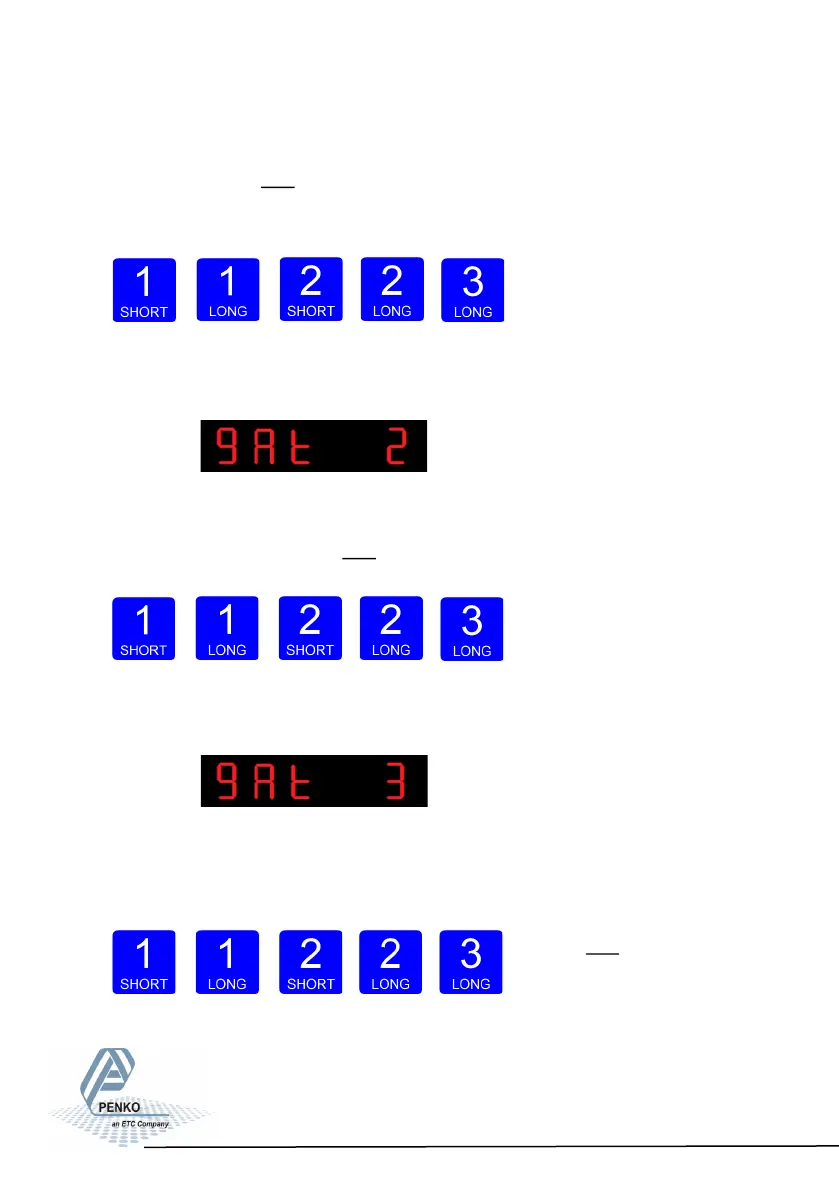
In gAt 1 you set the first first numbers of the Gateway address you want to give
the SGM720 (example: 192.168.001.001). Use key 1 and key 2 to change the
number Key 1 is for changing the number (1-9), key 2 is for changing the position
of the cursor. Confirm by pressing key 3 >2 sec.
Increase Decrease Left
Right Confirm
When confir- med the following screen will be visi-
ble:
In gAt 2 you set the second three numbers of the Gateway address you want to
give the SGM720 (example: 192.168.001.001). Use key 1 and key 2 to change
the number Key 1 is for changing the number (1-9), key 2 is for changing the po-
sition of the cursor. Confirm by
pres- sing key 3 >2 sec.
Increase Decrease Left Right Confirm
When confir- med the following screen will be visi-
ble:
In gAt 3 you set the third three numbers of the Gateway address you want to give
the SGM720 (example:
192.168.001.001). Use key 1
and key 2 to change the number
Key 1 is for changing the number (1
-9), key 2 is for changing the position of the cursor. Confirm by pressing key 3 >2
sec.
45



 To Next Page