43
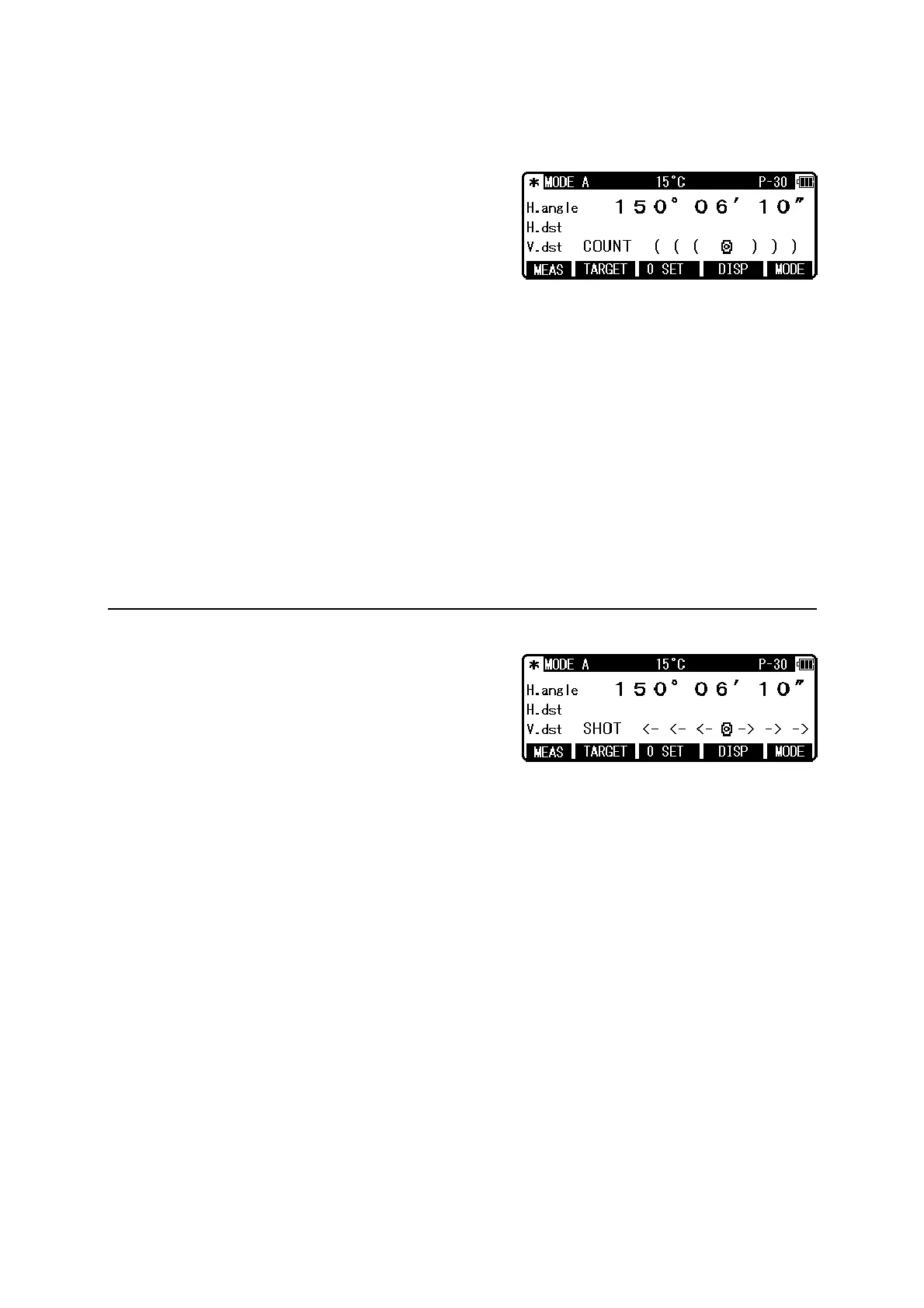
Example: “TRACK CONT” at second MEAS (Factory default setting)
Collimate the telescope at a Target and press [F1]
[MEAS] twice to start measuring the distance. Upon
reception of a reflected light from the target, the
instrument beeps and displays the mark to start the
TRACK distance measurement.
• If the instrument is in MODE B, press [F5] [MODE] to switch to MODE A and press [F1]
[MEAS ] twice.
• Pressing [F1] [MEAS] twice after collimating the telescope at the Target starts Continuous
distance measurement at fast speed with the “MEAS” text blinking.
It remains blinking during the measurement. If you press the [F1] [MEAS] again, Distance
measurement is completed and the “MEAS” text stops blinking.
• Pressing [F4] [DISP] cycles through the sets of display items:“H.angle/H.dst./V.dst.”,
“H.angle/V.angle/S.dst.”, and “H.angle/V.angle/H.dst./S.dst./V.dst.”
• Pressing the [ESC] or [F2] [TARGET] or [F5] [MODE] during fast distance measurement
stops it.
6.3 Quick mode
The Quick Mode is to shorten the measuring time
using prism or reflector sheet.
• The Quick Mode is effective to measure the distance up to 500m using prism or reflector
sheet.
• After selecting Quick Mode from the Quick Mode setting screen, the distance measurement
is done in Quick Mode.
• If the Quick Mode is selected, the distance measurement mark, "<-<- ->->", instead of
"((( )))", is displayed



 To Next Page
 Loading...