86
12.9 The EDM beam axis
The distance measurement (EDM) beam axis is adjusted to be aligned to the sighting axis of
the telescope, but it can be changed a little in case of rapid temperature change, shock or
aging. Check your instrument by following procedures.
[Checks]
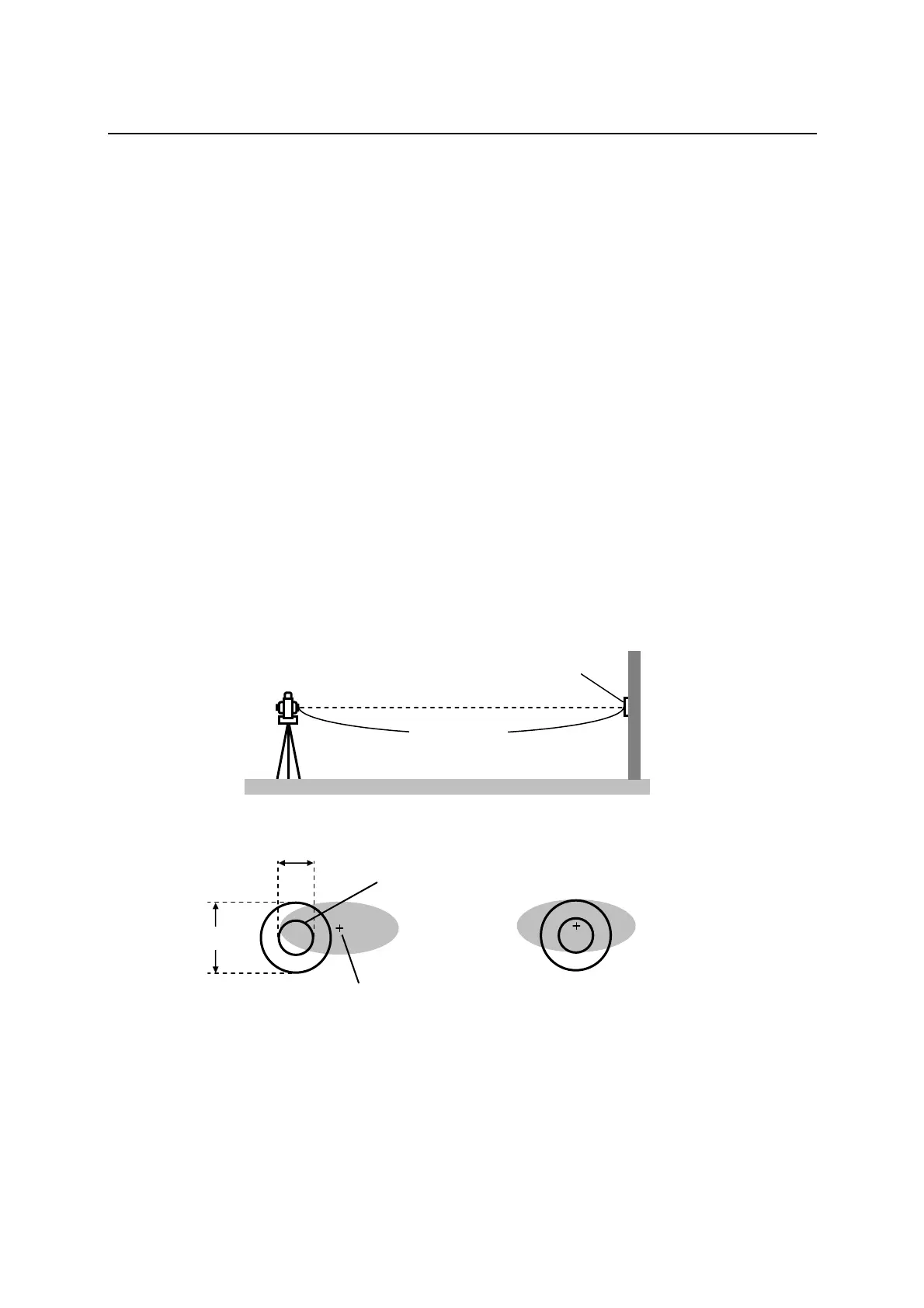
① Install the instrument on the tripod and level it at the distance of approx. 50m from the
wall.
② Displace the target plate attached to the end of this manual. Place the target plate adjusting
its center to the center of telescope cross line and to be about horizontal to the instrument.
③ Turn the power on, and confirm the [TARGET] is set to the reflecting sheet mode (“S”
will be indicated at the top of display, left side of the battery remains sign when it is that.)
When it is not, press [F2] [TARGET] and set to eflecting sheet mode (refere to “6.1 Target
setting”).
④ Press [F1] [MEAS], then the laser spot appears on the target plate. If the “Center” of the
laser spot is within the internal circle (10mm) of the target plate at this moment, the
adjustment is unnecessary.
• The laser spot disappears in approx. 20 seconds after pressing [F1] [MEAS].
Press [MEAS] again, if it is necessary.
[Adjustments]
At the procedure 4. above, if the “Center” of laser spot is not within the internal circle
(10mm) of the target plate, the adjustment is necessary. Please contact your PENTAX
dealer.
TargetPlate
approx.50m
[Example:Adjustmentisnecessary][Example:Adjustmentisunnecessary]
10mm
20mm
Laserspot“centre”
Internalcircle



 To Next Page
 Loading...