Need help?
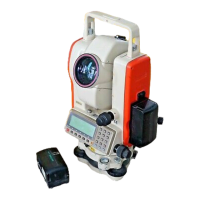
Do you have a question about the Pentax R-2500NS Series and is the answer not in the manual?
Explains the function and purpose of each key on the instrument.
Illustrates the key layout and character input order for alphanumeric data entry.
Welcomes the user and introduces the PowerTopoLite software.
Explains the sequence of key presses to launch the PowerTopoLite software.
Shows the current memory status and details of available storage space.
Guides the user through creating a new job file for organizing survey data.
Guides setting up the instrument's position using rectangular (X,Y,Z) coordinates.
Covers setting the horizontal angle (H.angle) for orienting the instrument.
Guides setting up the instrument's position using polar coordinates.
Displays recorded points graphically, allowing navigation and viewing.
Details how to edit existing rectangular and polar coordinate data.
Explains free stationing using four or more known points.
Guides performing stake out using known coordinates.
Describes staking out points relative to a defined line, showing deviations.
Offers Coordinate Geometry (COGO) functions.
Calculates direction angle and distance between two points.
Computes intersection points between a line and a circle.
Calculates 2D/3D contours and surface area of a polygon.
Allows inputting the Prism Height (PH).
Guides measuring distance from reference to target.
Covers setup and measurement of the traverse starting point.
Initiates the traverse calculation process.
Guides input of Beginning Point (BP), Intersection Point (IP), and End Point (EP).
Executes the road design calculations.
Explains exporting measurement data to text files.
Details connecting to PC via USB for data transfer.
Explains data transfer using RS-232C serial ports.
Enables selection of the user interface language.
Defines the coordinate system (e.g., basis direction, right angle).
Controls measurements from normal/reverse telescope positions.
 General
| Brand | Pentax |
|---|---|
| Model | R-2500NS Series |
| Category | Measuring Instruments |
| Language | English |


 To Next Page